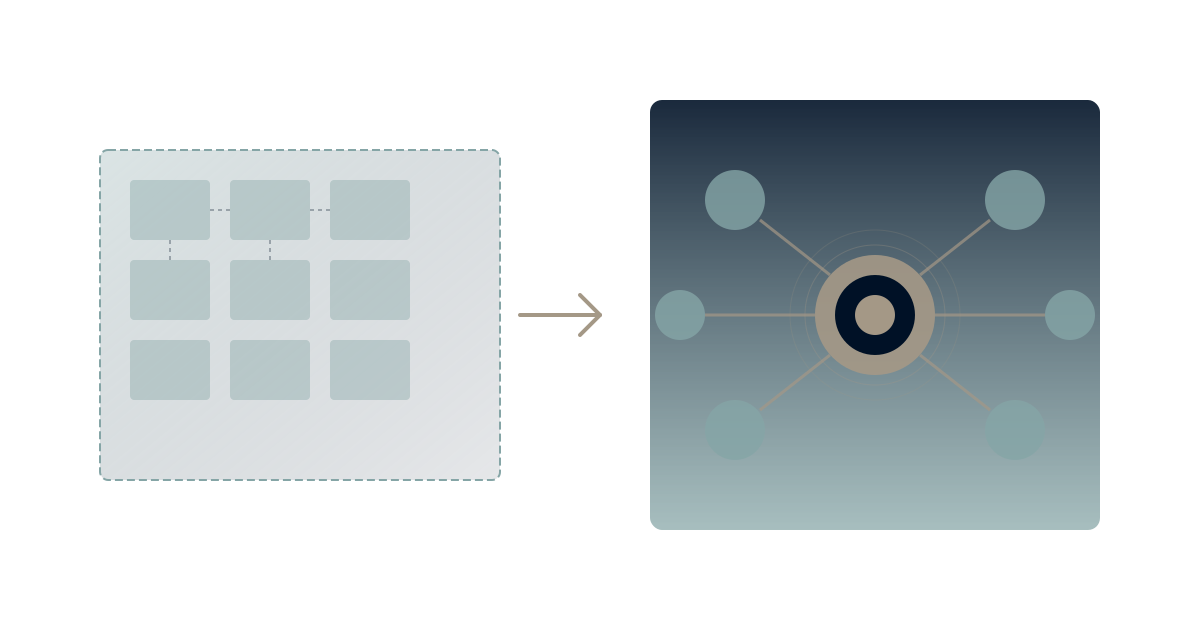
Google Workspace was perfect when you started. Small team, simple needs, affordable price. Gmail handled email. Drive stored files. Docs let you collaborate. Everything worked together seamlessly.
Then your business grew.
Now you've got 50 people, then 200, then 500. The simple tools that served a startup start showing their limits. You add Slack because Chat isn't cutting it. You add Asana because Tasks don't scale. You add Notion because Docs can't organize knowledge. Suddenly you're paying for Workspace plus six other tools that Workspace couldn't replace.
According to Okta's Business at Work report, the average company now uses 89 different apps—up from 58 just three years ago. For many organizations, this sprawl started when they outgrew their original productivity suite.
Here's how to recognize when you've outgrown Google Workspace—and what to do about it.
The Seven Warning Signs
Sign 1: Your Tool Count Has Exploded
The pattern: You're paying for Workspace plus Slack, Asana, Notion, Lattice, Amplitude, and a dozen other tools that fill gaps Workspace can't.
Why it happens: Workspace was built for document creation and email, not comprehensive work management. As needs grow, teams add specialized tools. Each addition makes sense in isolation. Together, they create chaos.
The math: At $12/user for Workspace Business Standard, plus $8/user for Slack, $11/user for Asana, $10/user for Notion, you're suddenly at $41/user/month—with none of the tools actually talking to each other.
This is the tool sprawl problem that compounds over time. Every new tool adds cognitive load, creates another data silo, and increases the chance that critical information gets lost between systems.
Sign 2: Strategic Work Happens Elsewhere
The pattern: Your OKRs live in a spreadsheet. Your strategic plan is a slide deck. Your roadmap is in a third tool. None of them connect.
Why it happens: Google Workspace was designed for document creation, not strategic execution. Sheets can hold a strategic plan, but it can't run one. There's no native way to connect goals to projects to tasks to outcomes.
What teams do instead: They build elaborate spreadsheet systems with VLOOKUP formulas, manual updates, and quarterly "refresh the strategy doc" rituals. The strategy exists, but it's not connected to daily work.
Strategic planning in spreadsheets creates a dangerous illusion: the strategy looks documented, but it's not actually driving execution. The gap between strategy and work widens over time.
Sign 3: Finding Anything Takes Too Long
The pattern: "It's in Drive somewhere" becomes the team's catchphrase. Search returns hundreds of results. Nobody knows the current version.
Why it happens: Drive is storage, not knowledge management. It's excellent at storing files but terrible at surfacing the right one when you need it. Without metadata, context, or relationships, every file is just another needle in a growing haystack.
The symptom: New employees take 6-12 months to become productive because so much time goes to learning where things live. Senior employees hoard knowledge in their heads because documenting it in Drive means it disappears.
The knowledge silo problem intensifies as organizations grow. More people creating more documents makes finding anything exponentially harder.
Sign 4: Collaboration Fragments Across Tools
The pattern: Decisions happen in Slack. Documents live in Drive. Tasks are in Asana. Context is in everyone's heads.
Why it happens: When one tool doesn't do everything, teams spread work across multiple tools. Each tool excels at one thing but can't maintain context across the workflow. The human brain becomes the integration layer.
The cost: According to research from UC Irvine, it takes an average of 23 minutes to fully return to a task after an interruption. Switching between fragmented tools creates dozens of micro-interruptions daily.
This is the context switching tax that kills deep work. Your team isn't unproductive—they're spending their productivity navigating tool fragmentation.
Sign 5: AI Features Feel Like Gimmicks
The pattern: Google's Duet AI can write an email draft or summarize a doc. But it knows nothing about your business, your goals, or your context.
Why it happens: Duet AI operates at the document level, not the organizational level. It can help you write, but it can't help you think strategically because it doesn't understand your strategy.
What you actually need: AI that knows your projects, remembers your decisions, understands your goals, and can provide recommendations based on organizational context—not just generic text generation.
This is the difference between prompt engineering and context engineering. Current Workspace AI requires you to provide all context manually, every single time.
Sign 6: Governance Becomes a Full-Time Job
The pattern: Someone spends significant time managing Drive permissions, shared drive hierarchies, group memberships, and data loss prevention policies.
Why it happens: Workspace's permission model was designed for simpler times. As organizations grow, the matrix of who-can-access-what becomes increasingly complex. Add compliance requirements (SOC 2, HIPAA, GDPR) and governance becomes a nightmare.
The cost: Large organizations report dedicating 0.5-1.0 FTE just to Workspace administration and governance—time that could go toward actual work.
Sign 7: Enterprise Features Require Enterprise Pricing
The pattern: You need advanced security controls, eDiscovery, or data regions—but that means jumping to Workspace Enterprise at $25+/user.
Why it happens: Google segments features to maximize revenue. Reasonable for them, expensive for you. The gap between Business and Enterprise pricing is significant, often forcing companies to overpay for a few critical features.
The calculation: If Enterprise features save you one security incident or compliance failure, the premium pays for itself. But if you're paying Enterprise prices just for better admin controls, you're subsidizing features you don't use.
The Outgrowth Pattern
Here's how organizations typically evolve beyond Workspace:
Phase 1: Workspace Is Enough (0-20 employees)
Everything works. Small team means simple needs. Everyone knows where everything is. Email, docs, calendar—done.
Phase 2: The First Supplements (20-50 employees)
Chat isn't enough—add Slack. Tasks don't scale—add Asana or Linear. Wiki needed—add Notion. Each addition is justified. Total tool count: 5-8.
Phase 3: Integration Attempts (50-150 employees)
Tools don't talk to each other. Add Zapier to connect them. Build custom integrations. Hire someone to manage the "digital workplace." Tool count: 10-15.
Phase 4: The Productivity Plateau (150-500 employees)
Despite more tools, productivity gains flatten. Onboarding takes forever. Finding information is hard. Strategy disconnects from execution. Teams build workarounds on top of workarounds.
Phase 5: The Reckoning (500+ employees)
Leaders realize the cost: $40-60/user/month across fragmented tools, plus the hidden costs of context switching, knowledge loss, and governance overhead. The question shifts from "how do we optimize?" to "should we rethink the foundation?"
What to Do About It
Option 1: Optimize Within Workspace
Approach: Better Drive organization, stricter naming conventions, governance policies, training programs.
Best for: Organizations where Workspace genuinely meets 80%+ of needs and the gaps are manageable.
Honest assessment: This extends the runway but doesn't solve the structural problems. You're optimizing a system designed for different needs.
Option 2: Add a Strategy Layer
Approach: Keep Workspace for email/documents. Add a strategic execution platform on top for goals, projects, and performance management.
Best for: Organizations where email and docs work fine but strategic visibility is the gap.
Honest assessment: Reduces fragmentation but doesn't eliminate it. You're still maintaining two systems with the integration overhead that implies.
Option 3: Migrate to an Integrated Platform
Approach: Replace Workspace + supplements with a unified platform designed for modern work management.
Best for: Organizations experiencing multiple warning signs, where the cost of fragmentation exceeds the cost of transition.
Honest assessment: Biggest change, biggest potential gain. Requires commitment to change management and realistic expectations about transition time.
Making the Decision
Stay if:
- Workspace genuinely meets most needs
- Tool count is manageable (<5 supplements)
- Governance overhead is acceptable
- Strategic visibility gaps are minor
- Team resists change strongly
Evaluate alternatives if:
- Tool sprawl exceeds 8-10 supplements
- Strategic planning disconnects from execution
- Finding information consistently frustrates teams
- AI needs exceed document-level assistance
- Governance requires significant dedicated resources
Timeline considerations:
Don't rush: Tool migration affects everyone. Poor change management creates resistance that outlasts the transition.
Don't delay indefinitely: The costs of fragmentation compound. Every month of delay means more documents in the wrong place, more decisions lost in Slack, more context trapped in individual heads.
The AI Imperative
Here's what makes this decision urgent in 2026: AI capability depends on unified data.
Context engineering requires AI systems to access organizational memory—your goals, decisions, context, and history. Fragmented tools mean fragmented AI. The organizations that unify their work data now will have AI capabilities that fragmented organizations simply cannot match.
The question isn't just "is Workspace limiting today?" It's "will Workspace's data fragmentation limit our AI capability tomorrow?"
Experience Unified Work with Waymaker
Want to see what integrated work management looks like? Waymaker Commander brings strategy, execution, and AI together in one platform. It connects goals to projects to tasks to outcomes, provides AI that actually knows your business context, and eliminates the tool sprawl that fragments modern organizations.
The result: One source of truth for how work connects to strategy, with AI that remembers.
Register for the beta and experience the difference between fragmented tools and unified work.
Outgrowing Google Workspace isn't failure—it's growth. The tools that served your startup may not serve your scale-up. Recognizing the signs early lets you plan the transition thoughtfully instead of scrambling reactively. Learn more about our organizational memory framework and explore the Context Compass approach to unified work.
Stuart Leo has helped hundreds of organizations evaluate and evolve their productivity platforms. He's the author of Resolute and founder of Waymaker, designed for teams that have outgrown their first-generation tools.
Part of our guide to leaving google workspace.
About the Author

Stuart Leo
Stuart Leo founded Waymaker to solve a problem he kept seeing: businesses losing critical knowledge as they grow. He wrote Resolute to help leaders navigate change, lead with purpose, and build indestructible organizations. When he's not building software, he's enjoying the sand, surf, and open spaces of Australia.