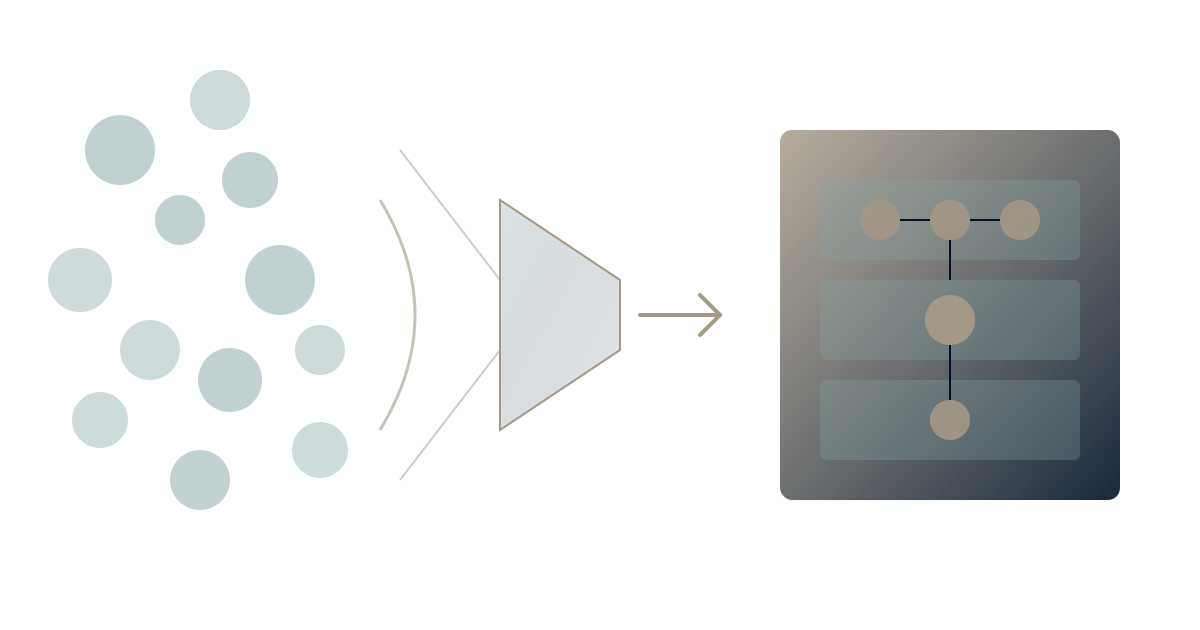
Your organization uses 89 apps. You know this is too many. You know the fragmentation costs productivity, creates security risk, and prevents effective AI deployment.
But how do you actually consolidate without creating chaos?
This guide provides a practical framework for SaaS stack consolidation—from audit to execution—based on work with hundreds of organizations facing the same challenge.
Phase 1: Discovery and Audit
The Complete Inventory
Before you can consolidate, you need to know what you have. Most organizations dramatically underestimate their tool count.
Sources to check:
- IT procurement records: What's officially purchased
- SSO/identity provider logs: What's actively accessed
- Expense reports: What departments are buying directly
- Credit card statements: What's purchased without IT involvement
- Browser extension audits: What's installed on company devices
- Employee surveys: What tools are actually being used
According to Zylo research, organizations typically discover 30-50% more applications than IT is aware of during thorough audits.
Create a master inventory with:
- Application name
- Vendor
- Primary function/category
- Monthly/annual cost
- Number of licensed users
- Number of active users (past 30 days)
- Business owner
- IT owner (if different)
- Data stored
- Integrations with other tools
Cost Analysis
Direct costs are just the beginning.
Visible costs:
- License fees
- Implementation costs
- Training costs
- Support contracts
Hidden costs (often larger):
- Context switching between applications
- Integration maintenance
- Security and compliance overhead
- Knowledge fragmentation across tools
- Onboarding time for each tool
Gartner estimates that hidden costs typically equal or exceed visible SaaS spending. For every dollar spent on licenses, assume another dollar in hidden productivity costs.
Usage Analysis
License count means nothing without usage data.
Metrics to capture:
- Monthly active users: How many licensed users actually logged in?
- Usage depth: Surface usage vs. feature utilization
- Usage frequency: Daily users vs. monthly users
- User sentiment: Do people value the tool or tolerate it?
Red flags:
- Usage below 50% of licensed seats
- Declining usage over time
- Tool used by small subset for niche purpose
- Users expressing frustration
- Features duplicated by other tools
Many organizations find that 20-30% of SaaS spending goes to tools with less than 50% user adoption.
Phase 2: Categorization and Mapping
Function-Based Categorization
Group your tools by what they do:
Work management: Project management, task tracking, roadmaps Communication: Chat, email, video, async communication Documentation: Wikis, documents, knowledge bases Productivity: Word processing, spreadsheets, presentations Analytics: Business intelligence, reporting, dashboards Customer: CRM, support, success Finance: Accounting, billing, expenses HR: Recruiting, performance, payroll Development: Code, deployment, monitoring Security: Identity, access, compliance
Overlap Identification
Within each category, map feature overlap.
Common overlaps:
- Multiple project management tools (Asana AND Monday AND Jira)
- Multiple documentation platforms (Notion AND Confluence AND Google Docs)
- Multiple communication channels (Slack AND Teams AND email)
- Multiple analytics tools (Tableau AND Looker AND custom dashboards)
For each overlap, assess:
- Are they serving different functions or duplicating?
- Are different teams using different tools for the same purpose?
- Could one tool serve all use cases?
This is where tool sprawl becomes visible—multiple tools doing the same job because teams made independent decisions.
Strategic Mapping
Beyond function, map to strategic importance:
Tier 1 - Core operational: Tools the business cannot function without Tier 2 - Important: Significant productivity impact if removed Tier 3 - Useful: Convenience and nice-to-have Tier 4 - Questionable: Unclear value, limited usage Tier 5 - Redundant: Duplicate functionality with other tools
Be honest about tiers. Most organizations find 30-40% of tools in Tiers 4 and 5.
Phase 3: Consolidation Strategy
The Consolidation Decision Framework
For each tool, ask:
-
Is this the only tool serving this function?
- If yes: Keep (unless function isn't needed)
- If no: Proceed to question 2
-
Is this the best tool for this function?
- Compare features, usage, costs with overlapping tools
- Choose one, plan to eliminate others
-
Could this function be absorbed by a platform?
- Individual point solutions vs. integrated platforms
- Platform consolidation reduces integration overhead
-
What's the switching cost?
- Data migration complexity
- User retraining required
- Integration dependencies
- Contractual commitments
-
What's the business risk of consolidation?
- Critical workflows dependent on specific tool
- User resistance potential
- Vendor lock-in considerations
Platform vs. Point Solution Strategy
Point solutions: Best-of-breed individual tools for each function
Pros: Deep functionality for specific needs Cons: Creates silos, requires integration, multiplies overhead
Platforms: Integrated systems covering multiple functions
Pros: Unified data, reduced integration, simpler stack Cons: May compromise on specific features, bigger migration
The trend: Organizations are moving from point solutions to platforms because:
- AI effectiveness requires unified data
- Integration costs exceed platform premiums
- Context switching costs are becoming visible
The Context Compass approach suggests: prioritize platforms that preserve organizational context over tools that optimize individual functions.
Prioritization Matrix
Score each consolidation opportunity:
Value (1-5): Cost savings + productivity gains + strategic benefit Difficulty (1-5): Migration complexity + risk + resistance
Priority order:
- Quick wins: High value, low difficulty
- Strategic initiatives: High value, high difficulty
- Fill-ins: Low value, low difficulty (do when convenient)
- Avoid: Low value, high difficulty
Start with quick wins to build momentum and prove value.
Phase 4: Migration Execution
The Phased Approach
Don't try to consolidate everything at once.
Wave 1 (Month 1-3): Quick wins
- Eliminate obviously redundant tools
- Consolidate where user impact is minimal
- Build confidence and methodology
Wave 2 (Month 4-8): Core consolidation
- Major platform decisions
- Significant tool eliminations
- Change management intensive
Wave 3 (Month 9-12): Optimization
- Clean up remaining redundancies
- Optimize consolidated stack
- Establish governance to prevent re-sprawl
Change Management
Tool consolidation fails without people management.
Communication plan:
- Why consolidation is happening (not just cost cutting)
- What's changing and when
- What support is available
- How to provide feedback
Training plan:
- Before-migration preparation
- During-migration support
- After-migration reinforcement
Resistance management:
- Identify power users of deprecated tools
- Involve them in migration planning
- Address legitimate concerns
- Document why decisions were made
People are attached to their tools. Research from Prosci shows that projects with excellent change management are 6x more likely to meet objectives than those with poor change management.
Data Migration
The technical complexity of consolidation.
Migration planning checklist:
- What data exists in the deprecated tool?
- What data must be migrated vs. archived vs. abandoned?
- What's the migration path (export/import, API, manual)?
- Who owns migration execution?
- How long will parallel operation continue?
- What's the rollback plan if migration fails?
Data mapping:
- Source system fields → Target system fields
- Required transformations
- Historical data handling
- Relationship preservation
Testing:
- Migrate sample data first
- Verify accuracy and completeness
- Test integrations with migrated data
- User acceptance testing before full migration
Timing Considerations
Good timing:
- After fiscal year close (clean breaks)
- During lower activity periods
- Aligned with contract renewals
- When new platform is stable
Bad timing:
- During peak business periods
- Mid-project when dependencies are active
- When key stakeholders are unavailable
- Right before major company events
Phase 5: Governance and Sustainability
Preventing Re-Sprawl
Consolidation is pointless if sprawl returns.
Governance framework:
- Tool request process: Clear path for requesting new tools
- Evaluation criteria: Standard checklist before approval
- Overlap checking: Does existing tool serve this function?
- Business case requirement: Justify the addition
- IT security review: Before any new SaaS
Evaluation checklist for new tools:
- Is this function not served by existing tools?
- Have platform extensions been considered?
- What's the total cost of ownership (including hidden costs)?
- What data will it store and how does that affect security?
- What integrations are required?
- Who will own administration?
- What's the sunset plan if it doesn't work out?
Regular Review Cycles
Schedule periodic stack reviews:
Quarterly: Usage review of all Tier 1-2 tools Annually: Complete stack audit (repeat Phase 1) Per incident: Review any tool that causes problems
Success Metrics
Track consolidation impact:
Direct metrics:
- Total tool count
- Total SaaS spend
- Unused license percentage
- Integration count
Indirect metrics:
- Time spent finding information
- Onboarding time for new employees
- Context switching frequency
- Employee satisfaction with tools
The AI Readiness Payoff
Beyond cost savings, consolidation enables AI capability.
Fragmented stack: AI can only work within individual silos. Each tool's AI knows only its own data.
Consolidated stack: AI can understand organizational context. Unified data enables unified intelligence.
Context engineering requires consolidated data. Every consolidation step moves toward AI readiness.
The organization that consolidates in 2026 will have AI capabilities in 2027 that fragmented competitors cannot match.
Experience Unified Work
Want to see what consolidated work management looks like? Waymaker Commander brings projects, documents, strategy, and AI together in one platform—the destination for stack consolidation.
The result: One source of truth. One interface. AI that understands the complete picture.
Register for the beta and experience the difference between 89 fragmented tools and one unified platform.
SaaS stack consolidation isn't just cost reduction—it's strategic investment. Fewer tools means less fragmentation, better AI readiness, and more organizational capability. The work is significant, but the returns compound. Learn more about our Context Compass framework and explore how unified platforms enable organizational intelligence.
Stuart Leo has led stack consolidation for 100+ organizations. He's the author of Resolute and founder of Waymaker, designed as the consolidation destination for teams escaping tool sprawl.
Part of our guide to all-in-one business platforms.
About the Author

Stuart Leo
Stuart Leo founded Waymaker to solve a problem he kept seeing: businesses losing critical knowledge as they grow. He wrote Resolute to help leaders navigate change, lead with purpose, and build indestructible organizations. When he's not building software, he's enjoying the sand, surf, and open spaces of Australia.