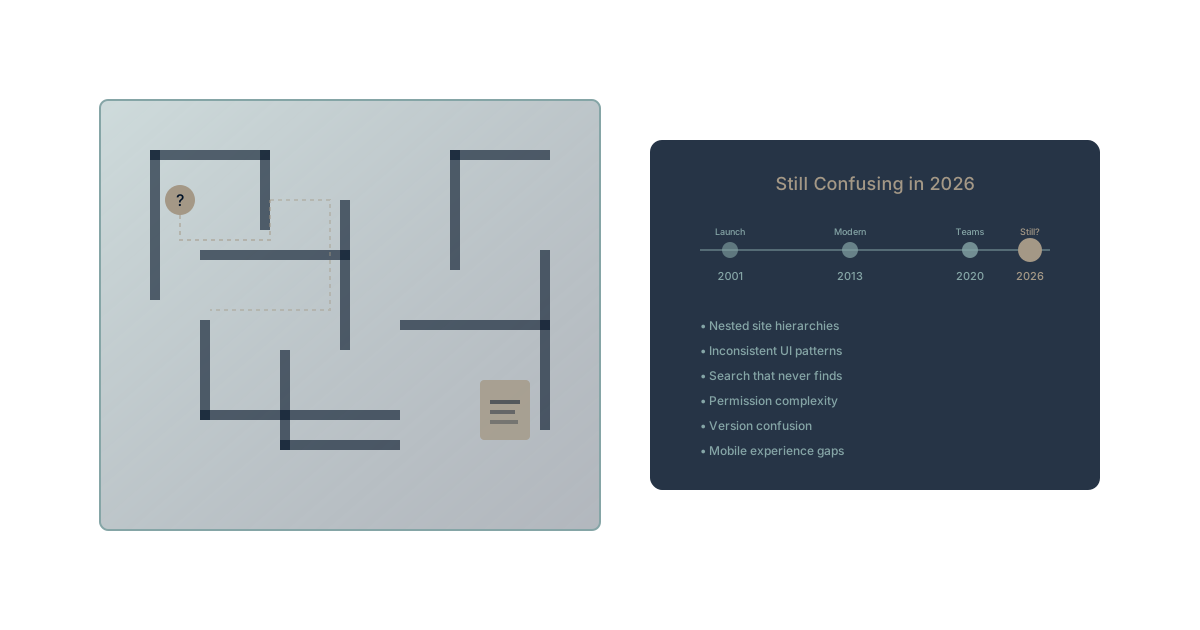
Microsoft has invested billions into SharePoint over two decades. They've rebuilt it, rebranded it, integrated it with Teams, and repositioned it as the backbone of Microsoft 365 collaboration.
And yet, in 2026, users still can't find their documents.
This isn't an implementation problem. It isn't a training problem. It's a fundamental architectural problem that no amount of AI sprinkling or UI refreshing can solve.
The SharePoint Paradox
Billions Invested, Problems Unchanged
SharePoint Online is used by over 200 million people monthly according to Microsoft's productivity data. It's been continuously updated since its cloud migration began in 2011. Microsoft has added:
- Modern page experiences
- Hub sites and communication sites
- Integration with Teams
- AI-powered search with Copilot
- Simplified site creation
- Mobile apps and modern web parts
And yet the fundamental complaints remain:
"Where is that document?" "Which site is the latest version on?" "Why can't I find what I just saved?" "Did marketing share this with us or not?"
The paradox is striking: massive investment, unchanged user frustration.
The Complexity That Never Goes Away
SharePoint's core problem is architectural. It was designed as a platform—a foundation for building document management, intranet, and collaboration solutions. That flexibility became its curse.
The complexity cascade:
- Sites vs. Libraries vs. Folders: Three different organizational paradigms competing for user attention
- Permissions inheritance: Complex permission models that confuse even administrators
- Metadata vs. folders: Two competing approaches to organization with no clear guidance
- Multiple entry points: Teams files, SharePoint sites, OneDrive—same documents, different interfaces
- Search that searches everything: Finding the needle in an ever-growing haystack
Microsoft's own research shows users spend hours weekly searching for documents. SharePoint complexity contributes directly to this lost time.
Why SharePoint Confuses Users
The Site Proliferation Problem
Organizations start with organized intentions. One site for each team. Clear naming conventions. Defined purposes.
Then reality happens:
- Projects get their own sites (justified initially)
- Teams create ad-hoc sites for specific initiatives
- Mergers bring in external sites
- Nobody deletes old sites
- The "new" site naming convention conflicts with the old one
The result: Fifty sites where users have access, with no clear map of which site contains what. The document you need could be in any of them.
The Permissions Labyrinth
SharePoint permissions seem logical on paper: Sites inherit from their parent, with the ability to break inheritance for specific needs.
In practice:
- Someone breaks inheritance to share with a contractor
- That break is forgotten but persists
- New team members can't see what their colleagues see
- "Request access" emails pile up
- IT creates broad permissions to stop the complaints
- Security becomes an afterthought
Research from Ponemon Institute consistently shows that overly complex permission systems lead to both over-sharing and under-sharing—neither of which is the intended outcome.
The Teams vs. SharePoint Identity Crisis
When Microsoft positioned Teams as the hub for collaboration, SharePoint became the invisible backend. Teams files are SharePoint files. Teams sites are SharePoint sites.
The confusion this creates:
- Users think Teams files and SharePoint files are different
- The same document appears in different interfaces with different metadata
- Sharing from Teams vs. sharing from SharePoint behaves differently
- Navigation between them feels disjointed
- Training materials contradict each other
Users don't want to understand the underlying architecture. They want to find their documents. SharePoint's dual identity with Teams makes that harder, not easier.
The Search That Should Save Everything
Microsoft's Search Promise
Microsoft positions search as the solution to complexity. Can't find your document in the navigation? Search for it. Don't remember which site? Search finds across all of them.
The promise: Intelligent search eliminates the need for perfect organization.
The reality: Search creates new problems while failing to solve existing ones.
Why SharePoint Search Disappoints
Too many results: Search for "Q3 report" and get hundreds of results across multiple years, versions, and related documents. The needle is in the haystack, but so are fifty similar-looking needles.
Version confusion: Multiple versions of documents appear in search. Which is current? The latest modified date might be from a stale draft. The "official" version might have an older date.
Context blindness: Search finds documents but not relationships. The Q3 report exists, but what about the Q3 planning document that explains it? The Q3 actuals that informed it? Those are separate searches.
Permission filtering: Search respects permissions—which means you might not see documents you should see if permissions are misconfigured. You don't know what you can't see.
According to IDC research, knowledge workers waste significant time each week on failed searches—looking for information that exists but can't be found.
The Copilot Promise and Reality
Microsoft's AI strategy positions Copilot as the solution to findability. Ask Copilot, and it retrieves what you need.
The reality check:
Copilot improves individual task efficiency—drafting emails, summarizing documents, generating slides. But it doesn't solve the organizational memory problem. It searches the same cluttered landscape, with the same permission complexities, and returns the same overwhelming results.
AI that doesn't understand organizational context is feature AI, not strategic AI. SharePoint's underlying chaos isn't fixed by adding intelligence to search—it requires rethinking how organizational knowledge is structured.
The Hidden Costs of SharePoint Confusion
Direct Productivity Loss
The search tax: Every failed search costs time. Multiple searches multiply the cost. Average knowledge worker: 1.8 hours daily searching for information according to McKinsey research.
The wrong version cost: Work done on outdated documents must be redone. Decisions made on stale data must be revisited. The cost compounds with each incident.
The permission delay: Waiting for access requests to be approved. Working around access limitations. The friction that slows every cross-team interaction.
Strategic Decision Impact
SharePoint confusion isn't just a productivity issue—it affects decision quality.
Information not found: Strategic decisions made without complete information because finding it was too hard.
Outdated information used: Decisions based on documents that weren't current, because the current version was unfindable.
Context lost: The rationale for past decisions buried in sites nobody checks anymore.
This is business amnesia enabled by document chaos.
Cultural Costs
Shadow IT emergence: Users frustrated with SharePoint adopt unauthorized alternatives. The official system becomes less complete, making it even less useful.
Compliance risk: Documents stored in unauthorized locations to avoid SharePoint complexity. Governance frameworks broken by user workarounds.
New hire frustration: Onboarding extends as new employees struggle to navigate the SharePoint maze. Productivity delays that compound across every hire.
The Structural Problem
Architecture vs. User Needs
SharePoint was built to be flexible—a platform for building solutions. That architectural decision prioritized administrator power over user simplicity.
What administrators can do:
- Create any site structure imaginable
- Implement complex metadata taxonomies
- Build custom workflows and permissions
- Configure search to prioritize certain content
What users experience:
- Inconsistent interfaces across sites
- Metadata they don't understand
- Permission mysteries they can't solve
- Search that returns too much or too little
The gap between administrative capability and user experience has never been bridged.
The Governance Impossibility
SharePoint requires governance to work well. Clear policies, consistent structures, regular cleanup, permission audits.
Why governance fails:
- Resource competition: IT prioritizes projects over maintenance
- Political complexity: Nobody wants to delete someone else's site
- Knowledge turnover: Governance knowledge leaves with departing employees
- Tool evolution: SharePoint changes faster than governance documents update
Organizations that make SharePoint work invest heavily in governance. Most organizations can't or won't make that investment.
The Legacy Integration Trap
SharePoint accumulates. New systems integrate with it. Old processes depend on it. Workflows are built on it.
The integration debt:
- Can't remove SharePoint because too much depends on it
- Can't simplify SharePoint because existing structures are in use
- Can't migrate because the data is scattered across hundreds of sites
- Can't maintain because nobody understands all the integrations
This is the tool sprawl problem within a single tool—complexity that compounds until change becomes impractical.
The Alternative Path
What Would Actually Help
Unified context: Documents that exist within their working context—projects, goals, decisions—rather than isolated file storage.
Automatic organization: Systems that understand how documents relate and maintain those relationships without manual metadata.
Permission simplicity: Access models based on organizational reality rather than site hierarchies.
True AI memory: Context engineering that builds organizational understanding, not just document retrieval.
The Platform Decision
Organizations face a choice:
Option 1: Invest heavily in SharePoint governance
- Dedicated resources for structure and cleanup
- Ongoing training and enforcement
- Acceptance of fundamental limitations
Option 2: Migrate to purpose-built alternatives
- Modern platforms designed for user experience
- Built-in organization that doesn't require governance armies
- Architecture aligned with how work actually happens
Option 3: Hybrid approach
- SharePoint for specific use cases where it works
- Modern platforms for collaboration that needs to be findable
- Clear boundaries between them
The right answer depends on your organization's situation. But "keep doing what we're doing" isn't working for most.
Experience Document Management That Works
Want to see what happens when documents exist within work context rather than file hierarchies? Waymaker Commander integrates documents with projects, goals, and decisions—so you always know where things are and why they matter.
The result: Documents you can find because they're connected to the work they support. Context preserved because it's part of the system, not separate from it.
Register for the beta and experience the difference between file storage and organizational knowledge.
SharePoint's confusion isn't a bug—it's the inevitable result of platform complexity without governance resources. Two decades and billions of dollars haven't solved it because the fundamental architecture prioritizes flexibility over usability. The solution isn't better training or more AI—it's rethinking how organizational knowledge should be structured. Learn more about our Context Compass framework, browse our full platform comparison hub, and explore how context engineering builds findable organizational knowledge.
The Waymaker Editorial team researches enterprise productivity tools across industries. This analysis synthesizes user research, industry data, and implementation experience across 50+ enterprise SharePoint deployments.
Part of our guide to leaving microsoft 365.
About the Author

Waymaker Editorial
Stuart Leo founded Waymaker to solve a problem he kept seeing: businesses losing critical knowledge as they grow. He wrote Resolute to help leaders navigate change, lead with purpose, and build indestructible organizations. When he's not building software, he's enjoying the sand, surf, and open spaces of Australia.