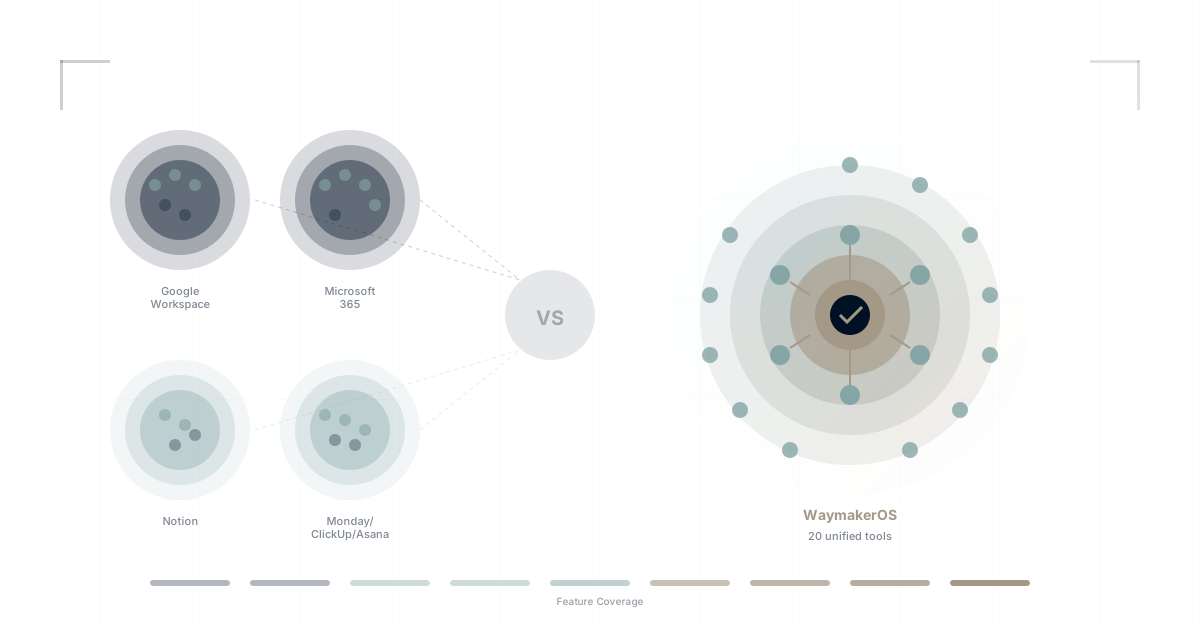
Choosing business software is overwhelming. Every platform claims to be the best. Marketing teams spin features into benefits. Real limitations hide behind enterprise pricing tiers.
This page provides honest, comprehensive comparisons between WaymakerOS and the major platforms you're probably considering. We'll tell you where competitors excel, where WaymakerOS wins, and—most importantly—which platform fits your specific situation.
Our commitment: We don't bash competitors. Every tool on this list is used by successful organizations. The question isn't "which is best" but "which is best for you."
Quick Comparison Matrix
| Capability | WaymakerOS | Google Workspace | Microsoft 365 | Notion | Monday | ClickUp | Asana | Zoho One |
|---|---|---|---|---|---|---|---|---|
| ✅ Full | ✅ Gmail | ✅ Outlook | ❌ | ❌ | ❌ | ❌ | ✅ | |
| Calendar | ✅ Full | ✅ Full | ✅ Full | ❌ | Basic | ✅ | ✅ | ✅ |
| Documents | ✅ Full | ✅ Docs | ✅ Word | ✅ Full | Basic | ✅ Docs | ❌ | ✅ |
| Spreadsheets | ✅ Full | ✅ Sheets | ✅ Excel | Basic | ❌ | Basic | ❌ | ✅ |
| Presentations | ✅ Full | ✅ Slides | ✅ PPT | ❌ | ❌ | ❌ | ❌ | ✅ |
| Video Calls | ✅ Full | ✅ Meet | ✅ Teams | ❌ | ❌ | ❌ | ❌ | ✅ |
| Team Chat | ✅ Full | Chat | ✅ Teams | ❌ | ❌ | ❌ | ❌ | ✅ |
| Task Management | ✅ Full | Basic | Basic | ✅ | ✅ Full | ✅ Full | ✅ Full | ✅ |
| Project Management | ✅ Full | ❌ | Basic | ✅ | ✅ Full | ✅ Full | ✅ Full | ✅ |
| Goals/OKRs | ✅ Built-in | ❌ | ❌ | ❌ | Add-on | Add-on | Add-on | ✅ |
| Databases/Tables | ✅ Full | ❌ | Basic | ✅ Full | ✅ | ✅ | ❌ | ✅ |
| Forms | ✅ Full | Basic | Basic | ❌ | ✅ | ✅ | ✅ | ✅ |
| Automations | ✅ Full | ❌ | Power Auto | ❌ | ✅ | ✅ | ✅ | ✅ |
| Email Marketing | ✅ Journeys | ❌ | ❌ | ❌ | ❌ | ❌ | ❌ | ✅ |
| Unified AI | ✅ OneAI | Duet AI | Copilot | Limited | Limited | Brain | Limited | Zia |
| Build Custom Apps | ✅ Full | ❌ | Power Apps | ❌ | Limited | Limited | ❌ | Creator |
Legend: ✅ Full = Complete, native feature | Basic = Limited functionality | Add-on = Requires upgrade | ❌ = Not available
WaymakerOS vs Google Workspace
The Quick Verdict
Google Workspace is the world's most popular productivity suite—excellent at email, docs, and collaboration. But it's just that: a productivity suite, not a unified platform.
Choose Google Workspace if: You only need email, docs, and basic collaboration. You're comfortable adding 5+ other tools for project management, goals, and communication.
Choose WaymakerOS if: You want everything in one platform. You're tired of juggling Google + Slack + Asana + Notion + Zoom.
Where Google Workspace Wins
- Market dominance: 3B+ users, everyone knows it
- Gmail quality: Best-in-class email search and spam filtering
- Google Meet: Reliable, widely adopted video calls
- Price: Starter tier is very affordable
- Integration ecosystem: Connects to everything
Where WaymakerOS Wins
- Task management: Google Tasks is extremely basic
- Project management: Google has nothing; you need Asana/Monday
- Goals/OKRs: No native capability; you need Lattice/15Five
- Team chat: Google Chat is widely considered inferior to Slack
- Unified data: Google apps don't share context with each other
- AI context: Duet AI only sees Google data, not your full business
Cost Comparison (25 users, annual)
| Google Workspace | With Required Add-ons | WaymakerOS | |
|---|---|---|---|
| Base Platform | $4,500 | $4,500 | $5,700 |
| Project Management | - | +$6,000 (Asana) | Included |
| Team Chat | - | +$2,625 (Slack) | Included |
| Video Calls | Included | +$0 | Included |
| Goals/OKRs | - | +$4,500 (Lattice) | Included |
| Total | $4,500 | $17,625 | $5,700 |
Full comparison: Complete Google Workspace Migration Guide →
WaymakerOS vs Microsoft 365
The Quick Verdict
Microsoft 365 is the enterprise standard with decades of refinement. It's powerful but complex, with significant fragmentation within its own ecosystem (SharePoint vs OneDrive vs Teams confusion is legendary).
Choose Microsoft 365 if: You're an enterprise with heavy Office document requirements, existing Microsoft infrastructure, or regulatory requirements for Microsoft.
Choose WaymakerOS if: You want simplicity over power, don't need legacy Office compatibility, or are a growing business without Microsoft lock-in.
Where Microsoft 365 Wins
- Enterprise features: Compliance, governance, eDiscovery
- Excel power: Most advanced spreadsheet in existence
- Word fidelity: Industry standard document format
- Active Directory: Deep enterprise identity integration
- Existing adoption: If you already use Microsoft, switching has friction
Where WaymakerOS Wins
- Simplicity: One interface vs Microsoft's 20+ apps
- Modern UX: Built in 2020s, not evolved from 1990s
- Project management: Microsoft Planner is basic
- Goals/OKRs: No native capability
- Unified data: Microsoft apps famously don't share context
- Price clarity: Microsoft pricing is notoriously complex
Cost Comparison (25 users, annual)
| Microsoft 365 Business | With Required Add-ons | WaymakerOS | |
|---|---|---|---|
| Base Platform | $7,500 | $7,500 | $5,700 |
| Project Management | - | +$6,000 (Monday) | Included |
| Goals/OKRs | - | +$4,500 (Lattice) | Included |
| Team Chat | Included (Teams) | +$0 | Included |
| Total | $7,500 | $18,000 | $5,700 |
Full comparison: Best Microsoft 365 Alternative for Small Business →
WaymakerOS vs Notion
The Quick Verdict
Notion revolutionized documentation with its flexible block-based approach. It's loved by teams that think in documents. But "the everything app" is missing most things—email, calendar, video, real project management.
Choose Notion if: Documentation is your primary need. You love the block-based editing paradigm. You're okay adding email, calendar, video, and task tools separately.
Choose WaymakerOS if: You need actual productivity tools, not just docs. You want tasks, email, calendar, video integrated with your documentation.
Where Notion Wins
- Documentation UX: Beautiful, flexible, intuitive
- Databases: Powerful relational databases in documents
- Templates: Massive template ecosystem
- Community: Strong user community and resources
- Free tier: Generous for personal use
Where WaymakerOS Wins
- Email: Notion has none
- Calendar: Notion has none
- Video calls: Notion has none
- Team chat: Notion has none
- Real project management: Notion databases aren't Gantt charts
- Goals/OKRs: No methodology-driven goal tracking
- Unified platform: Notion is one tool; you still need 5+ others
The "All-in-One" Truth
Notion markets itself as "the all-in-one workspace." Here's what "all-in-one" is missing:
| Must-Have Business Tool | Notion |
|---|---|
| ❌ Need Gmail/Outlook | |
| Calendar | ❌ Need Google/Outlook |
| Video Calls | ❌ Need Zoom/Meet |
| Team Chat | ❌ Need Slack/Teams |
| Spreadsheets | Basic (not Excel-class) |
| Presentations | ❌ Need Google Slides/PPT |
| Real Time Tracking | ❌ Need Asana/Monday |
"All-in-one" really means "all-in-one documentation."
Cost Comparison (25 users, annual)
| Notion Team | With Required Add-ons | WaymakerOS | |
|---|---|---|---|
| Base Platform | $2,400 | $2,400 | $5,700 |
| Email/Calendar | - | +$4,500 (Google) | Included |
| Project Management | - | +$6,000 (Asana) | Included |
| Team Chat | - | +$2,625 (Slack) | Included |
| Video Calls | - | +$4,800 (Zoom) | Included |
| Total | $2,400 | $20,325 | $5,700 |
WaymakerOS vs Monday.com
The Quick Verdict
Monday.com is the most approachable work management tool—visual, colorful, easy to start. It's popular with teams that think in spreadsheets. But "Work OS" is marketing; it's still a project management tool.
Choose Monday.com if: Your team values visual boards over functionality. You need something easy to adopt without training. You're okay with separate email, docs, and video tools.
Choose WaymakerOS if: You want actual unified productivity. You need email, docs, calendar integrated with projects. You care about strategic alignment (goals → projects → tasks).
Where Monday.com Wins
- Visual appeal: Bright, colorful, engaging interface
- Approachability: Least intimidating for non-technical users
- Customization: Highly configurable boards
- Integrations: Strong third-party connections
- Marketing: Very effective brand awareness
Where WaymakerOS Wins
- Email: Monday has none
- Calendar: Basic, not email-integrated
- Documents: WorkDocs is basic
- Spreadsheets: No real spreadsheet capability
- Video calls: None
- Goals/OKRs: Add-on, not core
- Total cost: Monday gets expensive with add-ons
Cost Comparison (25 users, annual)
| Monday.com Pro | With Required Add-ons | WaymakerOS | |
|---|---|---|---|
| Base Platform | $5,700 | $5,700 | $5,700 |
| Email/Calendar | - | +$4,500 (Google) | Included |
| Team Chat | - | +$2,625 (Slack) | Included |
| Video Calls | - | +$4,800 (Zoom) | Included |
| Documents | - | +$2,400 (Notion) | Included |
| Goals Add-on | - | +$1,200 | Included |
| Total | $5,700 | $21,225 | $5,700 |
Full comparison: ClickUp vs Asana vs Monday vs WaymakerOS →
WaymakerOS vs ClickUp
The Quick Verdict
ClickUp is the feature-maximalist answer to project management—"one app to replace them all." It's incredibly powerful and highly customizable. But power comes with complexity.
Choose ClickUp if: You love customization and don't mind complexity. You have technical team members who enjoy configuration. You're okay with the learning curve.
Choose WaymakerOS if: You want unified simplicity, not unified complexity. You need email, calendar, video that ClickUp doesn't have. You prefer opinionated design over infinite options.
Where ClickUp Wins
- Feature depth: Most customizable project management
- Views: 15+ ways to visualize work
- Automations: Powerful built-in automation
- Docs: Decent built-in documentation
- Free tier: Generous for small teams
- Time tracking: Native, not add-on
Where WaymakerOS Wins
- Email: ClickUp has none
- Calendar: Basic, not email-integrated
- Video calls: None
- Team chat: None
- Simplicity: WaymakerOS is opinionated; ClickUp overwhelms
- Performance: ClickUp can be slow with large workspaces
- Strategic alignment: Goals → Projects → Tasks is core, not add-on
Cost Comparison (25 users, annual)
| ClickUp Business | With Required Add-ons | WaymakerOS | |
|---|---|---|---|
| Base Platform | $3,600 | $3,600 | $5,700 |
| Email/Calendar | - | +$4,500 (Google) | Included |
| Team Chat | - | +$2,625 (Slack) | Included |
| Video Calls | - | +$4,800 (Zoom) | Included |
| Goals Add-on | - | +$600 | Included |
| Total | $3,600 | $16,125 | $5,700 |
WaymakerOS vs Asana
The Quick Verdict
Asana is the refined, enterprise-focused work management tool. It does fewer things than ClickUp but does them more elegantly. Used by large organizations with mature processes.
Choose Asana if: You value polish over power. You have complex cross-functional projects. You're an enterprise with existing Asana adoption.
Choose WaymakerOS if: You want full productivity, not just task management. You need email, docs, goals integrated. You're a growing business, not an enterprise.
Where Asana Wins
- Polish: Most refined project management UX
- Portfolios: Excellent multi-project management
- Enterprise: Strong compliance and admin features
- Cross-functional: Great for complex organizations
- Stability: Mature, reliable platform
Where WaymakerOS Wins
- Email: Asana has none
- Calendar: Basic integration only
- Documents: None (integrates with others)
- Video calls: None
- Goals: Add-on ($$$), not core
- Price: Asana Business is expensive
Cost Comparison (25 users, annual)
| Asana Business | With Required Add-ons | WaymakerOS | |
|---|---|---|---|
| Base Platform | $7,500 | $7,500 | $5,700 |
| Email/Calendar | - | +$4,500 (Google) | Included |
| Team Chat | - | +$2,625 (Slack) | Included |
| Video Calls | - | +$4,800 (Zoom) | Included |
| Documents | - | +$2,400 (Notion) | Included |
| Goals (included) | - | +$0 | Included |
| Total | $7,500 | $21,825 | $5,700 |
WaymakerOS vs Zoho One
The Quick Verdict
Zoho One is the most similar to WaymakerOS in scope—45+ applications covering sales, marketing, support, finance, HR, and operations. But it's 45 separate apps, not one unified platform.
Choose Zoho One if: You want breadth at a low price. You're comfortable with inconsistent UX across apps. You need specific Zoho apps (CRM, Books, etc.).
Choose WaymakerOS if: You want unified simplicity, not 45 apps. You need consistent UX. You care about modern AI integration.
Where Zoho One Wins
- Breadth: 45+ applications
- Price: Very aggressive pricing
- CRM: Zoho CRM is mature and capable
- Accounting: Zoho Books is solid
- Self-hosted option: For specific compliance needs
Where WaymakerOS Wins
- Unification: One interface vs 45 different apps
- Consistency: Same UX patterns everywhere
- Modern design: Built recently, not evolved over 20 years
- AI integration: OneAI sees across everything
- Simplicity: 18 integrated tools vs 45 separate apps
- Developer platform: Build custom apps on the platform
Cost Comparison (25 users, annual)
| Zoho One | WaymakerOS | |
|---|---|---|
| Base Platform | $4,500 | $5,700 |
| Everything Included | ✅ | ✅ |
| UX Consistency | ❌ 45 interfaces | ✅ 1 interface |
| Modern AI | Limited | ✅ OneAI |
Decision Framework
Choose Your Priority
If your priority is EMAIL quality:
- Google Workspace (Gmail is excellent)
- Microsoft 365 (Outlook for enterprises)
- WaymakerOS (unified, modern)
If your priority is PROJECT MANAGEMENT power:
- ClickUp (maximum features)
- Asana (maximum polish)
- Monday (maximum approachability)
- WaymakerOS (integrated with everything else)
If your priority is DOCUMENTATION:
- Notion (purpose-built for docs)
- WaymakerOS (integrated with workflow)
- ClickUp (decent built-in docs)
If your priority is UNIFIED PLATFORM:
- WaymakerOS (purpose-built unified)
- Zoho One (breadth but not unified)
- Microsoft 365 (bundled but not unified)
If your priority is COST:
- WaymakerOS (total stack cost)
- Zoho One (low per-user price)
- ClickUp (generous free tier)
If your priority is AI that works:
- WaymakerOS (unified context for AI)
- Microsoft 365 (Copilot, but fragmented data)
- Google Workspace (Duet AI, but fragmented data)
All Comparison Articles
Pricing Breakdowns
- Monday.com Pricing 2026: What You Actually Pay
- ClickUp Pricing 2026: Hidden Costs and Smarter Alternatives
- Notion Pricing 2026: Free Tier Limits and What Comes Next
- Asana Pricing 2026: Is It Really Worth It for Small Teams?
Head-to-Head Comparisons
- ClickUp vs Monday vs Asana 2026: Which Replaces Your Stack?
- Google Workspace vs WaymakerOS: Productivity Suite Showdown
- Notion vs WaymakerOS: Wiki Tool vs Operating System
- Linear vs WaymakerOS: Dev Tool vs Business Platform
- SharePoint 2026: Still Confusing, Expensive, and Everywhere
Best-of Lists
Productivity Suites
- Complete Google Workspace Migration Guide 2026
- Best Microsoft 365 Alternative for Small Business
- WaymakerOS vs Zoho One
Work Management
For Specific Tools
- Linear Users: What Waymaker Adds to Your Workflow
- EOS to Waymaker Migration Guide
- OKR Software Comparison: What Actually Matters
Understanding the Categories
Every platform has strengths. The question isn't which is "best"—it's which philosophy matches where your organization is heading.
If you're ready to stop managing 15+ tools and start working on one unified platform, WaymakerOS is designed exactly for that transition.
About the Author

Waymaker Editorial
Stuart Leo founded Waymaker to solve a problem he kept seeing: businesses losing critical knowledge as they grow. He wrote Resolute to help leaders navigate change, lead with purpose, and build indestructible organizations. When he's not building software, he's enjoying the sand, surf, and open spaces of Australia.