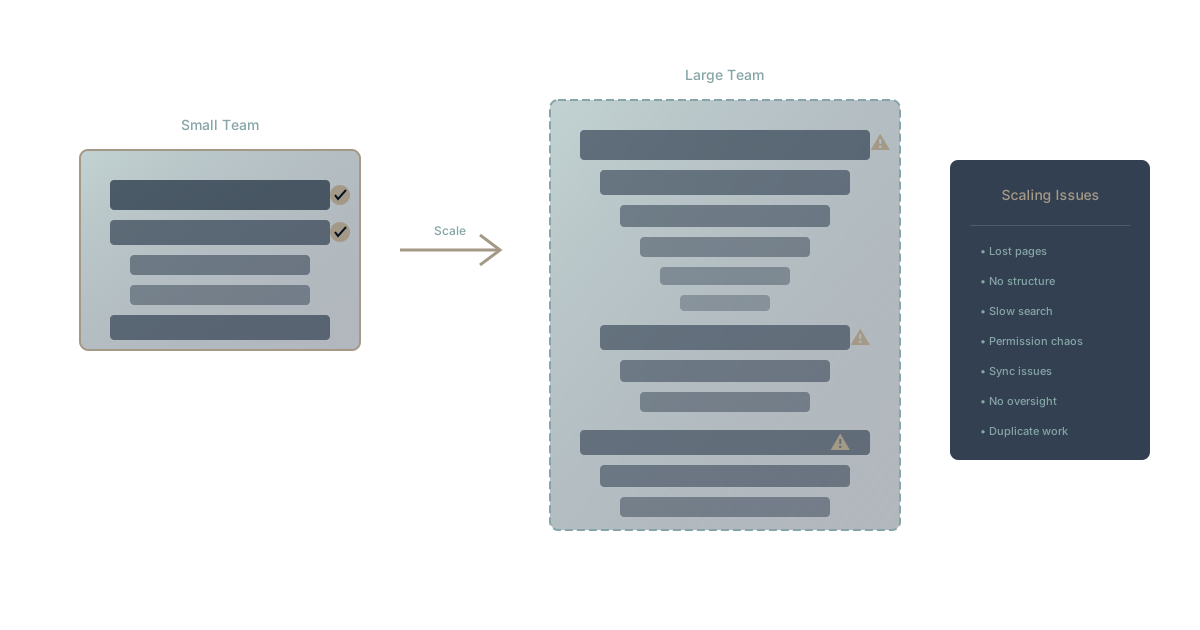
Notion is magical for small teams. The flexible blocks, beautiful design, and all-in-one promise create early delight that makes teams evangelical adopters.
Then the team grows. And the magic fades.
This isn't a criticism of Notion—it's a recognition of scaling realities that affect any tool built for flexibility. What works beautifully at 10 users often struggles at 100 and breaks at 1,000.
Here's what growing teams discover about Notion's scaling limitations, and what it means for platform decisions.
The Small Team Magic
Why Teams Fall in Love
Notion's appeal for small teams is genuine:
Flexibility: Build anything—documents, databases, project trackers, wikis. No rigid structures forcing specific workflows.
Beautiful design: Clean interface that makes documentation feel less like a chore.
All-in-one promise: Replace multiple tools with one unified workspace.
Low barrier: Easy to start, quick to show value, minimal setup required.
For teams under 20 people, Notion often delivers exactly what's promised. Documentation improves. Information consolidates. Teams feel organized.
Notion's growth to 30+ million users reflects real value delivered at small scale.
The Inflection Point
Somewhere between 20 and 100 users, teams notice friction. Not catastrophic failure—gradual degradation.
The pattern:
- Finding things takes longer
- Different teams build different structures
- Nobody knows where to put new content
- The search gets noisier
- Performance slows on complex pages
This is the scaling inflection—where Notion's flexibility becomes a liability.
The Scaling Struggles
Struggle 1: The Organization Problem
Notion's flexibility means anything can go anywhere. At small scale, this enables creativity. At large scale, it creates chaos.
What happens:
Marketing builds their workspace their way. Engineering builds theirs differently. Sales has a third approach. HR a fourth.
Nobody did anything wrong. Each team optimized for their needs. But the organization now has four different information architectures that don't connect coherently.
The result:
- Cross-team discovery becomes difficult
- Consistent templates don't exist
- New employees face different structures in each area
- "Where does this go?" becomes an unanswerable question
This is the documentation version of tool sprawl—fragmentation within a single tool.
Struggle 2: The Permission Complexity
Notion's permission system handles basic scenarios well: team workspace, public pages, specific shares.
Where it struggles:
Complex organizational hierarchies. Enterprise permission requirements. Granular access control at scale.
Common pain points:
- Nested team structures don't map cleanly
- Contractors needing partial access creates complexity
- External partners requiring limited views
- Audit requirements for access tracking
- Permission inheritance confusion
Enterprise customers often report spending significant time managing permissions—time that scales with organization size.
Struggle 3: The Performance Reality
Beautiful pages with embedded databases, linked content, and rich media... load slowly at scale.
What users experience:
- Pages with many database views become sluggish
- Large workspaces take time to load
- Real-time collaboration lags with many participants
- Search across large workspaces slows
Notion has invested heavily in performance improvements, but the architectural reality remains: flexibility has performance costs.
The workarounds:
- Split large pages into smaller ones (fragmenting information)
- Archive aggressively (losing institutional memory and risking business amnesia)
- Limit database complexity (reducing utility)
- Accept slower performance (productivity cost)
Struggle 4: The Governance Gap
Notion provides the tool. Governance is your problem.
What governance requires:
- Naming conventions everyone follows
- Structural standards across teams
- Archive policies that get enforced
- Quality controls on documentation
What typically happens:
- Guidelines written, then ignored
- Champions leave, standards drift
- Organic growth overwhelms structure
- Entropy wins over time
This isn't a Notion-specific problem—it affects all flexible tools. But Notion's particular flexibility means the governance burden is especially high.
Struggle 5: The Database Limitations
Notion databases are powerful for small datasets. At scale, limitations emerge.
Technical constraints:
- Row limits affect large datasets
- Complex relations slow performance
- Filtered views multiply complexity
- Rollups and formulas have boundaries
Practical implications:
- Can't replace dedicated databases
- Large project portfolios get unwieldy
- Historical data accumulation causes issues
- Analytics beyond basics require export
Teams discover Notion databases are documentation databases, not operational databases—forcing additional tools for serious data needs. This is the moment many start looking for a Notion alternative when databases aren't enough.
Struggle 6: The AI Integration Reality
Notion AI adds writing assistance and Q&A capabilities. But it faces the same limitations as Copilot and Duet.
What Notion AI can do:
- Help write and edit content
- Summarize pages
- Answer questions about content
What it can't do:
- Understand organizational context across the fragmented structure
- Remember decisions made outside Notion
- Connect dots across poorly organized workspaces
- Build true organizational memory
AI amplifies what's in the system. If the system is fragmented, AI provides fragmented answers.
The Migration Consideration
When Teams Consider Leaving
Growing teams often face a decision: invest in Notion governance or migrate elsewhere.
Arguments for staying:
- Migration costs are high
- Content is already there
- Teams know the tool
- Alternatives have their own problems
Arguments for migrating:
- Governance burden keeps growing
- Performance issues persist
- Enterprise needs exceed capabilities
- Better alternatives exist for scale
The Migration Trap
Migration decisions should be strategic, not reactive.
Bad reasons to migrate:
- Frustration with a specific feature
- Assumption that grass is greener
- Avoiding governance investment
- Following trends
Good reasons to migrate:
- Fundamental capability gaps for your use case
- Total cost of ownership analysis favors alternatives
- Strategic direction requires different architecture
- Scale requirements exceed practical limits
What to Consider Before Deciding
Governance investment: Could the problems be solved with better structure, training, and maintenance? Sometimes the answer is yes.
True TCO comparison: Calculate total costs for current and alternative platforms, including hidden costs.
Migration costs: Data migration, retraining, productivity loss during transition—these are real and significant.
Future needs: Where is the organization going? What capabilities will matter in 2-3 years?
The Architectural Question
Tools vs. Platforms
Notion is best understood as a flexible tool—incredibly powerful for documentation and light project management, with clear limitations at enterprise scale.
Tool characteristics:
- Optimized for specific functions
- Relies on integrations for completeness
- User-configured structure
- Governance is user responsibility
Platform characteristics:
- Comprehensive functionality built-in
- Integrated by design
- Structure provided with flexibility
- Governance capabilities included
Organizations reaching Notion's limits often need platform thinking rather than tool thinking—the shift from Notion to an actual operating system, when wikis hit their limits.
The Context Engineering Alternative
Beyond specific tools, consider the architectural approach to organizational knowledge.
Context engineering asks: How do we build systems that preserve and connect organizational context automatically, rather than relying on manual organization?
The contrast:
- Notion approach: Build flexible structures, hope they stay organized, invest in governance
- Context engineering approach: Build systems where context is inherent, connections are automatic, AI can actually understand
This isn't about Notion vs. competitors. It's about fundamentally different approaches to organizational knowledge.
Making the Decision
Questions to Ask
Current state:
- How much time goes into Notion governance?
- What's falling through the cracks?
- Are teams actually finding what they need?
- Is performance acceptable for your use cases?
Future state:
- What capabilities do you need in 2 years?
- How will the organization grow?
- What's your AI strategy?
- How important is cross-team discoverability?
Alternatives:
- What platforms address your specific pain points?
- What are the migration costs?
- What governance burden do alternatives carry?
- Are there hybrid approaches?
For Different Stages
Under 20 users: Notion likely serves you well. Focus on establishing good practices early.
20-100 users: Watch for scaling signals. Consider governance investment vs. platform transition.
100+ users: Evaluate strategically. The governance burden at scale often justifies platform investment.
Enterprise: Notion Enterprise addresses some concerns but doesn't eliminate architectural limitations. For a deeper look at where a wiki stops and a platform starts, see Notion vs WaymakerOS: when your wiki can't run the business.
Experience Designed-for-Scale Documentation
Want to see what documentation looks like when it's built for organizational scale from the start? Waymaker Commander connects documents to projects and strategy with structure that scales—not despite flexibility, but through thoughtful design.
The result: Documentation that stays organized because the system helps organize it. Context preserved because it's built into the architecture.
Register for the beta and experience the difference between flexible tools and scalable platforms.
Notion's scaling struggles aren't failures—they're the predictable result of flexibility-first architecture meeting enterprise reality. The tool that delights small teams creates governance burdens at scale. Understanding this trade-off enables better decisions: invest in governance, accept limitations, or transition to platforms designed for scale. Learn more about our Context Compass framework and explore how context engineering creates scalable organizational knowledge.
The Waymaker Editorial team analyzes productivity tools across the growth spectrum. This assessment reflects research into organizations at various Notion scales, synthesizing common patterns and transition decisions.
Frequently asked questions
Q: At what point does Notion start to struggle as a team grows? Teams typically notice friction somewhere between 20 and 100 users—not catastrophic failure, but gradual degradation. Finding things takes longer, different teams build different structures, search gets noisier, and complex pages slow down.
Q: Why does Notion's flexibility become a problem at scale? Notion's flexibility means anything can go anywhere, which enables creativity at small scale but creates chaos at large scale. Different teams build different information architectures that don't connect, so cross-team discovery becomes difficult and "where does this go?" turns into an unanswerable question. It's the documentation version of tool sprawl, inside a single tool.
Q: Can Notion replace a dedicated database? No. Notion databases are documentation databases, not operational databases—row limits, complex relations, and formula boundaries mean large datasets get unwieldy. Many teams hit this wall and start evaluating a Notion alternative for when databases aren't enough.
Q: Should a growing team migrate off Notion or invest in governance? That depends on whether your problems are structural or fixable. Better structure, training, and maintenance can solve some issues, but if you face fundamental capability gaps, scale requirements beyond practical limits, or a TCO analysis favoring alternatives, a strategic migration makes sense.
Q: What's the difference between a tool and a platform here? A tool is optimized for specific functions, relies on integrations for completeness, and makes governance the user's responsibility. A platform provides comprehensive functionality, integration by design, and governance built in—the shift many teams make when moving from Notion to an actual operating system.
Frequently asked questions
- At what point does Notion start to struggle as a team grows?
- Teams typically notice friction somewhere between 20 and 100 users—not catastrophic failure, but gradual degradation. Finding things takes longer, different teams build different structures, search gets noisier, and complex pages slow down.
- Why does Notion's flexibility become a problem at scale?
- Notion's flexibility means anything can go anywhere, which enables creativity at small scale but creates chaos at large scale. Different teams build different information architectures that don't connect, so cross-team discovery becomes difficult and "where does this go?" turns into an unanswerable question. It's the documentation version of tool sprawl, inside a single tool.
- Can Notion replace a dedicated database?
- No. Notion databases are documentation databases, not operational databases—row limits, complex relations, and formula boundaries mean large datasets get unwieldy. Many teams hit this wall and start evaluating a Notion alternative for when databases aren't enough.
- Should a growing team migrate off Notion or invest in governance?
- That depends on whether your problems are structural or fixable. Better structure, training, and maintenance can solve some issues, but if you face fundamental capability gaps, scale requirements beyond practical limits, or a TCO analysis favoring alternatives, a strategic migration makes sense.
- What's the difference between a tool and a platform here?
- A tool is optimized for specific functions, relies on integrations for completeness, and makes governance the user's responsibility. A platform provides comprehensive functionality, integration by design, and governance built in—the shift many teams make when moving from Notion to an actual operating system.
About the Author

Waymaker Editorial
Stuart Leo founded Waymaker to solve a problem he kept seeing: businesses losing critical knowledge as they grow. He wrote Resolute to help leaders navigate change, lead with purpose, and build indestructible organizations. When he's not building software, he's enjoying the sand, surf, and open spaces of Australia.