Microsoft 365's deep integration creates the perception that leaving is impossible. M365 fatigue builds, but the switching cost seems insurmountable.
It's not impossible. It just requires planning.
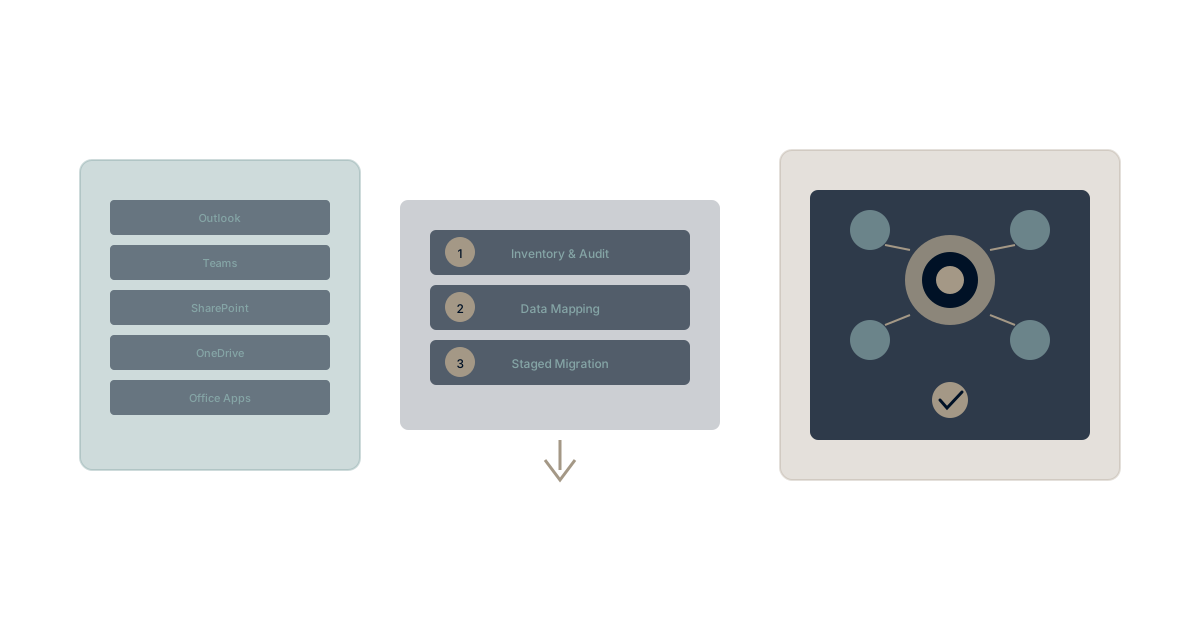
This guide provides a realistic framework for M365 migration—acknowledging the complexity while showing it's achievable.
The M365 Migration Challenge
Why M365 Migration Is Different
Microsoft 365 differs from other migrations because of integration depth:
Email + Calendar + Files + Chat + Meetings + Identity + Security
These aren't separate products—they're interwoven. Moving one affects others. This creates genuine complexity that migration planning must address.
The good news: The complexity is manageable with proper approach.
The caution: Underestimating complexity creates problems. Plan realistically.
What You're Actually Migrating
Core productivity:
- Exchange Online (email, calendar, contacts)
- OneDrive (personal files)
- SharePoint (shared files, sites)
- Teams (chat, channels, meetings)
- Office apps (Word, Excel, PowerPoint)
Identity and security:
- Azure AD (now Entra ID) - user identity
- Conditional access policies
- MFA configurations
- Device management (if using Intune)
Integrations:
- Single sign-on to other applications
- Power Automate workflows
- Power BI reports
- Custom applications using Microsoft Graph
The migration scope depends on how deeply M365 is embedded.
Phase 1: Assessment
Full Inventory
Data inventory:
- Exchange: Mailbox sizes, archive sizes, shared mailboxes
- SharePoint: Sites, libraries, storage consumption
- OneDrive: Per-user storage
- Teams: Teams/channels, chat history, files
- Groups: Microsoft 365 Groups and distribution lists
Integration inventory:
- Applications using Azure AD for authentication
- Power Automate flows
- Power BI dashboards
- Custom applications using Graph API
- Third-party tools integrated with M365
Dependency inventory:
- Device management (Intune)
- Security policies (Defender, DLP)
- Compliance configurations
- Line-of-business applications
Complexity Assessment
Lower complexity indicators:
- Primarily using email and basic file storage
- Few custom integrations
- Limited SharePoint site usage
- Teams used for chat, not deeply embedded
- External identity provider already in use
Higher complexity indicators:
- Extensive SharePoint deployment with custom solutions
- Many Power Platform automations
- Azure AD as sole identity provider
- Conditional access policies for security
- Intune for device management
- Custom applications using Graph API
Honest complexity assessment prevents unrealistic timelines and unexpected problems.
Target Definition
Migration target options:
Google Workspace:
- Most common M365 alternative
- Good for organizations wanting proven suite
- Requires separate identity solution
Unified platforms:
- Waymaker Commander and similar
- Consolidation approach rather than suite replacement
- Potentially fewer tools overall
Best-of-breed:
- Separate tools for each function
- Maximum flexibility
- Highest integration tax
Hybrid approach:
- Move some functions, keep others in M365
- Practical when full migration isn't feasible
- Ongoing complexity but manageable
Phase 2: Planning
Sequencing Strategy
M365 migration typically sequences:
Phase 1: Identity separation (if applicable)
- Move from Azure AD to alternative identity provider
- Establish SSO for other applications
- Often the hardest technical step
Phase 2: Email migration
- Move Exchange to alternative
- Update MX records
- Transition calendar and contacts
Phase 3: File migration
- OneDrive personal files
- SharePoint shared files
- Permission mapping
Phase 4: Communication transition
- Teams to alternative
- Consider parallel operation period
- Channel/chat history decisions
Phase 5: Cleanup
- Decommission M365 services
- Archive as needed
- License termination
Timeline Reality
Realistic timelines by size:
| Organization Size | Planning | Execution | Total |
|---|---|---|---|
| 50-100 users | 4-6 weeks | 8-12 weeks | 3-4 months |
| 100-500 users | 6-8 weeks | 12-20 weeks | 5-7 months |
| 500-2000 users | 8-12 weeks | 20-32 weeks | 7-11 months |
| 2000+ users | 12+ weeks | 32+ weeks | 12+ months |
Factors that extend timeline:
- Complex SharePoint deployments
- Many Power Platform solutions
- Strict compliance requirements
- Limited migration resources
- Change management challenges
Risk Mitigation Planning
Identity risks:
- Plan backup authentication methods
- Test thoroughly before cutover
- Have rollback procedures
Data risks:
- Full backup before migration
- Verification at each phase
- Extended retention on source
Business continuity risks:
- Parallel operation periods where possible
- Clear escalation paths
- Communication plans for issues
Phase 3: Technical Execution
Identity Migration (When Applicable)
If Azure AD is sole identity:
Options:
- Okta, OneLogin, or similar cloud identity
- On-premises Active Directory (if applicable)
- Google Workspace identity (if going to Google)
Critical considerations:
- Application SSO reconfiguration
- MFA transition
- Conditional access policy recreation
- User credential handling
This is often the highest-risk migration phase. Plan extra time and testing.
Exchange Migration
Migration approaches:
IMAP migration:
- Simple but slow
- Doesn't capture all metadata
- Best for simple environments
Third-party migration tools:
- BitTitan, SkyKick, etc.
- Better metadata handling
- Typical cost: $10-25/mailbox
PST intermediate:
- Export to PST, import to target
- Good for archives
- User-disruptive
Considerations:
- Public folder migration
- Shared mailbox handling
- Distribution list recreation
- Email signature transition
SharePoint Migration
The SharePoint complexity challenge:
SharePoint migrations are often the most complex because:
- Custom site structures don't map cleanly
- Permission complexity
- Workflows and customizations
- External sharing links break
Approach:
- Inventory all SharePoint sites and content
- Decide what to migrate vs. archive vs. abandon
- Map destination structure (don't recreate chaos)
- Migrate in priority order
- Verify permissions and access
Tools:
- ShareGate, AvePoint, Metalogix
- Native tools have limitations
- Professional services often valuable here
Teams Migration
Teams challenges:
- Chat history is difficult to export completely
- Channel structure may not map to alternatives
- Files are actually SharePoint (migrate separately)
- Meeting recordings have separate considerations
Practical approach:
- Set clear data retention expectations
- Archive important conversations manually if needed
- Focus on future state, not perfect history migration
- Parallel operation period for transition
Phase 4: Change Management
Communication Strategy
Key messages:
- Why migration is happening
- What the timeline is
- What users need to do
- What support is available
Communication cadence:
- Announcement (6 weeks before)
- Detailed timeline (4 weeks before)
- Preparation requirements (2 weeks before)
- Go-live guidance (1 week before)
- Day-of support information
- Ongoing tips and support
Training Requirements
Training areas:
- New email/calendar system
- New file storage approach
- New communication tools
- New authentication process
Training delivery:
- Live sessions for complex transitions
- Video library for self-paced learning
- Quick reference cards
- Super-user support network
Managing Expectations
Honest expectation setting:
- There will be a learning curve
- Some things will be different (not all worse)
- Productivity may dip temporarily
- Support is available
- Feedback is wanted
Overselling the new platform sets up disappointment. Honest communication builds trust.
Phase 5: Completion
Decommissioning Checklist
Before canceling M365:
- All email migrated and verified
- All files migrated and verified
- Identity provider transitioned
- Applications reconfigured
- Users trained and productive
- Archive requirements satisfied
- Regulatory compliance verified
- Support processes established
Post-Migration Optimization
30-day assessment:
- User feedback collection
- Issue pattern identification
- Performance evaluation
- Training gap analysis
90-day assessment:
- Productivity comparison
- Cost analysis vs. projection
- Remaining optimization opportunities
- Lessons learned documentation
When Migration Makes Sense
Good Migration Candidates
- Organizations experiencing significant M365 fatigue
- Limited SharePoint customization
- Primary use is email and basic files
- Strong desire for alternative approach
- Resources for proper planning and execution
Challenging Migration Candidates
- Deep SharePoint customization
- Many Power Platform solutions
- Azure AD deeply embedded
- Limited change tolerance
- Insufficient migration resources
For challenging candidates, partial migration or optimization within M365 may be more practical.
Experience Post-M365 Productivity
Considering life after Microsoft 365? Waymaker Commander offers an alternative vision—unified work management with AI that understands your organization.
The result: Not just a suite replacement, but a consolidation destination for organizations seeking simpler, more intelligent tools.
Register for the beta and explore what's possible beyond traditional productivity suites.
M365 migration is complex but achievable. The keys are honest assessment, realistic planning, sequenced execution, and strong change management. Not every organization should migrate—but those with clear reasons and proper planning can successfully move beyond Microsoft's ecosystem. Learn more about consolidation strategies and explore how unified platforms create alternative approaches to organizational productivity.
The Waymaker Editorial team researches workplace software. This guide synthesizes published best practices for successful transitions.
Part of our guide to leaving microsoft 365.
About the Author

Waymaker Editorial
Stuart Leo founded Waymaker to solve a problem he kept seeing: businesses losing critical knowledge as they grow. He wrote Resolute to help leaders navigate change, lead with purpose, and build indestructible organizations. When he's not building software, he's enjoying the sand, surf, and open spaces of Australia.