You bought the CRM. Spent six weeks configuring it. Hired a consultant to build custom fields. Wrote a 14-page internal guide explaining which fields to use and which to ignore. Then trained your team on a sales process that doesn't match the one you actually run — because the tool doesn't support it.
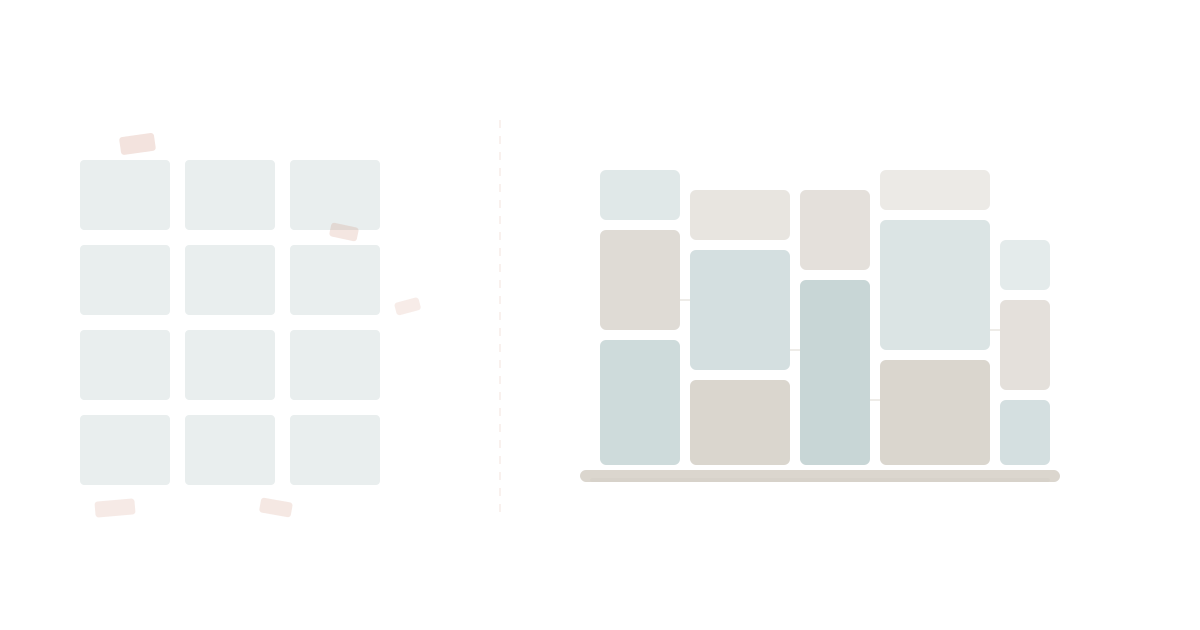
This is the universal SaaS experience. Not because the tools are bad. Because generic software serves the average, and no business is average.
Every organisation has two or three processes that are genuinely unique. The way you onboard clients. The way you price proposals. The way you report to your board. Generic SaaS can get you 80% of the way there. The last 20% is where you spend 80% of your time — building workarounds, training people on exceptions, and accepting that the software just doesn't do what you need.
For 15 years, the industry answer was simple: adapt your process to the tool. That was reasonable when building custom software cost six figures and took six months.
It is no longer reasonable. AI changed the economics of custom software, and the "adapt to the tool" era is ending.
The Hidden Tax of Generic Software
The cost of generic SaaS is not the subscription fee. It is the gap between what the tool does and what your business needs.
Harvard Business Review research consistently shows that technology investments fail not because the technology is wrong, but because it doesn't match the organisation's actual workflows. Companies spend more on customisation, integration, and change management than on the software itself.
Here is what that gap looks like in practice.
The CRM That Doesn't Match Your Sales Process
Your sales process has seven stages. The CRM supports five. So you rename two stages to mean something they don't, create a custom field called "Sub-Stage" that nobody uses consistently, and build a spreadsheet on the side to track what the CRM can't.
Three months later, your pipeline reports are unreliable because half the team uses the workaround and half doesn't. The VP of Sales stops trusting the dashboard. She asks for a manual report every Monday. Someone spends two hours building it.
The CRM costs $150 per user per month. The spreadsheet is free. The two hours every Monday, multiplied by 52 weeks, costs more than the CRM.
The Project Management Tool That Doesn't Match Your Delivery
Your team delivers work in phases: discovery, design, build, test, deploy. The PM tool supports a flat task list or a kanban board. Neither maps to your actual workflow. So you create five separate boards — one per phase — and manually move cards between them.
Or you give up and use the flat task list, losing visibility into which phase each project is actually in. The weekly status meeting becomes a 45-minute exercise in "let me check" and "I think it's in design but the card says in progress."
Gartner estimates that knowledge workers lose 3-5 hours per week navigating between disconnected tools and compensating for tools that don't match their workflows. That is not a rounding error. That is an entire working day, every two weeks, lost to software friction.
The Reporting That Doesn't Show What Matters
Your board wants to see customer acquisition cost by channel, broken down by cohort, compared against lifetime value projections. Your analytics tool shows total revenue and total spend. The gap between those two views is a spreadsheet that someone rebuilds from scratch every quarter.
Or worse: you change what you report because it's what the tool can produce. The board adapts to the software's view of the business instead of the software adapting to the board's questions.
This is the hidden tax. It is not a line item on your P&L. It is embedded in every workaround, every manual report, every meeting that exists because the tool doesn't do what it should.
The Old Answer: "That's the Cost of Software"
For a decade and a half, the industry accepted this friction as inevitable. And it was — for a good reason.
Building custom software required:
- A development team: At least 2-3 engineers, often more
- A significant budget: $100,000 to $500,000 for a meaningful internal tool
- Time: 6-12 months for initial delivery, ongoing maintenance forever
- Technical leadership: Someone to make architecture decisions, manage technical debt, and keep the lights on
Most businesses couldn't justify that investment for an internal process tool. So they bought Salesforce and spent $50,000 on a consultant to configure it. They bought Asana and wrote a 20-page "How We Use Asana" guide. They bought a BI tool and hired an analyst to build the reports the tool couldn't generate natively.
The total cost was often higher than building custom software would have been. But the cost was spread across subscriptions, consultants, and people's time in ways that felt manageable. The pain was distributed. Nobody saw the full bill.
McKinsey's research on digital transformation confirms the pattern: the majority of digital transformation spend goes not to the technology itself, but to the organisational change required to make generic technology work for specific contexts.
The old answer wasn't wrong. It was the best available option. Custom software was genuinely too expensive for most businesses. Adapting to generic tools was the rational choice.
That calculus has changed.
The New Answer: Build What Fits
AI-assisted development has collapsed the cost of building custom software by an order of magnitude.
What used to require a team of engineers and six months now requires a platform and an AI assistant. A finance manager who has never written code can describe a process to Claude, and Claude will build the application. The striking individual cases are extreme, but the pattern behind them is not.
The economics are clear:
| Factor | 2015 | 2026 |
|---|---|---|
| Custom internal tool | $100K-$500K | $5K-$50K |
| Time to first version | 6-12 months | Days to weeks |
| Technical skill required | Engineering team | Platform + AI assistant |
| Ongoing maintenance | 20-40% of build cost/year | Platform-managed |
| Who can build | Developers only | Anyone who can describe a process |
This is not a marginal improvement. It is a structural shift in who gets to build software and what it costs. The question is no longer "can we afford to build custom?" The question is "can we afford not to?"
The Two Layers Every Business Needs
Here is the insight that changes the build vs buy debate: you don't have to choose.
Every business needs two layers of software.
Layer 1: The foundation. Tasks, documents, goals, spreadsheets, roles, teams, projects. These are universal. Every business needs them. They don't differentiate you. They are the operating system of work — the things that have to function reliably for everything else to work.
Layer 2: The differentiators. Your unique sales process. Your proprietary onboarding workflow. Your custom reporting dashboard. Your industry-specific compliance tracking. These are the 2-3 processes that make your business yours. Generic SaaS will never serve them well because they are, by definition, not generic.
The old world forced a choice: buy generic for everything (and suffer the gap), or build custom for everything (and spend a fortune).
The new world lets you do both. Buy the foundation. Build what differentiates you.
This is the WaymakerOS thesis. Commander provides 20 tools for universal operations — the foundation layer that every business needs. Tasks, documents, goals, spreadsheets, projects, roles, teams, kanban boards, OKRs, and more. You don't build these. You use them.
Host provides the build layer — custom apps, agents, and automations that connect to your foundation data and serve your unique processes. You build these. Or rather, you and your AI assistant build them together.
The critical difference: everything you build connects to everything you use. Your custom sales tracker pulls from your Commander tasks. Your custom reporting dashboard reads from your Commander goals and spreadsheets. Your custom onboarding workflow creates Commander tasks and assigns them to Commander roles.
There is no integration tax. There is no data living in five different tools. There is one platform with two layers — the universal and the specific — working together through one unified API.
What "Build What Fits" Actually Looks Like
This is not theoretical. Here are three examples of processes that generic SaaS consistently fails to serve, and what building custom looks like on a platform.
Example 1: The Custom Sales Process
The generic SaaS experience: Your sales process doesn't fit the CRM's pipeline stages. You spend weeks customising, write training guides, and still lose data quality.
The platform approach: Describe your seven-stage sales process to Claude. Claude builds a custom application on Host that tracks deals through your exact stages, with the exact fields you need, pulling contact data from your Commander workspace. The weekly pipeline report generates automatically because the custom app and the foundation share data.
Time to build: one afternoon. Cost: your platform subscription. Accuracy: 100%, because the tool matches the process instead of the other way around.
Example 2: The Board Reporting Dashboard
The generic SaaS experience: Your BI tool shows standard metrics. Your board wants custom views. An analyst spends two days every quarter rebuilding the report in a spreadsheet.
The platform approach: Build a custom dashboard that pulls goal progress from Commander OKRs, financial data from Commander spreadsheets, and project status from Commander kanban boards. The dashboard updates in real time. The board sees exactly what they asked for, every time, without anyone rebuilding anything.
Example 3: The Client Onboarding Workflow
The generic SaaS experience: You use a PM tool for onboarding tasks, but it doesn't enforce your specific sequence. Steps get skipped. The checklist exists in a Google Doc that nobody opens.
The platform approach: Build a custom onboarding agent on Host. When a new client signs up, the agent creates the project in Commander, generates tasks in the correct sequence with dependencies, assigns each task to the right role, and sends notifications at each milestone. The process runs the same way every time because it's encoded in software, not in a document someone might read.
The Flywheel Effect
Here is what happens when you start building on a platform instead of buying generic tools.
Each custom app you build makes the platform more valuable. Your sales tracker connects to your reporting dashboard. Your onboarding workflow feeds your project management. Your compliance tracker references your role assignments. After 10 or 20 custom builds, the platform isn't just a tool — it is your operating system.
This is the flywheel. Foundation data feeds custom apps. Custom apps generate more foundation data. The more you build, the more connected everything becomes. The more connected everything becomes, the harder it is to imagine going back to 18 disconnected SaaS subscriptions.
Generic SaaS has the opposite flywheel. Each new tool adds a new silo. Each silo requires a new integration. Each integration requires maintenance. The more tools you add, the more fragmented your data becomes, and the more time your team spends navigating between apps instead of doing their work.
The Mindset Shift
The deepest change is not technical. It is a shift in how business leaders think about software.
Old mindset: Software is something you buy. You evaluate vendors, pick the best fit, and adapt your processes to the tool's constraints. When the tool doesn't fit, you add another tool. When the tools don't talk to each other, you buy an integration platform. Repeat until your stack has 47 applications and your team spends more time managing tools than doing work.
New mindset: Software is something you shape. You buy the foundation — the universal tools that every business needs. Then you build the specific tools that match your unique processes. When something doesn't fit, you don't buy another vendor's approximation. You build exactly what fits, using AI and a platform that makes building accessible.
This is not about replacing developers. It is about expanding who gets to build. The line between "business user" and "developer" is dissolving. A finance manager who describes a process to Claude and deploys it on a platform — is that using software or building software? It doesn't matter. The process works. The tool fits. The workaround is gone.
The Question to Ask
If you are evaluating software for your business, stop asking "which tool has the most features?" Start asking a different question:
"What are the 2-3 processes that make my business unique, and how will this tool serve them?"
If the answer is "you'll need to adapt your process" or "we have a workaround for that" or "our professional services team can customise it for $50,000" — you are buying the old world.
If the answer is "buy the foundation, build what differentiates you" — you are buying the new world.
Generic SaaS never fits. It wasn't designed to. It was designed for the average, and your business is not average.
The good news: you no longer have to accept the gap. The economics of custom software have changed. The tools exist. The platform exists. The AI exists.
Stop adapting your business to your tools. Start building tools that adapt to your business.
The way to make your business OS. That's WaymakerOS.
About the Author

Stuart Leo
Stuart Leo founded Waymaker to solve a problem he kept seeing: businesses losing critical knowledge as they grow. He wrote Resolute to help leaders navigate change, lead with purpose, and build indestructible organizations. When he's not building software, he's enjoying the sand, surf, and open spaces of Australia.