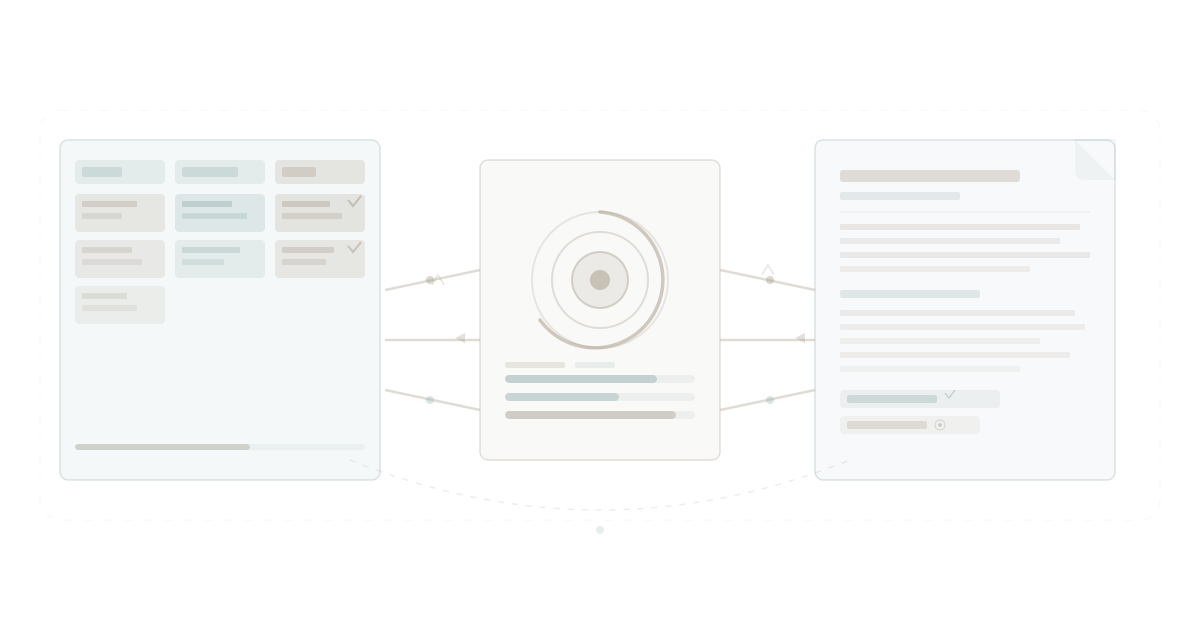
Here is the setup most teams are running right now: kanban board in Trello or Asana, goals in a Google Sheet or Lattice, documents in Notion or Google Docs. Three tools, three logins, three separate data models.
They call this a system. It is not. It is three systems pretending to know about each other.
Move a kanban card to "Done" and the goal spreadsheet has no idea. Write a project document and the kanban board does not link to it. Hit a quarterly target and nobody can trace which tasks got you there. The information exists. It is just trapped in separate containers, connected by nothing except a human being manually copying data between tabs.
According to Harvard Business Review, knowledge workers spend roughly 3.5 hours per week just navigating between disconnected tools and reconciling information across platforms. That is not collaboration. That is data entry disguised as productivity.
There is a better pattern. Not "integrate your tools." Not "add a Zapier workflow." Build the kanban board, the goal tracker, and the document editor as one system from the ground up, so they share the same data layer, the same workspace, and the same understanding of your work.
That is what WaymakerOS Commander does. And the difference is not incremental. It is structural.
The Three-Tool Problem
Before looking at the solution, it is worth understanding exactly why the three-tool approach fails. It is not a matter of choosing the wrong tools. It is a matter of architecture.
Kanban boards do not understand goals
Your kanban board tracks what is happening this week. Cards move from "To Do" to "In Progress" to "Done." The board is excellent at showing workflow status — who is working on what, where things are stuck, what just shipped.
But the board has no concept of why those tasks exist. It does not know that the five cards in the "Done" column this sprint contributed to a key result called "Reduce onboarding time by 40%." It cannot tell you that you are 60% of the way to your quarterly objective. It does not know what an objective is.
You built a kanban view to execute work. You built a goal tracker to measure outcomes. They live in different universes, and the gap between them is filled with manual status updates, slide decks, and quarterly reviews where everyone argues about what actually happened.
Goal trackers do not understand work
The inverse is equally broken. Your OKR spreadsheet or goal-tracking tool shows objectives and key results. It might even show pretty progress bars. But where does that progress data come from?
Someone manually typing a number into a cell. Once a week, if you are lucky. Once a quarter, if you are honest.
Goal trackers are disconnected from the daily work that moves those numbers. They rely on humans to translate task completion into goal progress. And humans, predictably, forget — or round generously — or stop updating entirely after week three.
This is why OKRs fail in spreadsheets. The tool cannot see the work. It can only see what someone remembered to type.
Documents do not understand either
Your project documents live in yet another system. The PRD is in Notion. The meeting notes are in Google Docs. The technical specification is in Confluence.
None of these documents know which tasks they relate to. None of them know which goals they support. When someone asks "where is the spec for the onboarding redesign?" the answer involves searching three platforms, checking four shared drives, and asking in Slack whether anyone has the latest version.
The document is a static file in a folder. It does not know it belongs to a project. It does not know that project has a kanban board with 14 active tasks. It does not know those tasks connect to a strategic goal. It just sits there, waiting for someone to find it.
What "Connected" Actually Means
When we say kanban, goals, and documents are connected in WaymakerOS Commander, we do not mean "we have an integration with Trello." We mean these capabilities were built as one system, sharing one data architecture, inside one workspace.
Here is what that looks like in practice.
Tasks feed goals automatically
In Commander, every task on a kanban board can be linked to a key result. When you move a task to "Done," the key result it supports recalculates its progress automatically. No manual update. No weekly data entry ritual. No spreadsheet cell that someone forgot to change.
Your team completes five tasks linked to the key result "Ship 10 customer-facing improvements this quarter." The goal dashboard shows 5/10 complete. No one had to tell it. The system already knows, because the tasks and the goals share the same data layer.
This is the connection that goal-tracking software promises but cannot deliver when it lives in a separate application from your task management. The integration breaks. The sync delays. The webhook fails silently. When the systems are one, the connection is not a feature. It is an inevitability.
Documents live inside projects
When you create a document in Commander, it does not float in an unstructured drive. It lives inside a project workspace — the same workspace that contains the project's kanban board, the project's goals, and the project's team assignments.
Open the project for "Q2 Onboarding Redesign" and you see everything: the kanban board with current task status, the goals the project supports, the documents the team has written, and the people assigned. One view. One workspace. No searching across three platforms.
This is what unified productivity means at the feature level. Not "we bundle apps together" but "every capability shares context by default."
Goals cascade to boards
In Commander, goals are not floating abstractions. They connect downward to the projects and tasks that deliver them. Set a goal called "Improve customer retention by 15%" and connect it to two projects. Each project has its own kanban board. Each board has tasks assigned to team members.
Now leadership can open the goal and trace the full chain: objective, key results, contributing projects, active tasks, assigned people. Where traditional tools require you to mentally reconstruct this chain by jumping between five different apps, Commander renders it in a single connected hierarchy.
This is strategic execution that actually works — not because people are more disciplined, but because the system makes disconnection impossible.
A Real Workflow: From Goal to Done
Let's walk through a concrete example to see how these connections function in practice.
Step 1: Set the goal. The leadership team creates a quarterly objective: "Accelerate time to first value for new customers." They add three key results: reduce onboarding steps from 12 to 5, achieve 80% activation within 48 hours, and increase 30-day retention to 90%. These live in Commander's Goals module.
Step 2: Create the project. A project called "Onboarding Simplification" is created and linked to the goal. The project has its own workspace with a kanban board, a documents section, and team assignments.
Step 3: Build the board. The product manager creates tasks on the kanban board: "Audit current onboarding flow," "Design simplified wizard," "Build progress indicator," "Write help documentation," "Set up analytics tracking." Each task is linked to the key result it supports.
Step 4: Write the documents. The team creates a PRD inside the project workspace. They write user research notes. They draft the help articles. Every document is immediately visible alongside the kanban board — no separate drive, no shared links, no "can you give me access?"
Step 5: Do the work. Team members pick up tasks, move them across the board. "Audit current onboarding flow" moves to Done. The key result "reduce onboarding steps from 12 to 5" updates its progress. The designer picks up the next card. The writer opens the help doc from the same workspace and drafts content while referencing the active tasks.
Step 6: Track the outcome. At the weekly check-in, the manager opens the goal. Progress bars show real completion data, not self-reported estimates. The key results reflect actual task completion. The conversation shifts from "where are we?" to "what should we prioritise next?" — because the status question has already been answered by the system itself.
No spreadsheet was harmed. No Zapier workflow was debugged. No integration broke silently at 2am.
The Integration Tax You Are Already Paying
If this sounds like a minor improvement, consider what you are spending to maintain the disconnected version.
Gartner research estimates that mid-market companies spend 15-25% of their software budget on integration and middleware — tools like Zapier, Make, Tray.io, and custom API connections that exist solely to shuttle data between applications that refuse to talk to each other.
But the dollar cost is the smaller problem. The real cost is context switching. Every time a team member jumps from Trello to Google Sheets to Notion, they lose focus. Research from the University of California, Irvine shows it takes an average of 23 minutes to regain deep focus after a task switch. Multiply that by the dozens of daily switches between your kanban tool, your goal tracker, and your document editor, and you are haemorrhaging hours every week.
This is not a problem you solve by finding a better kanban tool. You solve it by eliminating the boundaries between kanban, goals, and documents entirely.
Why Integrations Are Not the Answer
The obvious objection: "We can integrate these tools. There are connectors for everything."
True. You can connect Trello to Google Sheets via Zapier. You can embed Notion pages in Asana. You can build a custom webhook that updates Lattice when a Jira ticket closes.
You can also build a house out of three different construction systems and spend the rest of your life patching the seams.
Integrations are bridges between separate systems. They introduce latency, failure points, and maintenance overhead. When Trello changes its API, your Zapier workflow breaks. When Notion updates its embedding format, your Asana links stop rendering. When the webhook fails, nobody notices until the quarterly review reveals that goal progress has been frozen since week four.
More fundamentally, integrations cannot share context. A Zapier trigger can move data from point A to point B. It cannot give point B the full contextual understanding of point A. Your Google Sheet receives a "task completed" signal from Trello, but it does not understand which project that task belonged to, which team member completed it, or which documents were created alongside it.
Connected systems do not integrate. They are the same system. The data does not travel between applications because it never left.
What This Means for Your Team
The practical impact of connected kanban, goals, and documents is felt in three areas.
Meetings get shorter. When the goal dashboard shows real progress from real task completion, you do not need a 45-minute status update meeting. The status is visible. The meeting becomes a 15-minute conversation about priorities and blockers. That is the difference between reporting and leading.
Onboarding gets faster. New team members open a project workspace and see everything: the tasks, the goals, the documents, the people. They do not need someone to walk them through "here is where we track tasks, here is where goals live, here is where the docs are, and here is how they sort of connect." It is one workspace. It is self-explanatory.
Strategy becomes visible. When goals connect to tasks connect to documents, leadership can see the full chain from strategic objective to daily work. This is not a dashboard someone built in a BI tool by pulling data from five APIs. It is the natural output of a system where everything is already connected.
Building Beyond the Foundation
Commander gives you 20 tools that share one data layer. That is the foundation — the productivity you need to run daily operations. But the same platform that connects your kanban boards, goals, and documents also lets you build custom applications on top of that data.
A project management workflow that triggers a customer notification when a milestone is reached. A dashboard that combines goal progress with financial data from a custom table. An agent that reviews completed tasks and drafts a weekly summary document. These are not hypothetical integrations with third-party tools. They are capabilities you build on the same platform where your work already lives.
This is what separates a connected tool from a connected platform. The kanban board, the goal tracker, and the document editor are not the ceiling. They are the floor.
Getting Started
If your team is currently running kanban in one tool, goals in another, and documents in a third, the migration is simpler than you think.
-
Start with one project. Pick an active initiative and recreate it in Commander. Set up the goal, build the kanban board, create the project documents. See how the connections work in practice.
-
Link tasks to key results. This is the moment where the difference becomes tangible. Watch goal progress update automatically as tasks move to Done. Compare that to your current process of manually updating a spreadsheet.
-
Expand gradually. Once one project is running in a connected workspace, the team will not want to go back to three disconnected tools. Migration happens naturally, driven by the people doing the work.
Your kanban board should know about your goals. Your goals should know about your documents. Your documents should know about your tasks. Not through integrations, webhooks, or middleware — but because they were built as one system from the beginning.
That is what connected means. And once you experience it, the fragmented version looks absurd.
Anthropic changed what AI can do. Atlassian popularised kanban for software teams. WaymakerOS connects the kanban board, the goal, and the document into one workspace — so the work, the outcome, and the knowledge finally share the same home.
Stop integrating. Start connecting.
About the Author

Stuart Leo
Stuart Leo founded Waymaker to solve a problem he kept seeing: businesses losing critical knowledge as they grow. He wrote Resolute to help leaders navigate change, lead with purpose, and build indestructible organizations. When he's not building software, he's enjoying the sand, surf, and open spaces of Australia.