In the first part of this series, The Manual Process Tax, we calculated what recurring manual work actually costs a business — typically $50,000-$140,000 per year for a 20-person company. If you haven't read it yet, start there. It includes a self-assessment framework that will make everything in this article more actionable.
This article is about what to do next. You've identified your manual processes. You've quantified the cost. Now you need a practical framework to turn the most expensive ones into processes that run themselves — without hiring a development team or becoming a programmer.
The economics of building custom automation have fundamentally changed. AI coding tools like Claude Code, Codex, and Cursor can build working software from a description of what you need. What used to take a developer weeks now takes hours. The question is no longer "can I afford to automate this?" It's "can I afford not to?"
The Automation Decision Framework
Not every manual process should be automated. Some are too infrequent to justify the investment. Others involve too much nuanced human judgment. The key is knowing which processes to target first.
The Four Quadrants
Evaluate each process against two dimensions: time consumed and logic predictability.
High time, high predictability — Automate immediately. These are your biggest wins. Examples: data reconciliation, standard reporting, routine onboarding steps.
High time, low predictability — Augment with AI assistance. Keep the human in the loop but automate the data gathering and preparation. Examples: client strategy recommendations, complex pricing decisions.
Low time, high predictability — Automate when convenient. Small wins that add up over time. Examples: appointment reminders, status update notifications, document filing.
Low time, low predictability — Leave manual. The cost of automation exceeds the benefit. Examples: one-off client requests, creative brainstorming, relationship-sensitive communications.
Most businesses find that 60-70% of their manual process hours fall into the top-left quadrant: high time, high predictability. These are your targets.
The Prioritisation Score
For each process in your "automate immediately" quadrant, calculate a simple priority score:
Priority Score = Weekly Hours Saved × Frequency Score × Error Impact Score
Where:
- Frequency Score: Daily = 5, Weekly = 3, Fortnightly = 2, Monthly = 1
- Error Impact Score: Financial impact = 5, Client-facing = 4, Internal delays = 3, Minor inconvenience = 1
A weekly 2-hour reconciliation with financial impact scores: 2 × 3 × 5 = 30 A monthly 1-hour compliance check with internal delays scores: 1 × 1 × 3 = 3
Start with the highest score. Work down.
The Automation Pattern
Every automatable business process follows the same fundamental pattern. Once you see it, you'll recognise it everywhere:
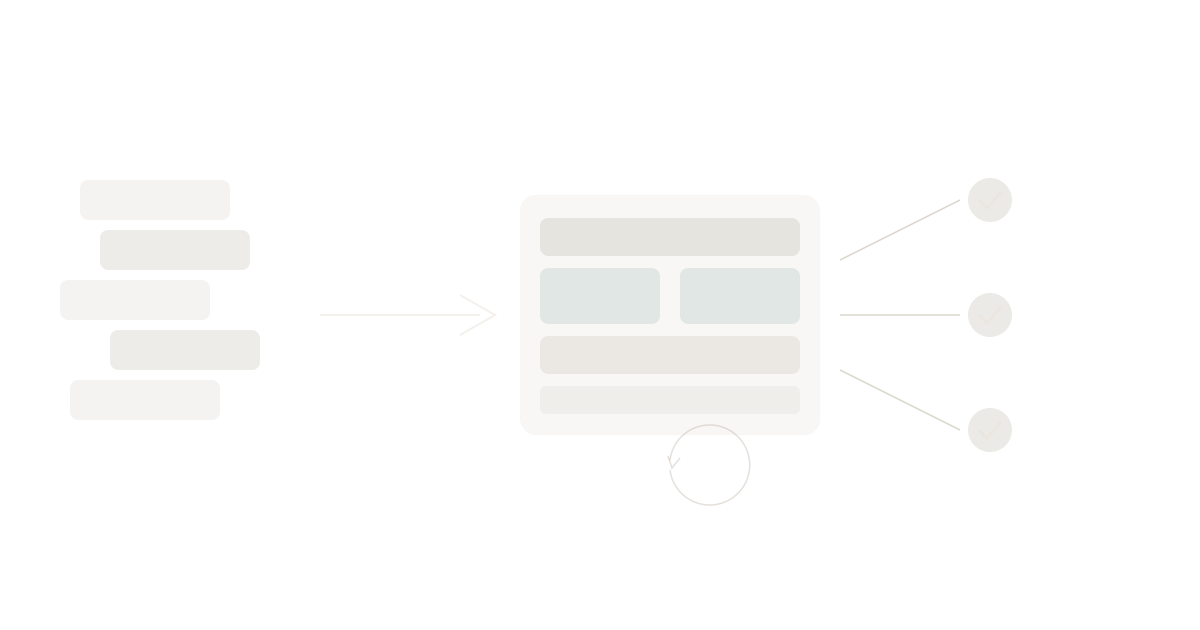
Data In → Logic Transforms → Action Out → Human Reviews
- Data comes in from one or more sources (a form submission, a webhook, a database query, a scheduled check)
- Logic transforms it (calculations, matching, filtering, formatting, enrichment)
- An action goes out (an email sent, a record created, a report generated, a notification triggered)
- A human reviews the output (approves, adjusts, or flags exceptions)
The human review step is critical. Good automation doesn't remove humans — it moves them from doing the work to supervising the work. This is what the military calls mission command: set the intent, delegate the execution, review the outcomes.
Example: Invoice Reconciliation
Manual version:
- Export transactions from banking portal (5 min)
- Export invoices from accounting software (5 min)
- Open spreadsheet, paste both datasets (5 min)
- Manually match transactions to invoices by amount and date (45 min)
- Investigate mismatches — check email, call vendors (30 min)
- Update accounting software with matched records (15 min)
- Send summary to finance manager for approval (5 min)
Total: ~2 hours weekly
Automated version:
- Data in: Scheduled daily pull from banking API and accounting API
- Logic transforms: Match by amount (±2%), date range (±3 days), and vendor name (fuzzy match)
- Action out: Create matched records in accounting software, generate exception report for unmatched items
- Human reviews: Finance manager reviews 5-10 exceptions instead of 200+ line items. Approves or adjusts.
Total: ~15 minutes weekly (human review only)
Annual savings: ~91 hours → ~$6,800 at $75/hour blended rate. One process. One automation.
Building Your First Automation
You don't need to be a developer. You do need to be clear about what you want. Here's the step-by-step approach.
Step 1: Document the Process (30 minutes)
Write down exactly what happens today. Not what should happen — what actually happens, including the workarounds, the "I just know to check this," and the exceptions. Use this template:
Process Name: [What you call it] Trigger: [What kicks it off — a date, an event, a request] Data Sources: [Where data comes from — which systems, which spreadsheets] Steps: [Numbered list of what happens] Output: [What gets produced — a report, an email, a record update] Exceptions: [What goes wrong and how you handle it] Time: [How long it takes and how often]
This document becomes your brief for the AI coding tool. The clearer you are here, the faster the build goes.
Step 2: Choose Your Data Layer
Your automation needs somewhere to store and query data. This is where most manual-to-automated transitions fail — not because the logic is hard, but because the data has no home.
Options range from spreadsheets (fragile, limited) to custom databases (powerful, complex). The sweet spot for most SMBs is a structured data platform that gives you database capabilities with spreadsheet-like simplicity. You need something where you can define tables, set column types, and query data through an API — without writing SQL or managing infrastructure.
This is why we built Tables as a core capability in WaymakerOS. It gives you PostgreSQL-grade data storage with a visual interface for managing schemas, and the Context API lets your automations query it directly.
Step 3: Build with AI
This is where the economics have shifted. AI coding tools in 2026 can build working automation from a clear description. The key inputs for your AI coding session:
- Your process document from Step 1
- Your data schema — what tables/columns you need
- Your trigger — time-based (cron), event-based (webhook), or manual
- Your output format — email, record creation, report, notification
A typical prompt to an AI coding tool looks like:
"Build a reconciliation function that runs daily. It pulls transactions from the banking API and invoices from the accounting API. It matches them by amount (within 2%) and date (within 3 days). Matched pairs get marked as reconciled. Unmatched items go into an exceptions table. Send a summary email to finance@company.com with the count of matched, unmatched, and total value processed."
The AI builds it. You review and refine. In most cases, the first working version takes 1-3 hours.
Step 4: Deploy and Connect
Your automation needs three things to run in production:
Hosting — somewhere to run the code on a schedule or in response to events. This is serverless territory — functions that execute when needed and cost nothing when idle.
Data access — connections to your business data. Tables, APIs, and the systems your process touches.
Context — awareness of your business structure. Which workspace? Which team? What permissions? An automation that can query your business data but doesn't understand your organisational context is only half useful.
This is the gap that WaymakerOS bridges. The Context API (ctx.tables, ctx.commander, ctx.ai) gives your code full business context without building integrations from scratch. Deploy to Host and your automation connects to real business data automatically.
Step 5: Review and Iterate
Your first automation won't be perfect. That's fine. The goal is to go from 2 hours of manual work to 15 minutes of review. Then iterate:
- Week 1: Run the automation alongside your manual process. Compare outputs.
- Week 2: Trust the automation for routine cases. Manually handle exceptions.
- Week 3+: Automate the most common exceptions. Reduce review to truly novel cases.
Within a month, most processes settle into a pattern where the human reviews 5-10% of cases and the automation handles the rest.
The Five Processes to Automate First
Based on patterns across hundreds of businesses, these five categories consistently deliver the highest ROI when automated:
1. Data Reconciliation
Pattern: Two or more data sources need to be matched and discrepancies identified.
Examples: Invoice matching, payment reconciliation, inventory counts, timesheet verification.
Why it's high-ROI: Highly predictable logic, high error cost, extremely tedious for humans.
Typical savings: 2-5 hours/week → 15-30 minutes of review
2. Scheduled Reporting
Pattern: Data from multiple sources assembled into a formatted report on a regular schedule.
Examples: Weekly KPIs, monthly board reports, client progress updates, financial summaries.
Why it's high-ROI: The reporting nightmare across 10 systems is one of the most universal pain points. Every business has it.
Typical savings: 1-4 hours per report → automated generation with human review
3. Onboarding Sequences
Pattern: A series of steps triggered by a new client, employee, or vendor entering the system.
Examples: Client welcome emails, account setup checklists, document collection workflows, access provisioning.
Why it's high-ROI: High frequency for growing businesses, directly impacts first impressions.
Typical savings: 30-60 minutes per new entity → fully automated with exception handling
4. Compliance Monitoring
Pattern: Regular checks against business rules, deadlines, or regulatory requirements.
Examples: License expiration tracking, document currency verification, regulatory filing reminders, audit trail generation.
Why it's high-ROI: Consequences of missing a deadline range from fines to lost certifications. Manual tracking is unreliable.
Typical savings: 2-4 hours/month → continuous automated monitoring with alerts
5. Follow-Up Management
Pattern: Tracking which items need follow-up, when, and triggering appropriate actions.
Examples: Overdue invoice reminders, lead nurture sequences, renewal notifications, escalation paths.
Why it's high-ROI: Revenue-generating when done well, frequently neglected when manual.
Typical savings: 1-3 hours/week → automated sequences with human override capability
The Growth Flywheel
Here's what happens when you automate your first process: you save time. That saved time lets you identify and automate the next process. Each automation makes the platform more valuable because more of your business data flows through it. After five automations, you have a connected system. After ten, you have an operating system.
This is the build flywheel:
- You describe a process that takes too long
- AI builds the app, agent, or automation
- You deploy it on a platform connected to your business data
- It runs, saves time, creates structured data
- The next build has more data to work with
- Each thing you deploy makes the platform smarter and more valuable
After 10-20 automations, your platform isn't just a tool — it's the operational backbone of your business. The switching cost isn't contractual. It's practical.
This is what operations at the edge looks like in practice: pushing operational capability to where work happens, enabled by a platform that maintains context and control.
What It Looks Like in Practice
Let's walk through a realistic month for a 25-person professional services firm starting from zero automation:
Week 1: Audit and prioritise
- Run the Manual Process Tax calculator
- Identify 18 recurring manual processes
- Score and prioritise: invoice reconciliation (score: 30), weekly KPI report (score: 27), client onboarding (score: 20)
Week 2: First automation — invoice reconciliation
- Document the process (30 min)
- Set up data tables (30 min)
- Build with AI coding tool (2 hours)
- Test alongside manual process (1 hour)
- Result: 2 hours/week → 15 minutes/week. Annual savings: ~$6,800.
Week 3: Second automation — weekly KPI report
- Document, build, test (3 hours total)
- Result: 1.5 hours/week → automated with 10-minute review. Annual savings: ~$5,000.
Week 4: Third automation — client onboarding sequence
- Document, build, test (3 hours total)
- Result: 45 min per new client → 10-minute review. Annual savings: ~$2,400.
Month 1 total investment: ~12 hours of setup and building Month 1 total annual savings: ~$14,200 ROI: Recovered within 6 weeks
And that's three processes out of eighteen. The remaining fifteen represent another $30,000-$50,000 in annual savings waiting to be captured.
Getting Started Today
You have two options:
Option A: Start the audit. Go back to The Manual Process Tax, run the calculator, and identify your top three automation candidates. You can start building with any AI coding tool and any hosting platform.
Option B: Start with a platform designed for this. WaymakerOS gives you the unified productivity tools (Commander) for daily operations plus the platform (Host) to deploy custom automations on your business data. Twenty integrated tools from $19/month, Host included, and the Context API connects everything automatically.
Either way, the first step is the same: stop paying the manual process tax. Calculate what you're losing. Pick the highest-value process. Automate it. Then do the next one.
The businesses that figure this out in 2026 will have a structural advantage that compounds every month. The ones that don't will keep hiring people to manage processes — instead of hiring people to grow the business.
Want the complete framework? Download our white paper The Manual Process Tax — includes both articles, the full self-assessment worksheet, and an automation prioritisation matrix you can use with your team today.
About the Author

Stuart Leo
Stuart Leo founded Waymaker to solve a problem he kept seeing: businesses losing critical knowledge as they grow. He wrote Resolute to help leaders navigate change, lead with purpose, and build indestructible organizations. When he's not building software, he's enjoying the sand, surf, and open spaces of Australia.