Most productivity platforms describe themselves as "all-in-one." Then you sign in and discover that "all-in-one" means a task list, a basic document editor, and a dozen integrations to cover the gaps.
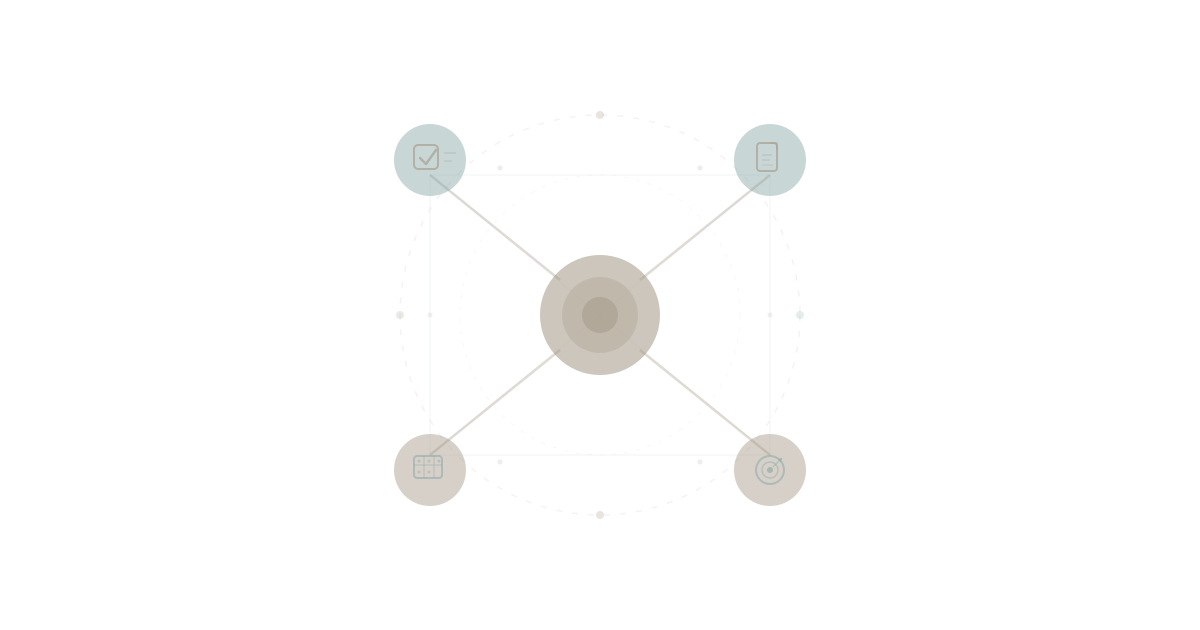
WaymakerOS is different. It is not a project management tool that bolted on documents. It is not a document tool that bolted on tasks. It is a unified business operating system where tasks, documents, goals, spreadsheets, roles, teams, and data all share a single connected data model from the ground up.
That distinction sounds abstract until you see it in practice. So let's walk through a real day — start to finish — and show what it actually looks like when everything lives together.
7:45 AM — The Morning Check-In
You open WaymakerOS Commander and land on your workspace home. No dashboard of widgets begging for configuration. Instead, you see what matters: your tasks due today, documents recently updated by your team, and goal progress against the quarter's key results.
You click into the kanban board for the Product workspace. Tasks are organised by status — Backlog, To Do, In Progress, Review, Done — with each card showing who's assigned, which project it belongs to, and the priority level. You notice a card in Review that's been sitting for two days. You click it, read the description, and reassign it to yourself. The update is instant. No webhook delay. No sync lag. The task, the project, and the person are all in the same system.
This is the first thing people notice about a unified productivity platform. There is no reconciliation step. When you change something, it changes everywhere, because there is only one place for it to exist.
8:30 AM — Goals That Connect to Work
Your leadership team set quarterly objectives using OKRs — Objectives and Key Results. In most organisations, goals live in one tool (Lattice, 15Five, a spreadsheet taped to the wall) while the actual work lives in another (Asana, Monday, Jira). The result is a gap between strategy and execution that widens every week.
In WaymakerOS, goals and work live together. You open the Goals view and see Q1's three objectives. Each has measurable key results with progress indicators. But here is the part that matters: each key result links to the projects and tasks that drive it forward.
You click into "Increase customer onboarding completion to 85%." The key result shows 62% current progress. Below it, you see the three projects contributing — Onboarding Flow Redesign, Help Documentation Update, and Welcome Sequence Automation. Each project links to its task board. You can see exactly which tasks are done, which are in progress, and which are blocking the goal.
No one had to manually update the goal. The work itself tells the story. This is the difference between goals that sit in a spreadsheet and goals that breathe with the rhythm of daily operations.
Research from Harvard Business Review consistently shows that the primary reason OKR programmes fail is not bad goal-setting — it is the disconnect between strategic objectives and operational execution. When goals and tasks live in separate systems, the alignment degrades every time someone forgets to update the tracker.
9:15 AM — Writing a Proposal Connected to Everything
A client meeting is scheduled for tomorrow. You need to write a proposal. In the old world, you would open Google Docs, start a blank document, tab over to your CRM to pull client details, open the project tracker to reference past work, and dig through email for the original scope conversation. Four tools. Four tabs. Four chances to miss something.
In WaymakerOS, you create a new document inside the Client Projects workspace. The document lives alongside the tasks, the sheets, and the goal data for that client. As you write, you reference a spreadsheet that tracks project milestones — same workspace, same sidebar, same session. You pull a number from the goals dashboard showing delivery metrics. You check the team view to confirm who will be on the implementation team so you can name them in the proposal.
Everything you need is within reach because everything lives in the same system. You never leave. You never copy-paste a number from one application into another and hope it is current. The proposal is saved, visible to your team, and connected to the project it belongs to.
This is what solving app sprawl actually feels like. Not "fewer apps." Connected work.
10:30 AM — Team Alignment Without a Meeting
Your operations lead needs to know where the infrastructure migration stands. In a fragmented stack, this triggers a Slack message, which triggers a meeting request, which triggers someone pulling data from three tools into a slide deck.
In WaymakerOS, you share a link to the Infrastructure workspace board. The operations lead opens it and sees every task by status, every document associated with the project, every team member's assignment. She filters by her team. She sees two tasks are overdue and one is blocked. She clicks into the blocked task, reads the blocker note, and reassigns it to an engineer with availability.
No meeting. No status update email. No "can you pull the latest numbers?" The information was already there, live, in context.
According to Gartner's research on digital workplace tools, organisations that consolidate operational data into unified platforms reduce status-meeting frequency by 30-40%. Not because meetings are bad, but because half of them exist only to share information that should be self-service.
11:00 AM — Roles, Teams, and Accountability
Here is something most productivity platforms skip entirely: organisational structure.
Who is responsible for what? Which team owns which project? Who reports to whom? In most companies, this lives in an HR system, a spreadsheet, and collective memory. When someone asks "who is the escalation point for billing issues?" the answer involves three Slack messages and a guess.
WaymakerOS includes Roles and Teams as first-class capabilities. You define roles with clear accountability descriptions. You assign people to roles. You create teams and add members. When you look at a task board, you do not just see names — you see the structure behind those names.
This matters for AI too. When you connect Claude to WaymakerOS via the Model Context Protocol, the AI does not just see tasks and documents. It sees who owns what, which team is responsible, and how work maps to organisational structure. That is the difference between context engineering and simple prompt-response patterns — giving AI the full picture, not just fragments.
1:00 PM — Building a Report from Connected Data
After lunch, you need a quarterly report for the board. This means pulling data from multiple domains: goal progress, project delivery rates, team utilisation, and financial metrics.
In a disconnected stack, this is a half-day project. Export from the goals tool. Export from the project manager. Export from the time tracker. Import everything into a spreadsheet. Cross-reference. Fix discrepancies. Build charts. Hope the numbers match.
In WaymakerOS, you create a new sheet in the Executive workspace. The sheet pulls from the same data model as everything else — goals, tasks, projects, teams. You build columns that reference key result progress. You add project completion rates. You structure a view that shows delivery by team. The data is already there. You are not importing — you are organising what the platform already knows.
Then you create a presentation. The presentation references the sheet. The sheet references the goals. The goals reference the projects. The projects reference the tasks. It is a single chain of connected data, not five exports glued together with VLOOKUP formulas.
This connected data model is what makes WaymakerOS fundamentally different from tools that "integrate" via API. Integration means two systems passing messages. A unified platform means one system with one data model. The difference shows up every time you need to answer a question that crosses domains.
3:00 PM — 67 Tools Deep
Everything described so far uses Commander's 20 built-in tools — Taskboards, Documents, Sheets, Goals, Roles, Teams, Projects, Sparks, and more. But the depth goes further.
The Waymaker MCP server exposes Commander's tools to AI. That means when you connect Claude Desktop, or an agent like Claude Code or Cursor working in your repo, the AI can reach into every corner of your business operations. Create a goal with key results. Set up a project board. Write and save a document. Build a spreadsheet. Assign roles. Manage team membership. Search across everything.
This is not a handful of "AI features" bolted onto a productivity app. It is a complete operational surface area that AI can navigate, query, and act within. The Context Compass framework ensures that AI interactions carry organisational memory — your business context persists across sessions, conversations, and team members.
The breadth of tools is the proof of depth. They mean WaymakerOS is not giving AI a peek through a window. It is giving AI the keys to the building.
5:00 PM — End of Day, Nothing Lost
At the end of the day, you have created tasks, written a proposal, reviewed goal progress, built a board report, and aligned your team on a blocked project — all without leaving one platform. Nothing was copy-pasted between apps. No data was exported and re-imported. No context was lost in translation between systems.
Every action you took is visible to your colleagues. The proposal you wrote is in the workspace where the client team can find it. The task you reassigned shows up on the new owner's board. The goal progress reflects the actual state of the work. The board report pulls from the same source of truth as the daily operations.
This is what Claude Desktop needs behind it — not a filing cabinet of disconnected documents, but a living operating system where every piece of work has context, connection, and continuity.
Why "Connected" Is Not the Same as "Integrated"
This distinction is worth emphasising because the software industry uses "integrated" loosely.
Integrated means two separate systems exchange data through an API, webhook, or middleware. The data exists in two places. Sync can fail. Formats can mismatch. There is always a delay, always a translation layer, always a chance that what you see in Tool A does not match Tool B.
Connected — in the way WaymakerOS uses the term — means the data exists once, in one model, and every capability reads from and writes to that same model. Tasks, documents, goals, sheets, roles, teams, and projects are not separate databases bolted together. They are facets of one unified data layer.
This is why a task can reference a goal, a document can live inside a project, a sheet can reflect team assignments, and a presentation can pull from all of them — without a single integration, webhook, or sync job.
2026 is the year businesses stop tolerating fragmentation and start demanding platforms where data is connected by design, not by afterthought.
The Foundation You Can Build On
Everything described in this tour is what you get with Commander — the foundation. But WaymakerOS goes further.
With Waymaker Host, you can build custom applications, serverless agents, and automations on top of the same connected data model. The apps you build inherit your organisational context — your goals, your teams, your projects, your data. You are not starting from a blank database. You are extending a platform that already understands your business.
That is the full picture. Commander is the foundation. Host is the build layer. One is the intelligence that connects them.
The way to make your business OS — connected through one unified data model that AI can actually work with.
No more tab-switching. No more copy-pasting between tools. No more meetings that exist only to share information trapped in someone else's app.
One place for tasks, docs, goals, and data. One platform that works the way your business actually works.
Start with Commander and see connected productivity for yourself.
Part of our guide to all-in-one business platforms.
About the Author

Stuart Leo
Stuart Leo founded Waymaker to solve a problem he kept seeing: businesses losing critical knowledge as they grow. He wrote Resolute to help leaders navigate change, lead with purpose, and build indestructible organizations. When he's not building software, he's enjoying the sand, surf, and open spaces of Australia.