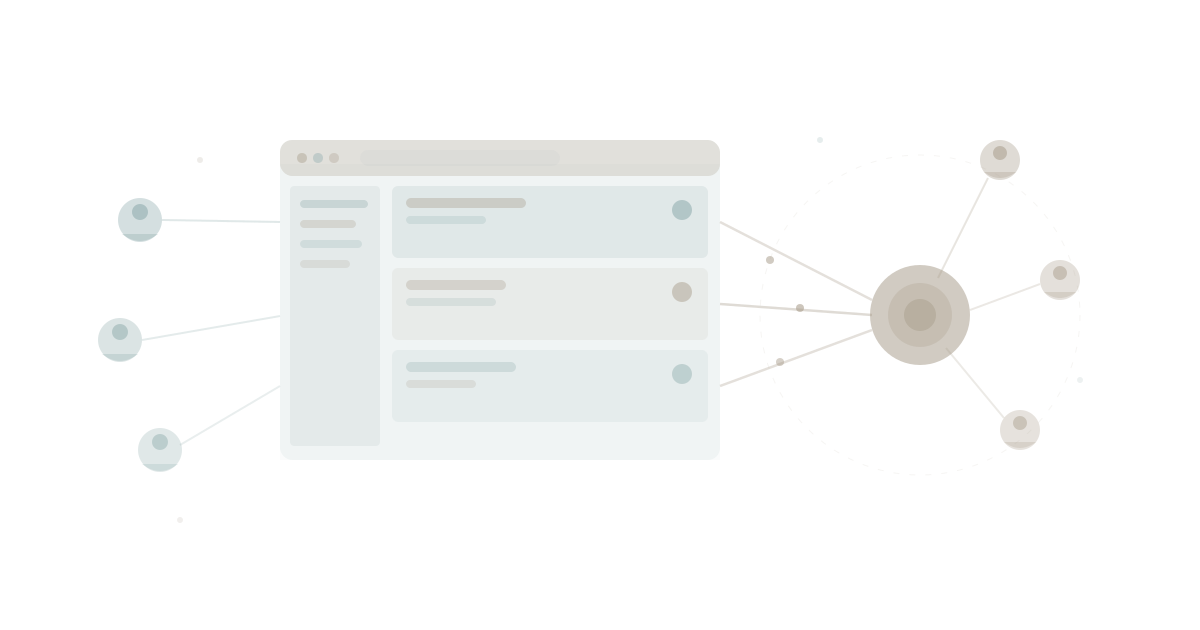
Every consulting firm, accounting practice, and creative agency hits the same wall. Clients want visibility. They want to see where their project stands, download the latest deliverable, and know who is handling their account. They do not want to chase you for updates over email.
The options available today are all bad in different ways.
Custom development runs $20,000 to $100,000 and takes three to six months. You need a developer to build it, another to maintain it, and a third to fix it when the first two leave.
Generic tools like Notion with guest access or shared Google Drive folders look promising for about a week. Then clients see your internal notes, the folder structure makes no sense to anyone outside your team, and the whole thing feels unprofessional.
SaaS client portals charge $50 to $200 per month, look the same as every other firm's portal, and store your data in yet another disconnected system. Your team ends up updating two places — their actual project management tool and the client-facing portal.
None of these solve the real problem: your clients need a window into the work your team is already doing, not a separate system your team has to maintain.
The Real Problem Is Duplication
According to McKinsey's research on professional services productivity, knowledge workers spend 20 percent of their time searching for information and another 20 percent duplicating work that already exists somewhere else. Client portals built on separate systems make this worse, not better.
Your team manages projects in one tool. They track tasks in another. Documents live in a third. Then someone asks them to update the client portal too. That is four systems describing the same work.
The inevitable result: the portal falls out of date, clients notice, and trust erodes. The tool meant to build confidence becomes evidence of disorganisation.
App sprawl is not just an internal problem. It bleeds through to your client experience.
What a Client Portal Actually Needs
Strip away the feature bloat and a professional services client portal needs five things:
- Project status — where does my project stand right now?
- Task visibility — what is being worked on, what is done, what is next?
- Document access — can I download the latest deliverable?
- Team transparency — who is assigned to my account?
- Access control — clients see only their projects, nothing else
That is it. Not a messaging system. Not a billing portal. Not a social feed. Five capabilities that answer the question every client actually asks: "How is my project going?"
The critical insight is that your team already has this data. If you use any kind of project management or productivity platform, the projects, tasks, documents, and team assignments already exist. The client portal should read from that data — not duplicate it.
The WaymakerOS Approach: One Data Layer, Two Views
WaymakerOS is built around a simple architectural principle: your team works in Commander (the foundation — 20 tools for projects, tasks, goals, documents, roles, and more), and you build custom apps on Host that connect to the same data.
A client portal built on WaymakerOS is not a separate system. It is a different view of the same information your team works in every day.
When a project manager updates a task status in Commander, the client sees it immediately in their portal. When a designer uploads a deliverable, it appears in the client's document list. No syncing. No duplicate entry. No "someone forgot to update the portal."
This is what 2026 custom apps look like. Not months of development. Not another SaaS subscription. Your data, your rules, your brand — deployed in a day.
Building It: Four Steps, One Day
Here is how you build a production client portal on WaymakerOS, from blank screen to live deployment. No prior development experience required. Tools like Claude and other AI coding assistants handle the implementation — you handle the decisions.
Step 1: Define Your Schema (Morning, 1-2 Hours)
Schema is a fancy word for "what data goes where." In Host, you define which Commander data your portal will surface.
For a client portal, that means:
- Projects filtered by client organisation
- Tasks within those projects, showing status and assignee
- Documents attached to those projects
- Team members assigned to each project
You are not creating new tables or databases. You are declaring which parts of your existing Commander data the portal can access. Host's Schema module shows you the relationships — which apps read which data, and how.
This is the build vs buy advantage: you are not buying someone else's idea of what a client portal should be. You are building exactly what your clients need, connected to exactly the data your team uses.
Step 2: Build Your Views (Late Morning, 2-3 Hours)
Views are what your clients actually see. Using an AI coding assistant in your IDE, you describe each screen:
Dashboard view: "Show a list of the client's active projects with status indicators — green for on track, amber for at risk, red for blocked. Each project shows completion percentage based on task status."
Project detail view: "When a client clicks a project, show the task list grouped by phase. Each task shows its status, assignee name, and due date. Completed tasks show a checkmark."
Documents view: "List all documents attached to the selected project, sorted by upload date. Each document shows file type, size, and a download button."
Team view: "Show the team members assigned to this client's projects with their role and a way to see what they are working on."
You describe it. The AI builds it. You refine. This is building in the IDE and scaling in the IME — the development model where business owners direct the build without writing code themselves.
Step 3: Set Access Rules (Early Afternoon, 1-2 Hours)
This is the step most DIY solutions get wrong. Access control on a client portal is not optional — it is the entire point. Client A must never see Client B's data.
In Host, access rules are defined at the data level, not the interface level. You set organisation-scoped filters so that:
- Each client organisation only sees projects tagged to them
- Documents are filtered to the client's project scope
- Task visibility follows project access
- Team member details are limited to those assigned to the client's work
This is not a cosmetic filter that hides things in the UI while the data is still accessible underneath. It is enforced at the data layer. Gartner's research on application security consistently ranks data-layer access control above UI-layer filtering for client-facing applications.
Step 4: Deploy and Share (Late Afternoon, 1 Hour)
Host deploys your app to a subdomain of your choosing. Your clients get a URL, a login, and a portal that looks like yours — not like every other firm's.
When you deploy through Host, your portal inherits the platform's authentication, hosting infrastructure, and monitoring. You are not managing servers, SSL certificates, or uptime. You built the experience. The platform handles the plumbing.
Total elapsed time: one working day.
Why This Was Not Possible Before 2026
Three things converged to make this practical.
AI coding assistants reached production quality. Claude and similar tools do not produce prototypes anymore. They produce deployable code. Describing a filtered project dashboard in plain English and getting working software back is not a future promise — it is today's workflow. HBR's analysis of AI-augmented work confirms that knowledge workers using AI tools complete development tasks in a fraction of traditional timelines.
Platforms replaced the integration tax. Before platforms like WaymakerOS, building a client portal meant stitching together a database, an authentication service, a hosting provider, and an API layer. Each connection was fragile. Each update risked breaking something. The integration tax made custom software expensive to maintain even after it was cheap to build. Platforms eliminate this by providing all the layers as one connected system.
The build-vs-buy economics flipped. When custom development cost $100,000 and took six months, buying a $200/month SaaS portal was obviously smarter. When custom development costs a day of your time and $19/month on a platform, the math reverses. You get exactly what you want instead of the closest available approximation.
What Happens After Day One
A client portal is a starting point, not a destination.
Once you have the foundation, extending it takes hours instead of days. Common additions professional services firms build in weeks two and three:
- Approval workflows — clients approve deliverables directly in the portal, and the approval status flows back to your team's task board
- Scheduled reports — automated weekly summaries sent to client stakeholders, generated from live project data
- Feedback capture — clients leave comments on deliverables, which appear as tasks in your team's Commander workspace
- Custom dashboards — different views for different client stakeholders (the CEO sees strategic progress, the project sponsor sees task-level detail)
Each addition connects to the same data layer. Each one reduces the knowledge silos that accumulate when client feedback lives in email and approval chains live in someone's inbox.
This is the flywheel effect of building on a platform. Every app you build makes the next one easier because the data layer already exists. After your client portal, you might build an internal capacity planning dashboard, a partner reporting view, or a context-aware AI assistant that answers client questions from your project data.
The platform gets stickier with every build. Not because of lock-in — because of accumulated context.
The Real Competitive Advantage
Your competitor's client portal looks exactly like every other Notion guest workspace or generic SaaS portal. Yours looks like yours. It shows exactly the data your clients need, organised the way your firm works, branded to your identity.
More importantly, it is live. When your team updates a project status at 10am, the client sees it at 10:01am. No sync delay. No "we'll update the portal at the end of the week." No manual duplication.
That responsiveness builds trust. Trust builds retention. Retention builds referrals.
A client portal is not a technology project. It is a trust project. And the firms that build what differentiates them instead of buying what commoditises them will win the trust game.
The tools exist. The platform exists. The only question left is whether you spend a day building it or another year apologising for not having one.
Start Building
WaymakerOS gives you Commander as the foundation — 20 tools your team works in every day — and Host as the build layer, where you create client-facing apps connected to that same data.
Your clients are asking for visibility. Your team is tired of updating two systems. The answer is not another SaaS subscription. It is one day of focused work on a platform designed for exactly this.
Claude Desktop with WaymakerOS gives your AI assistant 67 tools to help you build, deploy, and manage client portals and every other custom app your firm needs.
Stop buying approximations. Start building exactly what your clients want.
Part of our guide to building and hosting what no one will build for you.
About the Author

Stuart Leo
Stuart Leo founded Waymaker to solve a problem he kept seeing: businesses losing critical knowledge as they grow. He wrote Resolute to help leaders navigate change, lead with purpose, and build indestructible organizations. When he's not building software, he's enjoying the sand, surf, and open spaces of Australia.