Competitor prices below were correct when this was written and change regularly — they also vary by country and by annual versus monthly commitment. Check each vendor's own pricing page for current figures; the argument here does not depend on the exact number.
Google Workspace is one of the most widely adopted productivity suites on the planet. Hundreds of millions of people open Gmail, Google Docs, and Google Drive every day. It earned that trust over nearly two decades of relentless refinement.
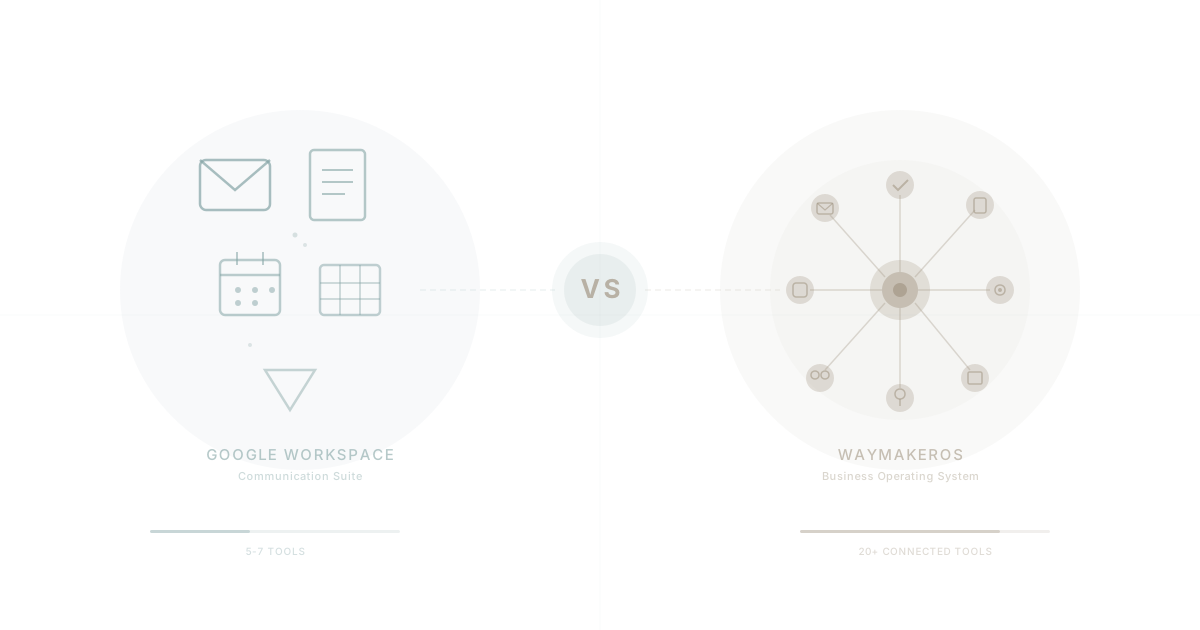
WaymakerOS is a different kind of platform. Instead of starting with communication and layering collaboration on top, it starts with operations -- tasks, goals, roles, teams, documents, sheets -- and connects them through a unified data layer with AI that understands the full picture.
These two platforms solve different problems. This guide breaks down exactly where each one leads and where each one falls short, so you can make an informed decision for your team.
What Google Workspace Does Best
World-Class Email
Gmail is arguably the best business email product ever made. Two decades of engineering produced an email experience with powerful search, intelligent spam filtering, conversation threading, and offline access. Google's infrastructure delivers 99.9% uptime SLA across the platform. For organisations where email is the primary communication channel, Gmail remains the standard.
Real-Time Collaboration
Google pioneered real-time collaborative editing. Multiple people editing a Google Doc simultaneously, watching each other's cursors, leaving inline comments -- this experience defined a generation of knowledge work. Google Sheets and Slides follow the same pattern. No file versioning conflicts. No "save and send." Just open the link and start working.
Massive Ecosystem
The Google Workspace Marketplace hosts thousands of integrations. Calendar syncs with nearly every scheduling tool. Drive connects to file workflows across industries. Google's authentication layer (Sign in with Google) is ubiquitous. If you need a tool to connect to something, someone has probably already built the Google integration.
Reliability and Brand Trust
Google runs on infrastructure that most organisations cannot replicate. Data centres across the globe, redundant systems, and a security posture built to serve billions. For risk-averse decision makers, "nobody gets fired for choosing Google" carries genuine weight. It is a known quantity with a proven track record.
Clean, Intuitive Interface
Workspace apps are simple by design. Gmail, Docs, Sheets, Slides, Drive, Calendar, Meet -- each one has a focused purpose and a clean interface. Onboarding new employees onto Google Workspace is rarely a multi-week project. Most people already know how to use it from personal accounts.
Where Google Workspace Falls Short
No Project Management
Google Workspace has no native project management tool. No task boards. No Gantt charts. No sprint planning. No workflow automation. Google Tasks exists but is little more than a checklist. For any team that needs to track work beyond individual to-do items, a separate tool is required -- Asana, Monday, ClickUp, Jira, or something else entirely.
This is one of the primary reasons organisations end up in app sprawl. The communication suite handles communication. Everything else requires additional subscriptions.
No Goals or OKR Tracking
Google Workspace provides no mechanism for setting, tracking, or reporting on organisational goals. No OKR frameworks. No key result tracking. No goal hierarchies that cascade from company to team to individual. Strategy execution requires yet another tool, and that tool has no native awareness of the documents, tasks, or people already inside Workspace.
No CRM or Customer Management
Customer relationship management is entirely absent. No contact pipelines. No deal tracking. No sales automation. For any customer-facing team, Google Workspace requires a separate CRM that introduces another login, another data silo, and another monthly invoice.
No Org Chart, Role, or Team Management
There is no built-in way to define organisational structure. No role definitions. No team hierarchies. No reporting relationships visible to the people who need them. Google Admin Console manages user accounts and permissions, but it is an IT administration tool, not an organisational design tool.
No Native Kanban or Task Management
Beyond the minimal Google Tasks, there is no kanban board, no task assignment with context, no task dependencies, and no workload visibility across teams. Every team that needs to coordinate work -- which is every team -- adds another tool to the stack.
AI Limited to Individual Apps
Google's Gemini AI integration works within individual Workspace apps. It can help draft an email or summarise a document. But it cannot connect insights across your project tasks, goal progress, team workload, and customer pipeline -- because those capabilities do not exist inside Workspace. The AI is limited by the platform's scope.
What WaymakerOS Does Best
Twenty Connected Tools in One Platform
WaymakerOS ships with twenty integrated tools: tasks, documents, sheets, goals, roles, teams, projects, folders, email, presentations, and more. These are not loosely coupled add-ons. They share a single data layer. A task can reference a document. A goal connects to the projects that drive it. A role defines who is accountable for what. The connections are native, not bolted on through integrations.
Tasks, Goals, and Strategy Execution
Commander -- the operational foundation of WaymakerOS -- provides task management with kanban boards, goal tracking with key results, project management with timelines, and team management with role definitions. Strategy execution happens inside the same platform where daily work gets done. No gap between planning and doing.
AI With Full Organisational Context
Because everything lives in one platform, the AI layer (One) has context that siloed AI assistants cannot access. Ask a question and the AI can draw on your tasks, documents, goals, team structure, and project history to provide relevant answers. This is fundamentally different from an AI that can only see the single document currently open. Context engineering matters because AI quality depends on the data it can access.
Research from Anthropic and others consistently demonstrates that AI performance improves dramatically when given richer context about the user's actual work environment.
Custom App Building
This is where the two platforms diverge most sharply. WaymakerOS is not just a productivity suite -- it is a platform you can build on. Through Host, teams can create custom applications, serverless functions (Ambassadors), and database schemas that connect directly to their operational data. A finance team can build an approval workflow. An operations team can build a custom dashboard. A field service team can build a job dispatch system.
Google Workspace offers Apps Script for automation, but it operates within the constraints of Google's document-centric model. WaymakerOS provides a genuine application platform.
Single Subscription, Single Data Layer
One platform. One login. One subscription. No integration middleware. No Zapier glue holding systems together. No wondering whether the task in your project management tool matches the row in your spreadsheet. The data is the same data, accessed through different views. This is the architectural advantage that eliminates hidden costs from tool sprawl and integration maintenance.
Where WaymakerOS Is Honest About Limitations
Newer Platform
Google Workspace has been in market since 2006 (as Google Apps). WaymakerOS is younger. That means a smaller ecosystem of third-party integrations, fewer community tutorials, and a smaller pool of administrators who know the platform inside out. Google's two-decade head start in brand recognition is real.
Gmail Has Decades of Polish
WaymakerOS includes email, but Gmail is a product refined over twenty years by thousands of engineers serving billions of users. The spam filtering alone represents an extraordinary investment. Teams that live primarily in email and need the most polished email experience available will find Gmail difficult to match.
Scale and Enterprise Footprint
Google Workspace serves organisations from five-person startups to 500,000-seat enterprises. The compliance certifications, data residency options, and enterprise support tiers reflect that scale. WaymakerOS is purpose-built for small and mid-market teams where operational integration matters more than enterprise bureaucracy tooling.
Feature-by-Feature Comparison
| Capability | Google Workspace | WaymakerOS |
|---|---|---|
| Gmail (industry-leading) | Included (functional, improving) | |
| Documents | Google Docs (excellent) | Docs (rich editor, connected to tasks/goals) |
| Spreadsheets | Google Sheets (excellent) | Sheets (connected to platform data) |
| Presentations | Google Slides | Presentations (included) |
| Cloud Storage | Google Drive (15GB-5TB+) | Platform storage (included) |
| Video Meetings | Google Meet | Third-party (Zoom, Meet, Teams) |
| Calendar | Google Calendar (excellent) | Calendar integration |
| Task Management | Google Tasks (basic) | Full kanban, assignments, dependencies |
| Project Management | None | Projects with timelines and tracking |
| Goals / OKRs | None | Native goal tracking with key results |
| Roles and Org Chart | None (Admin Console only) | Role definitions, org structure |
| Team Management | None | Teams with membership and permissions |
| CRM / Contacts | Google Contacts (basic) | Contact management (connected) |
| Folders / Knowledge | Drive folders (disconnected) | Structured folders linked to projects |
| AI Assistant | Gemini (per-app context) | One AI (full organisational context) |
| Custom Apps | Apps Script (limited) | Host: Apps, Ambassadors, Schema |
| API Access | Google APIs (extensive) | Unified API across all tools |
| Integrations | Thousands (Marketplace) | Growing (API-first architecture) |
| Offline Access | Good (Chrome-based) | Progressive (web-first) |
| Mobile Apps | Excellent (per-app) | Responsive web (native planned) |
| Pricing | $7.20-$25+/user/month | $19+/seat/month (all tools included) |
The Real Comparison: Scope
The feature table reveals the fundamental difference. Google Workspace excels at communication and document collaboration -- email, docs, sheets, slides, storage, video, calendar. It covers perhaps seven core capabilities with exceptional quality.
WaymakerOS covers twenty capabilities. The communication tools are less mature than Google's. But the operational tools -- tasks, goals, projects, roles, teams, custom apps -- do not exist at all in Google Workspace.
This is not a "which is better" question. It is a "what do you need" question.
If your primary need is communication and document collaboration, Google Workspace is hard to beat. It does those things better than almost anyone.
If your primary need is running a business -- coordinating work, tracking goals, managing teams, executing strategy, and building custom tools -- WaymakerOS provides what Google Workspace does not.
The Total Cost Perspective
Google Workspace starts at $7.20/user/month. WaymakerOS starts at $19/seat/month. On licence price alone, Google is cheaper.
But licence price is not total cost. The question is what you pay on top of that base licence.
A Google Workspace customer who needs project management, goal tracking, CRM, and team management will add three to five additional tools. Each costs $10-30/user/month. Integration middleware adds more. Administrative overhead for managing multiple platforms adds more. Context switching between disconnected tools adds the largest hidden cost of all.
Google Workspace at $14/user/month + 5 additional tools at $15/user average = $89/user/month before integration and switching costs.
WaymakerOS at $19/seat/month includes all twenty tools in one platform.
The arithmetic favours consolidation. But Gartner research consistently shows that organisations underestimate integration and context-switching costs by 40-60%. The true gap is wider than the invoice suggests.
Three Common Approaches
Approach 1: Google Workspace Only
Best for: Small teams (under ten people) whose work is primarily communication and document-based. Consultants, agencies, and creative studios where email and shared documents cover 80% of operational needs.
Limitation: As the team grows and operational complexity increases, tool sprawl becomes inevitable.
Approach 2: WaymakerOS Only
Best for: Teams that want a single platform for operations and are willing to adopt a newer email experience in exchange for unified data and AI context. Organisations already frustrated with tool sprawl and ready to consolidate.
Advantage: One platform, one data layer, one subscription. AI with full context. Custom app building as needs evolve.
Approach 3: Google Workspace + WaymakerOS
Best for: Teams that love Gmail and Google Calendar but need operational tools Google does not provide. This is the most common pattern we see.
How it works: Keep Google Workspace for email and calendar. Use WaymakerOS Commander for tasks, goals, projects, roles, teams, documents, and sheets. The operational data lives in WaymakerOS where AI can access all of it. Email stays in Gmail where it has been refined for twenty years.
Advantage: Best of both -- Gmail's communication excellence plus WaymakerOS's operational depth.
Many organisations already running Google Workspace find that Approach 3 eliminates their need for three to five additional tools while keeping the email experience their team already knows.
Migration Considerations
If you are evaluating a move from Google Workspace to WaymakerOS (partial or full), the process is straightforward.
What migrates easily:
- Documents and sheets transfer with formatting preserved
- Task lists import into Commander's task management
- Organisational structure maps to Roles and Teams
- Goal frameworks translate directly to Goals and Key Results
What requires planning:
- Email migration (if moving away from Gmail) needs DNS and mailbox coordination
- Calendar integrations with external parties need redirect setup
- Google Drive sharing links need updated references
- Team habits around Google-specific workflows need retraining
For a step-by-step walkthrough, see the complete Google Workspace migration guide.
The Verdict
Google Workspace is the best communication and collaboration suite available. Gmail is exceptional. Google Docs collaboration is exceptional. The ecosystem is enormous and the reliability is proven.
WaymakerOS is a business operating system. It connects the work that happens after the email is read -- the tasks assigned, the goals tracked, the projects managed, the roles defined, the custom tools built.
These platforms are not direct competitors in the way that Google Workspace and Microsoft 365 are. They solve different problems with different architectures.
The question is not "Google Workspace or WaymakerOS?"
The question is: "Does your team need more than communication and documents?"
If the answer is yes -- if you need task management, goal tracking, project coordination, team structure, and the ability to build custom tools -- then you need something Google Workspace does not provide. Whether you replace Workspace entirely or layer WaymakerOS alongside it, the operational gap is real and growing.
The organisations we see thriving in 2026 are not choosing between communication suites. They are asking a bigger question: what platform gives us the foundation for daily operations and the ability to build what no one else will build for us?
That question has a clear answer.
Ready to explore the difference? See why companies are leaving Google Workspace or explore all platform comparisons. For a deeper look at costs, read our Google Workspace TCO analysis. To understand the unified productivity approach, start with unified productivity.
Part of our guide to leaving google workspace.
About the Author

Waymaker Editorial
Stuart Leo founded Waymaker to solve a problem he kept seeing: businesses losing critical knowledge as they grow. He wrote Resolute to help leaders navigate change, lead with purpose, and build indestructible organizations. When he's not building software, he's enjoying the sand, surf, and open spaces of Australia.