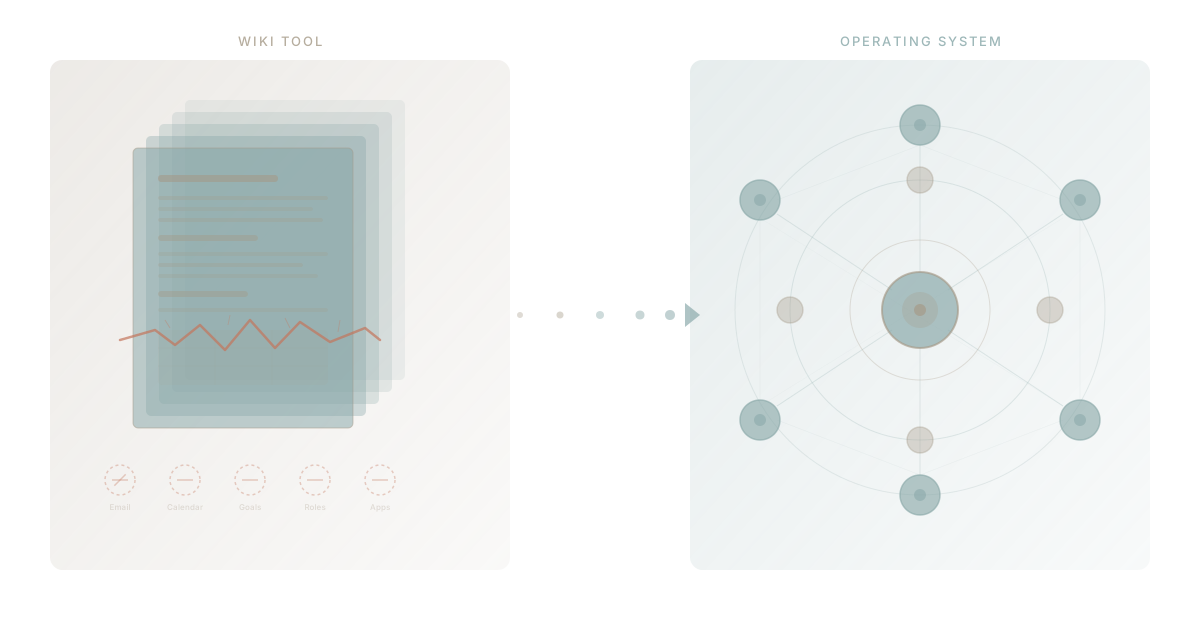
Every growing team follows the same path with Notion. First, you use it for docs. Company wiki, meeting notes, onboarding guides. It is clean and beautiful and everyone loves it. Then someone discovers databases. Suddenly Notion is your lightweight CRM, your task tracker, your content calendar. For a season, it feels like the only tool you need.
Then something shifts. The databases get slow. The wiki gets messy. New hires cannot find anything. You start bolting on Zapier to push Notion data into tools that can actually do something with it. And one day you realise the tool that was supposed to replace everything has become just another tab in a browser full of tabs.
This is not a failure of Notion. It is a graduation. You have outgrown a wiki tool, and what you need now is an operating system.
The Notion Journey Every Team Takes
Understanding why teams outgrow Notion starts with understanding the journey itself. It follows a predictable arc.
Stage One: The Wiki
Notion enters through documentation. Someone on the team sets it up, creates a clean workspace structure, writes the first few pages. Knowledge that lived in scattered Google Docs or someone's head now lives in one place. The team feels organised for the first time.
This is Notion at its best. Block-based editing, drag-and-drop layout, inline embeds. For creating and organising written information, it sets the standard. Most teams stay in this stage for six to twelve months, and during this period, Notion genuinely solves a real problem.
Stage Two: The Database Experiment
Someone watches a YouTube tutorial and discovers Notion databases. A table appears. Then a kanban view. Then a calendar view of the same data. Suddenly, Notion is not just a wiki. It is a lightweight project tracker, a CRM, a hiring pipeline, a content calendar.
The flexibility is intoxicating. You can build anything. Linked databases, rollups, formulas, relations between tables. Teams create increasingly complex systems, and for a while, they work. The promise of a unified workspace seems real.
Stage Three: The Cracks
This is where things get interesting. The system that felt so flexible at 10 people starts straining at 30. By 50, certain problems become impossible to ignore. Databases load slowly. Pages nest six levels deep. Different departments build conflicting structures. Search returns 200 results for "Q1 planning" because every team has their own version.
The cracks are not random. They follow from architectural choices Notion made at its foundation. Notion is a document tool that added databases. It is not a platform that was designed to run operations. That distinction matters more as teams grow, because the ceiling you hit is structural, not a feature gap that a product update will fix.
Five Signs You Have Outgrown Notion
If you recognise three or more of these, you are past the point where Notion is the right primary tool for your team.
1. You Have Three or More Notion Databases That Should Be Connected
Your task tracker, your CRM, and your project pipeline all live in separate Notion databases. You have tried relations and rollups. Some of them work. Most are fragile. When someone changes a property name or moves a page, linked references break silently.
The real problem is not that Notion databases cannot connect. It is that they were never designed to be a relational data layer. Each database is really a collection of pages with properties. At small scale, that is a useful abstraction. At larger scale, you need actual structured data with enforced types, proper relationships, and query performance that does not degrade as rows multiply.
According to Gartner's research on digital workplace tools, the average growing company hits this data fragmentation wall within 18 months of adopting a wiki-based productivity tool. The fix is never "better wikis." It is a purpose-built data layer.
2. You Need Zapier to Push Data Between Notion and Other Tools
You set up a Zap to create a Notion page when someone submits a form. Another Zap sends Notion task updates to Slack. A third pushes Notion data into a Google Sheet because your finance team refuses to work inside Notion. A fourth pulls CRM data from HubSpot into a Notion database.
Each Zap costs money. Each Zap is a point of failure. Each Zap is an admission that Notion cannot do something your business needs. When your "all-in-one" tool requires four automations to connect to your actual workflow, it is no longer all-in-one. It is a hub in a sprawling network of disconnected tools.
The deeper issue is workflow. Notion can store data. It cannot process data, trigger actions, or automate decisions. That is why every Zapier integration exists: to compensate for the gap between what Notion holds and what your business does.
3. Team Members Complain About Finding Things
This one creeps up slowly. Early on, the Notion workspace is small enough that everyone knows where everything is. Then the team doubles. New hires arrive. Nobody gives them a tour of the workspace because the person who built it left three months ago.
Search helps, but Notion search has limitations. It returns page titles and content matches, but it cannot distinguish between the current Q1 plan and the five archived versions. It cannot tell you which document is the canonical source. It cannot surface a task that is related to the document you are reading. Everything is flat.
Harvard Business Review research estimates that knowledge workers spend 3.6 hours per day searching for information across their tools. In a Notion-heavy organisation, much of that time is spent searching within Notion itself, opening page after page, trying to remember which workspace or database holds the thing they need. The wiki that was supposed to eliminate information silos has become its own silo.
4. You Have Added a Separate PM Tool Alongside Notion
This is the clearest signal. If your team uses Notion for documentation but Asana, Monday, or ClickUp for actual project management, you have already voted with your feet. Notion's task management was not sufficient, so you bought something purpose-built.
Now you have two tools that overlap and neither tells the whole story. Your project plans live in one place. Your documentation lives in another. Your team switches between them constantly, copying context from one to the other, maintaining two sources of truth for the same work.
This is the classic pattern of tool sprawl. It starts with a good intention: "We will use Notion for everything." When that proves impossible, you add one more tool. Then another. Soon the "all-in-one" workspace is one of six tools your team uses daily, and nobody can remember which tool holds the definitive version of anything.
5. You Are Paying $28 Per Seat and Still Need Gmail, Slack, and a PM Tool
Notion's Plus plan with AI costs $28 per user per month as of 2026. For a 30-person team, that is $840 per month or over $10,000 per year. And that gets you docs and databases.
You still need email. You still need a calendar. You still need a messaging platform. You still need a project management tool. You still need a goals and OKR tracker. You probably need a spreadsheet tool for finance. Add those up and you are looking at $50 to $80 per seat per month across five or six tools.
The Notion pricing structure makes sense if Notion is genuinely your only tool. But for most growing teams, it becomes one of many. And paying premium pricing for a wiki when you also pay for everything else it cannot do is an expensive way to stay stuck. This is the fundamental challenge with Notion's database approach: it approximates many capabilities without fully delivering any of them.
What Notion Cannot Become
Understanding why these signs are structural rather than temporary requires understanding what Notion is architecturally.
Notion is a block-based document editor with a database layer. Every "database" is actually a collection of pages. Every page is a tree of blocks. This is elegant for content creation and flexible for lightweight data management. It is fundamentally the wrong architecture for:
Email and communication. Notion added comments and mentions. These are annotations on documents, not a communication system. Real email requires send and receive, threading, contact management, deliverability infrastructure. Notion will not build an email client because it would mean rebuilding the core product.
Calendar and scheduling. Notion's calendar view displays database entries on a date grid. It cannot check availability, send meeting invitations, or integrate with CalDAV. A calendar view of data is not a calendar.
Goals and OKRs. Notion can store goals as database entries. But goal management requires cascading alignment (company goals to team goals to individual goals), progress roll-ups across multiple data sources, scoring methodologies, and review workflows. Notion's flat database structure cannot model this without increasingly fragile workarounds.
Organisational structure. Who reports to whom. Who is responsible for what. What roles exist and what accountability they carry. Notion has no concept of organisational hierarchy. You can document it, but you cannot operationalise it.
Custom applications. When your business needs something no one will build for you — a specialised approval workflow, a client portal, a compliance tracker — Notion cannot help. You can build a Notion page that looks like an app, but it has no backend, no security model, no API, and no way to scale beyond what a page can hold.
These are not missing features on a roadmap. They are architectural boundaries. A wiki tool that becomes excellent at project management stops being a wiki tool. Notion has wisely stayed true to what it does well. The question is whether what it does well is enough for your team.
The Next Step: A Platform That Starts Where Notion Ends
The answer to Notion's limitations is not a better wiki. It is a different category of software entirely.
An operating system for your business does not start with documents and try to stretch into operations. It starts with operations — tasks, goals, roles, teams, projects, data — and treats documents as one capability among many. Everything is connected by design rather than bolted together by workaround.
WaymakerOS was built on this principle. Twenty integrated tools spanning tasks, goals, documents, spreadsheets, roles, teams, projects, and more, all sharing the same data layer within a single platform. You do not need Zapier because the data is already connected. You do not need a separate PM tool because project management is built in. You do not need to duct-tape databases together because the platform has actual relational data infrastructure underneath.
And because WaymakerOS is built as a platform you can build on, the tools you get on day one are just the foundation. When your business needs something custom — a workflow, an agent, an automation — you build it on the same platform where your operations already live. No data migration. No new vendor. No context switching between seven different apps.
This is what Anthropic's approach to AI agents makes possible. When your AI assistant connects to a wiki, it can read your documents. When it connects to an operating system, it can manage your projects, track your goals, assign tasks, and eventually build custom tools for you. The platform becomes the context layer that makes both human work and AI work more effective.
How the Migration Works
Moving from Notion to an operating system is not a rip-and-replace scenario. Teams that make this transition successfully follow a phased approach.
Phase one: Activate the operational tools. Start using the project management, goals, and team structure capabilities in WaymakerOS. These are the things Notion cannot do. There is no overlap to manage because you were never doing them in Notion.
Phase two: Move active workflows. Migrate your current task databases and project trackers into WaymakerOS, where they connect to goals, roles, and team structures. This is where you feel the difference: tasks that were isolated pages in Notion are now connected to your strategic objectives.
Phase three: Migrate documentation. Move your wiki content into WaymakerOS documents. This is the last step because documentation is what Notion does best, so there is less urgency. Once migrated, your documents live alongside everything else: connected to projects, teams, and goals rather than floating in a separate wiki.
Phase four: Build what you need. With your operations running on a unified platform, you can start building custom applications, agents, and automations on the same data layer. This is the step that was impossible in Notion and is the reason growing businesses are moving to platforms they can build on.
Notion Is Not the Problem
Let this be clear: Notion is an outstanding product. It solved a real problem for millions of teams. It made documentation accessible and even enjoyable. It proved that business tools do not have to be ugly or complicated.
But there is a difference between a tool that helps you organise information and a platform that helps you run a business. Notion is the former. It was always the former. The frustration teams feel is not because Notion failed. It is because they succeeded — they grew past the point where a wiki tool, however good, is sufficient.
The five signs are not criticisms. They are milestones. They mean your team has real operations, real data needs, real workflow complexity. You need software that matches that complexity instead of forcing you to approximate it inside a document editor.
The answer is not more apps. It is a better foundation. The way to make your business OS — design it, build it, own it. That is what comes after Notion.
About the Author

Stuart Leo
Stuart Leo founded Waymaker to solve a problem he kept seeing: businesses losing critical knowledge as they grow. He wrote Resolute to help leaders navigate change, lead with purpose, and build indestructible organizations. When he's not building software, he's enjoying the sand, surf, and open spaces of Australia.