Notion is one of the best wiki tools ever built. Clean editor, flexible databases, beautiful templates, a community that creates genuinely useful resources. If your job is to organise information, Notion is hard to beat.
But organising information and running a business are different jobs.
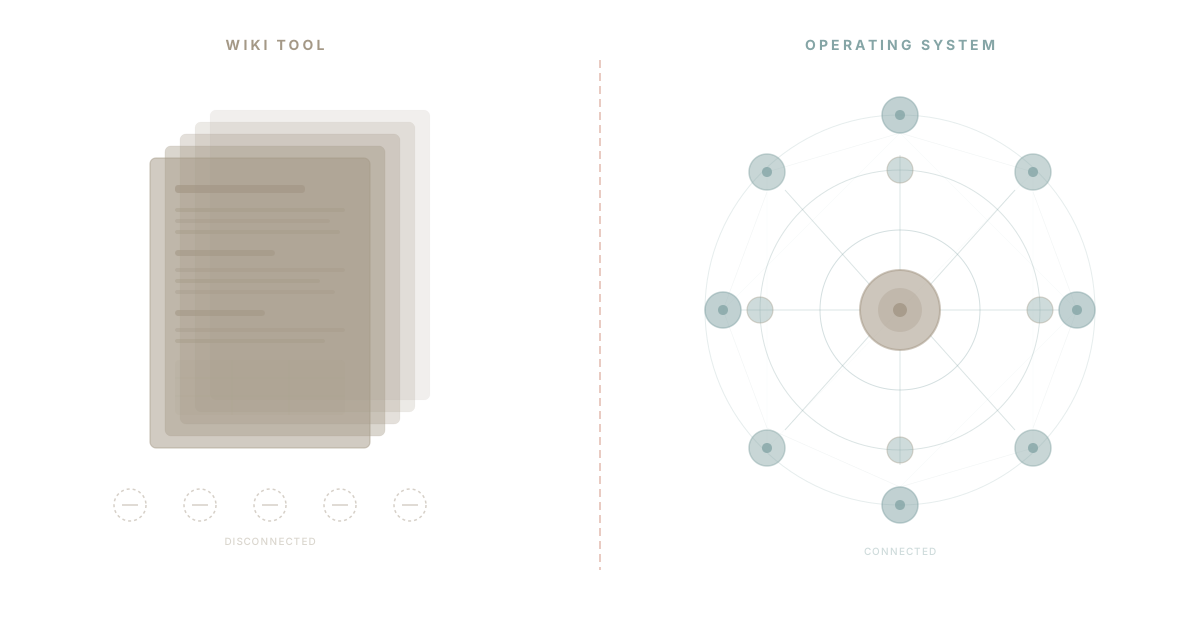
When a team installs Notion, they get a wiki. When a team installs WaymakerOS, they get an operating system. Those are different categories of software. Comparing them feature-by-feature misses the point, the same way comparing a notebook to an office misses the point. The notebook is excellent at what it does. It just cannot do what the office does.
This is an honest comparison. Where Notion wins. Where WaymakerOS wins. Where both have room to grow. And why more teams are graduating from wiki tools to operating systems in 2026.
What Notion Does Well
Credit where it is due. Notion earns its 35 million users because it delivers real value in specific areas.
Beautiful Documentation
Notion's block-based editor is best-in-class. Drag-and-drop layout, inline databases, embedded media, toggle lists, callout blocks. Writing in Notion feels better than writing in Google Docs, Confluence, or most alternatives. For internal wikis, process documentation, and knowledge bases, Notion sets the standard.
Flexible Databases
The ability to create a database and view it as a table, kanban board, calendar, gallery, or timeline from the same underlying data is genuinely powerful. Add relations between databases, rollups, and formulas, and you can build lightweight CRMs, project trackers, and inventory systems without writing code.
Templates and Community
Thousands of free and paid templates. Active community sharing workflows. Good onboarding that gets users productive quickly. The template gallery alone solves problems that would take hours to design from scratch.
Strong Free Tier
Notion's free plan gives individuals unlimited pages and blocks. For personal knowledge management, it is one of the best free tools available. The barrier to entry is essentially zero.
Cross-Platform Availability
Web, desktop (Mac and Windows), and mobile apps that sync reliably. Offline access for core features. The experience is consistent across devices.
Where Notion Hits Its Limits
Notion's limitations are not bugs. They are architectural boundaries. Notion was designed as a document and database tool, and it remains one regardless of how many features get added on top.
No Email
Your team's communication still lives in Gmail or Outlook. Customer context, decisions, and approvals happen outside Notion. The wiki knows what was decided but not the conversation that led there. Information flows in, but communication stays elsewhere.
No Calendar
Notion offers calendar views of databases. That is not a calendar. You cannot schedule meetings, check availability, send invitations, or manage your day from Notion. Google Calendar or Outlook Calendar remains mandatory, which means your schedule and your work live in different systems.
No Real Project Management
Notion can track tasks. It does this through databases with status columns, which works for small teams with simple workflows. But it lacks dependencies, resource allocation, workload management, Gantt charts, time tracking, and the structured workflows that project management tools provide. Teams using Notion for project management eventually find themselves building workarounds on top of workarounds.
Database Performance at Scale
Notion databases slow down noticeably past a few hundred rows. Complex filtered views take seconds to load. Pages with multiple embedded databases become sluggish. For teams managing thousands of tasks, contacts, or records, this is a genuine productivity blocker. According to Gartner's research on workspace tools, performance at scale remains one of the top factors driving platform switching decisions.
AI Is an Expensive Add-On
Notion AI costs an additional $10 per member per month, on top of your existing plan. For a 25-person team on Notion Business, that is an extra $3,000 per year for AI capabilities that are limited to summarisation, drafting, and Q&A within your workspace. The AI cannot take actions, manage workflows, or connect context across tools that live outside Notion. See the full cost breakdown in our Notion pricing analysis for 2026.
No Custom App Building
This is the fundamental ceiling. When your team needs a client portal, an internal approval workflow, a custom dashboard, or an automated report that pulls from multiple data sources, Notion cannot build it. You can construct elaborate database views that approximate these things, but they remain wiki pages pretending to be applications. Custom apps built on your own data require a platform, not a wiki. This is the moment teams discover when wikis hit their limits.
What WaymakerOS Does Differently
WaymakerOS is not a wiki that added features. It is a business operating system designed to connect every operational capability under one platform.
20 Connected Tools, One Data Layer
Tasks, documents, goals, spreadsheets, roles, teams, projects, folders, comments, presentations. Twenty tools that share the same underlying data model. When a goal updates, the tasks connected to it reflect the change. When a team member's role changes, their permissions adjust across every tool. This is not integration between separate products. It is unified productivity where everything knows about everything else.
Goals to Tasks to Teams -- Natively Connected
In Notion, you build a goals database, a tasks database, and a teams database. Then you add relations between them. Then you build rollup formulas to calculate progress. Then you create filtered views to show relevant data. Then you maintain all of it as the team grows.
In WaymakerOS, goals connect to key results which connect to projects which connect to tasks which connect to team members. The relationships are structural, not constructed. Progress rolls up automatically. Strategy and execution stay connected without anyone maintaining database relations.
AI Context Included
WaymakerOS includes AI capabilities in the platform. Not as an add-on with separate billing. The AI has context across all twenty tools because it operates on the same data layer. It can read your goals, check your tasks, review your documents, and take action -- not just summarise what it finds. According to Anthropic's research on AI assistants, the value of AI increases dramatically when it has access to structured, connected data rather than isolated documents. This is the difference between a filing cabinet and an operating system.
Custom App Building via Host
When twenty tools are not enough, WaymakerOS Host lets you build custom applications on the same data layer. Client portals, internal dashboards, automated workflows, custom reports. These are not wiki pages styled to look like apps. They are real applications deployed on real infrastructure, with real APIs, accessing the same data your team works with every day.
This is where the category difference becomes concrete. A wiki cannot offer this. An operating system can.
Honest Limitations of WaymakerOS
Fair comparison means admitting weaknesses.
Documentation Is Functional, Not Beautiful
WaymakerOS Documents get the job done. They support rich text, formatting, and collaboration. But they do not match Notion's editor for sheer writing pleasure. Notion's block-based, drag-and-drop editing experience is more polished. If your primary use case is creating beautiful internal documentation, Notion's editor remains superior today.
Smaller Community
Notion has millions of users sharing templates, workflows, and tutorials. WaymakerOS is newer and has a growing but smaller community. The template library, community resources, and third-party content ecosystem are not yet at Notion's level. This matters if your team relies on community-created templates and shared workflows for getting started quickly.
Learning Curve for Full Platform
Twenty tools means twenty things to learn. Teams migrating from a single-purpose wiki face an adjustment period as they discover capabilities they did not have before. The surface area is larger because the platform does more, and that takes time to absorb.
Feature Comparison Table
| Capability | Notion | WaymakerOS |
|---|---|---|
| Documents/Wiki | Excellent | Good |
| Databases/Tables | Excellent | Yes (Spreadsheets) |
| Task Management | Basic | Full (with dependencies) |
| Goal/OKR Tracking | Build-your-own | Native (Goals + Key Results) |
| Project Management | Basic | Full (Projects + Tasks) |
| Team Management | No | Yes (Roles + Teams) |
| No | Yes | |
| Calendar | Database views only | Yes |
| Presentations | No | Yes |
| AI Included | +$10/seat add-on | Included |
| Custom App Building | No | Yes (Host) |
| API Access | Yes | Yes |
| Automations | Basic | Yes |
| Offline Access | Yes | Limited |
| Free Tier | Generous | No |
| Community/Templates | Massive | Growing |
| Performance at Scale | Degrades | Designed for scale |
The Category Difference
The comparison table tells a story. Notion wins on documentation quality, free tier, community, and offline access. WaymakerOS wins on everything operational -- task management, goals, teams, projects, AI, and custom builds.
This is not a better-or-worse comparison. It is a different-category comparison.
Harvard Business Review research on digital transformation consistently shows that the biggest productivity drain in modern organisations is not the absence of any single tool. It is the friction between disconnected tools. Email in one system. Tasks in another. Goals in a third. Documents in a fourth. Each tool works fine in isolation. Together, they create the context switching and information silos that cost teams hours every week.
Notion, for all its quality, adds to this problem. It becomes one more place where information lives, separate from where decisions happen, where tasks get tracked, and where teams coordinate.
WaymakerOS eliminates the problem by making all of those things the same place.
Who Should Stay with Notion
Notion is the right choice if:
- Documentation is your primary need. If your team's biggest challenge is creating, organising, and finding written knowledge, Notion is purpose-built for that job.
- You are an individual or very small team. Notion's free tier is genuinely generous, and the flexibility works well when one or two people control the structure.
- You have already invested heavily in Notion workflows. Switching costs are real. If your team has spent months building elaborate database systems and they work well enough, the migration effort needs to be justified.
- You need offline-first. Notion's offline capabilities are strong, and teams working in low-connectivity environments benefit from that.
Who Should Consider WaymakerOS
WaymakerOS makes more sense if:
- You need more than a wiki. The moment your team needs task management, goal tracking, team coordination, and project oversight connected to your documentation, you have outgrown the wiki category.
- You are paying for multiple tools alongside Notion. If your stack is Notion + Slack + Asana + Google Calendar + a CRM, you are paying five vendors for capabilities that one platform provides. The cost and complexity add up, which is why teams compare the best all-in-one business platforms before renewing another round of subscriptions.
- AI context matters to you. If you want AI that understands your goals, tasks, team structure, and documents together -- not just one wiki in isolation -- the operating system model delivers more value.
- You need to build custom software. When templates and database views are not enough, and your team needs real applications built on your own data, WaymakerOS Host provides the build layer that no wiki tool can match.
- You are scaling past 20-50 people. The scaling struggles that Notion teams experience at this size are structural. They do not go away with better organisation -- they require a different architecture.
The Graduation Pattern
There is a pattern we see repeatedly. Teams start with Notion. They love it. They build their wiki, organise their knowledge, create databases for everything. Then the team grows. They add Slack for communication, Asana or Monday for real project management, Google Calendar for scheduling, a CRM for sales. Notion becomes one tool among many, and the promise of "all-in-one" quietly fades into the kind of tool sprawl that quietly kills productivity.
At that point, the question changes. It is no longer "how do I get more out of Notion?" It is "do I need a wiki, or do I need an operating system?"
Notion organises information. WaymakerOS runs the business. Many teams discover they need both, but only one platform can do both jobs. That is the category difference, and it is why teams graduate from wiki tools to operating systems as they scale.
Making the Decision
Start with the honest question: what does your team actually need?
If the answer is "better documentation and knowledge management," choose Notion. It is genuinely excellent at that job, and nothing in this article changes that.
If the answer is "a connected system where goals, tasks, teams, projects, documents, and custom applications work together," that is an operating system. Notion cannot become one by adding more database templates, the same way a notebook cannot become an office by adding more pages.
The best tool is the one that matches your actual need. For some teams, that is a wiki. For growing teams that need to run their entire business from one platform, it is an operating system.
Exploring alternatives to Notion? Read our guide on when Notion databases are not enough, check the full Notion pricing breakdown for 2026, or see how unified productivity solves the fragmentation problem.
Related reading: Understand the real cost of app sprawl, learn why your AI needs an operating system, not a filing cabinet, or explore the full comparison guide to see how WaymakerOS stacks up against other platforms.
Frequently asked questions
Q: Is WaymakerOS a Notion alternative?
It depends on what you need. Notion organises information; WaymakerOS runs the business. They are different categories of software, so the better question is whether you need a wiki or an operating system. If you have already outgrown databases and database views, the operating system model fits better.
Q: Why can't Notion just run my whole business?
Notion was designed as a document and database tool, and it remains one regardless of how many features get added on top. It has no email, no real calendar, no full project management with dependencies, and no custom app building. Those are architectural boundaries, not bugs.
Q: Does WaymakerOS include AI, or is it an extra cost like Notion AI?
WaymakerOS includes AI capabilities in the platform, not as an add-on with separate billing. Because the AI operates on the same data layer as all twenty tools, it can read your goals, check your tasks, and take action rather than only summarise.
Q: What does WaymakerOS do that Notion cannot?
It connects goals, key results, projects, tasks, and team members structurally rather than through manually maintained database relations, and its Host layer lets you build real custom applications on the same data your team uses every day. A wiki cannot offer this; an operating system can.
Q: When should I stay with Notion instead?
Stay with Notion if documentation is your primary need, you are an individual or very small team, you have already invested heavily in Notion workflows, or you need strong offline-first access. For growing teams that need to run the entire business from one platform, an operating system makes more sense.
Frequently asked questions
- Is WaymakerOS a Notion alternative?
- It depends on what you need. Notion organises information; WaymakerOS runs the business. They are different categories of software, so the better question is whether you need a wiki or an operating system. If you have already outgrown databases and database views, the operating system model fits better.
- Why can't Notion just run my whole business?
- Notion was designed as a document and database tool, and it remains one regardless of how many features get added on top. It has no email, no real calendar, no full project management with dependencies, and no custom app building. Those are architectural boundaries, not bugs.
- Does WaymakerOS include AI, or is it an extra cost like Notion AI?
- WaymakerOS includes AI capabilities in the platform, not as an add-on with separate billing. Because the AI operates on the same data layer as all twenty tools, it can read your goals, check your tasks, and take action rather than only summarise.
- What does WaymakerOS do that Notion cannot?
- It connects goals, key results, projects, tasks, and team members structurally rather than through manually maintained database relations, and its Host layer lets you build real custom applications on the same data your team uses every day. A wiki cannot offer this; an operating system can.
- When should I stay with Notion instead?
- Stay with Notion if documentation is your primary need, you are an individual or very small team, you have already invested heavily in Notion workflows, or you need strong offline-first access. For growing teams that need to run the entire business from one platform, an operating system makes more sense.
About the Author

Waymaker Editorial
Stuart Leo founded Waymaker to solve a problem he kept seeing: businesses losing critical knowledge as they grow. He wrote Resolute to help leaders navigate change, lead with purpose, and build indestructible organizations. When he's not building software, he's enjoying the sand, surf, and open spaces of Australia.