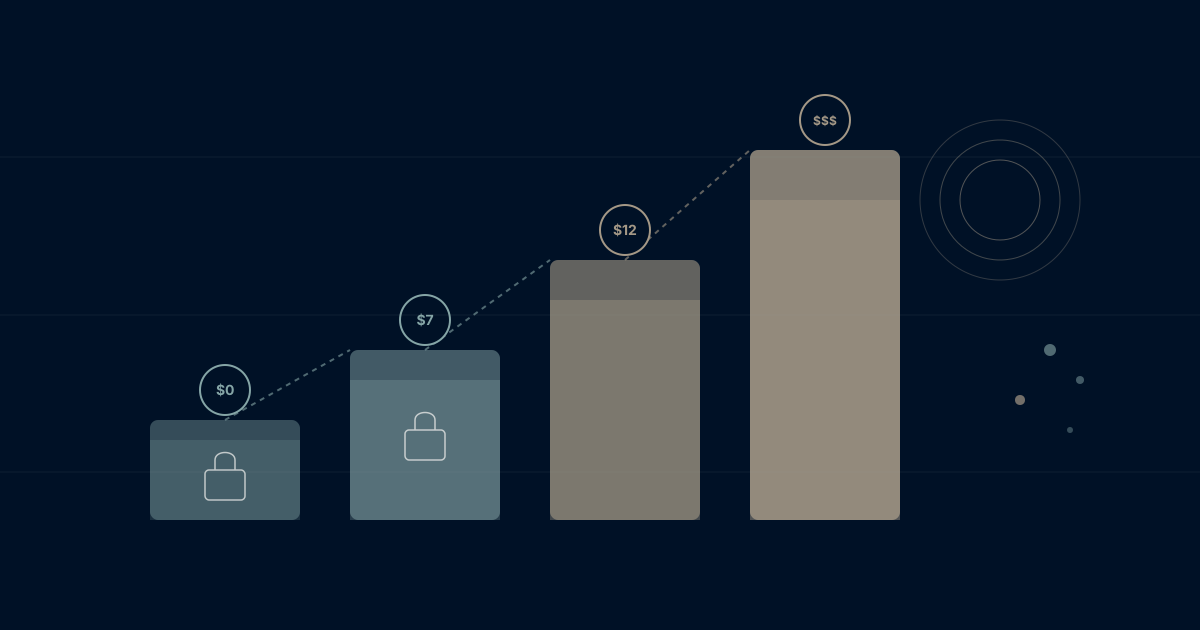
ClickUp's "$7 per user" headline is doing a lot of heavy lifting. It's technically true — for the Unlimited plan, billed annually, with features most teams won't actually use because Goals, time tracking, and workload management are locked behind the $12 Business tier. Add ClickUp AI at $5-7 per member on top. Add Google Workspace because ClickUp's email isn't real email. Add Slack because ClickUp Chat doesn't replace it.
Suddenly the "one app to replace them all" costs more than all the apps it was supposed to replace.
This guide breaks down what ClickUp actually costs in 2026, what each tier includes, and whether the complexity tax is worth paying — or whether your team's time and money goes further on a unified platform that includes everything from day one.
ClickUp Pricing Overview 2026
ClickUp uses per-member pricing with four main tiers. All prices shown are for annual billing—monthly billing costs significantly more.
| Plan | Price/Member/Month | Key Features | Best For |
|---|---|---|---|
| Free Forever | $0 | 100MB storage, unlimited tasks | Personal use |
| Unlimited | $7 | Unlimited storage, integrations | Small teams |
| Business | $12 | Advanced features, goals, time tracking | Growing teams |
| Enterprise | Custom | SSO, advanced security, support | Large organizations |
The immediate appeal: ClickUp's entry pricing undercuts most competitors. At $7/member on Unlimited, it's half the cost of Monday.com's Standard tier, cheaper than Asana's Starter, and lower than where Notion's per-user pricing lands once you add AI.
The catch: Feature gates push most teams to Business or higher. And ClickUp's complexity means you're often paying in time what you save in dollars — the kind of hidden per-employee cost that never shows up on the invoice.
Plan-by-Plan Breakdown
Free Forever Plan ($0)
What you get:
- Unlimited tasks
- Unlimited members
- 100MB total storage
- Two-factor authentication
- 24/7 support
- Collaborative docs
- Whiteboards
- Everything view
- Real-time chat
What you don't get:
- Unlimited storage (100MB is limiting)
- Integrations beyond basics
- Advanced permissions
- Goals
- Portfolios
- Custom fields at scale
- Dashboards beyond basics
Reality check: ClickUp's free tier is more generous than most competitors. Unlimited tasks and members sounds impressive. But 100MB storage fills fast—one PDF presentation can consume 10% of your limit. The free plan works for evaluating ClickUp. It rarely works for running an actual business.
Unlimited Plan ($7/member/month)
What you get (in addition to Free):
- Unlimited storage
- Unlimited integrations
- Unlimited dashboards
- Guests with permissions
- Gantt charts
- Custom fields
- Teams (user groups)
- Column calculations
- Email in ClickUp
What you still don't get:
- Goals
- Portfolios
- Time tracking
- Workload view
- Timeline view
- Mind maps
- Advanced automation
- Team reporting
- Advanced permissions
The Unlimited pricing trap: The name implies you get everything. You don't. Core features like Goals, Time Tracking, and Workload management are locked behind Business tier.
Unlimited pricing at scale:
| Team Size | Monthly Cost (Annual) | Annual Cost |
|---|---|---|
| 5 members | $35 | $420 |
| 10 members | $70 | $840 |
| 25 members | $175 | $2,100 |
| 50 members | $350 | $4,200 |
| 100 members | $700 | $8,400 |
Business Plan ($12/member/month)
What you get (in addition to Unlimited):
- Goals and portfolios
- Time tracking
- Workload view
- Timeline view
- Mind maps
- Advanced automations
- Advanced dashboard widgets
- Team management
- Custom exporting
- Public sharing
- Google SSO
This is where ClickUp becomes usable for serious project management.
The jump from $7 to $12 is 71% more expensive—but Business includes features most teams actually need:
- Goals: OKR-style objective tracking (worth weighing against dedicated OKR software if goals are your priority)
- Time tracking: Native time logging
- Workload: Capacity management
- Advanced automations: Beyond basic triggers
Business pricing at scale:
| Team Size | Monthly Cost (Annual) | Annual Cost |
|---|---|---|
| 5 members | $60 | $720 |
| 10 members | $120 | $1,440 |
| 25 members | $300 | $3,600 |
| 50 members | $600 | $7,200 |
| 100 members | $1,200 | $14,400 |
Reality check: A 50-person company on ClickUp Business pays $7,200/year. That's competitive with alternatives—but ClickUp is just project management. Email, documents (beyond ClickUp Docs), and other tools remain separate expenses.
Enterprise Plan (Custom Pricing)
What you get:
- White labeling
- Advanced permissions
- Enterprise API
- Unlimited custom roles
- Default personal views
- MSA and HIPAA available
- Live onboarding training
- Dedicated success manager
- Access to managed services
What you'll pay: ClickUp doesn't publish Enterprise pricing. Based on market data, expect $15-25+ per member with volume discounts, depending on organization size and negotiation.
Reality check: Enterprise is necessary for organizations over 100 people, those in regulated industries, or companies requiring advanced security compliance.
The Hidden Costs of ClickUp
ClickUp's sticker price is attractive. The total cost of ownership tells a different story.
Hidden Cost #1: The Complexity Tax
ClickUp's "everything app" approach means everything is in ClickUp. That includes:
- 15+ view types
- Hundreds of customization options
- Deep automation capabilities
- Extensive hierarchy options (Workspaces > Spaces > Folders > Lists > Tasks > Subtasks)
The cost: Learning curve. A survey from ClickUp's own community shows new users spend 2-4 weeks reaching proficiency. That's time not spent on actual work.
For a 25-person team:
- 2 weeks onboarding × 25 people = 50 person-weeks
- At average $50/hour = $100,000+ in onboarding time cost
The cheap subscription has an expensive hidden tax.
Hidden Cost #2: Monthly vs Annual Billing
ClickUp pushes annual billing hard. Monthly costs are significantly higher:
| Plan | Annual Price | Monthly Price | Premium |
|---|---|---|---|
| Unlimited | $7/member | $10/member | +43% |
| Business | $12/member | $19/member | +58% |
Annual billing locks you in. If ClickUp doesn't work out, you've paid for 12 months.
Hidden Cost #3: ClickUp AI (Add-On)
ClickUp AI isn't included in any plan. It's an add-on:
ClickUp AI pricing:
- $5/member/month on top of your plan
- Or $7/member/month for Brain (more advanced AI)
A 25-person team on Business with AI:
- Business: $300/month
- AI add-on: $125/month
- Total: $425/month ($5,100/year)
The "all-in-one" platform suddenly has add-ons.
Hidden Cost #4: Feature Creep Complexity
ClickUp ships features constantly. The ClickUp 3.0 release added dozens of capabilities. Each new feature:
- Requires learning
- Potentially breaks existing workflows
- Adds configuration decisions
- Increases cognitive load
Teams report spending hours configuring ClickUp rather than using it for work.
Hidden Cost #5: Integration Irony
ClickUp promises to replace your tools. In practice:
- ClickUp Docs aren't Google Docs
- ClickUp's email isn't a full email client
- ClickUp's chat doesn't replace Slack for most teams
- ClickUp's CRM capabilities are basic
You end up with ClickUp PLUS your other tools, plus integrations between them. The integration tax we've documented elsewhere still applies.
Hidden Cost #6: Export and Migration Risk
ClickUp's data model is proprietary. Migrating away from ClickUp means:
- Exporting (limited to CSV, JSON, or partial HTML)
- Losing custom fields, relationships, and automations
- Rebuilding workflows from scratch
- Potential data loss in complex hierarchies
The deeper you invest in ClickUp's ecosystem, the higher the switching cost.
Is ClickUp Worth It in 2026?
ClickUp works well for:
- Teams who enjoy customization and configuration
- Organizations that want maximum flexibility
- Power users willing to invest in learning
- Budget-conscious teams (at face value)
- Tech-savvy teams who won't be overwhelmed
ClickUp struggles for:
- Teams wanting simplicity
- Organizations with change-resistant employees
- Companies needing true all-in-one (email, calendar, etc.)
- Businesses prioritizing speed over customization
- Teams without a dedicated ClickUp admin
The Productivity Paradox
ClickUp's promise: consolidate tools, increase productivity.
The reality for many teams: more time configuring, less time executing.
Research suggests the average knowledge worker spends 60% of their day on "work about work"—meetings, status updates, searching for information. Adding a complex tool can increase this burden rather than reduce it.
The Real Comparison
When evaluating ClickUp's value, compare total cost of ownership:
Scenario: 25-person team
ClickUp-centric stack:
- ClickUp Business: $300/month ($3,600/year)
- ClickUp AI: $125/month ($1,500/year)
- Google Workspace (still need email): $300/month ($3,600/year)
- Slack (ClickUp chat isn't enough): $180/month ($2,160/year)
- Training and onboarding: $5,000+ (one-time)
- Year 1 Total: ~$15,860
- Ongoing Annual: ~$10,860
The "$12/member" becomes $36+ when you add what's actually needed.
ClickUp vs Competitors 2026
| Feature | ClickUp Business | Monday Pro | Asana Business | WaymakerOS |
|---|---|---|---|---|
| Price/member | $12 | $27 | $24.99 | Varies |
| Built-in email | Forwarding only | No | No | Yes |
| Built-in calendar | View only | View only | View only | Yes |
| Native docs | Yes (basic) | Yes (basic) | Yes (basic) | Yes (full) |
| Goals/OKRs | Yes | Add-on | Yes | Yes |
| AI included | No (+$5-7) | Limited | Limited | Yes |
| Custom apps | No | No | No | Yes |
| Complexity | High | Medium | Low | Medium |
Making the Decision
Choose ClickUp if:
- You have dedicated admin resources
- Your team enjoys customization
- You're already invested in ClickUp's ecosystem
- Budget is primary concern (and you accept complexity cost)
- You have patient, tech-savvy team members
Evaluate alternatives if:
- Your team is overwhelmed by ClickUp
- Configuration time exceeds work time
- You need true email/calendar integration
- You want AI without add-on fees
- Onboarding speed matters
- You're tired of "project management" that's separate from actual work
The Bigger Question
ClickUp competes in the project management category. But project management tools—as we've analyzed—solve the wrong problem.
They answer: "What tasks need doing?" They don't answer: "Why do these tasks matter?"
The execution gap between strategy and tasks persists regardless of how sophisticated your task management becomes — which is why project management tools fail without integration into the rest of the business.
What If Complexity Isn't the Answer?
ClickUp's philosophy is: give users every possible feature, and let them configure their way to productivity. Some teams thrive with that approach. Most don't.
The alternative isn't a simpler project management tool. It's a different kind of platform entirely — one where tasks, documents, goals, spreadsheets, roles, and teams already work together without configuration because they were built as one system, not bolted together.
WaymakerOS starts where ClickUp stops. Twenty connected tools from day one. No AI add-on fees. No "Unlimited" plan that limits your most important features. No six-level hierarchy to understand before you can create your first task.
And if off-the-shelf tools don't fit? Build custom apps on top of the same data — something no project management tool offers.
The math for a 25-person team:
- ClickUp Business + AI + Google Workspace + Slack: ~$15,860/year
- Waymaker One Pass (everything included): starts at $19/seat/month ($5,700/year)
That's not a marginal saving. That's a fundamentally different approach to business software.
Looking for more than project management? Explore why teams are leaving project management tools for platforms that connect goals, tasks, and organisational context.
Related reading: Compare ClickUp vs Asana vs Monday vs WaymakerOS, understand Monday.com pricing 2026, browse our full comparison hub, or see the best project management software for 2026.
Frequently asked questions
Q: How much does ClickUp actually cost per user in 2026?
ClickUp uses per-member pricing across four tiers billed annually: Free Forever at $0, Unlimited at $7/member/month, Business at $12/member/month, and Enterprise at custom pricing. Monthly billing costs significantly more on every paid tier.
Q: Is ClickUp AI included in the price?
No. ClickUp AI is an add-on — $5/member/month on top of your plan, or $7/member/month for Brain (the more advanced AI). A 25-person team on Business with AI pays $425/month all in.
Q: Why does ClickUp's $7 plan feel limited?
The Unlimited plan name implies you get everything, but core features like Goals, Time Tracking, and Workload management are locked behind the $12 Business tier — a jump that's 71% more expensive.
Q: What's the real total cost of ClickUp?
The sticker price hides a complexity tax: new users spend 2-4 weeks reaching proficiency, and you still need separate email and chat tools. For a 25-person team, ClickUp Business plus AI plus Google Workspace plus Slack runs roughly $15,860 in year one.
Q: Is ClickUp worth it in 2026?
ClickUp works well for tech-savvy teams that enjoy customization and have a dedicated admin. It struggles for teams wanting simplicity, true email and calendar integration, or AI without add-on fees.
Frequently asked questions
- How much does ClickUp actually cost per user in 2026?
- ClickUp uses per-member pricing across four tiers billed annually: Free Forever at $0, Unlimited at $7/member/month, Business at $12/member/month, and Enterprise at custom pricing. Monthly billing costs significantly more on every paid tier.
- Is ClickUp AI included in the price?
- No. ClickUp AI is an add-on — $5/member/month on top of your plan, or $7/member/month for Brain (the more advanced AI). A 25-person team on Business with AI pays $425/month all in.
- Why does ClickUp's $7 plan feel limited?
- The Unlimited plan name implies you get everything, but core features like Goals, Time Tracking, and Workload management are locked behind the $12 Business tier — a jump that's 71% more expensive.
- What's the real total cost of ClickUp?
- The sticker price hides a complexity tax: new users spend 2-4 weeks reaching proficiency, and you still need separate email and chat tools. For a 25-person team, ClickUp Business plus AI plus Google Workspace plus Slack runs roughly $15,860 in year one.
- Is ClickUp worth it in 2026?
- ClickUp works well for tech-savvy teams that enjoy customization and have a dedicated admin. It struggles for teams wanting simplicity, true email and calendar integration, or AI without add-on fees.
About the Author

Stuart Leo
Stuart Leo founded Waymaker to solve a problem he kept seeing: businesses losing critical knowledge as they grow. He wrote Resolute to help leaders navigate change, lead with purpose, and build indestructible organizations. When he's not building software, he's enjoying the sand, surf, and open spaces of Australia.