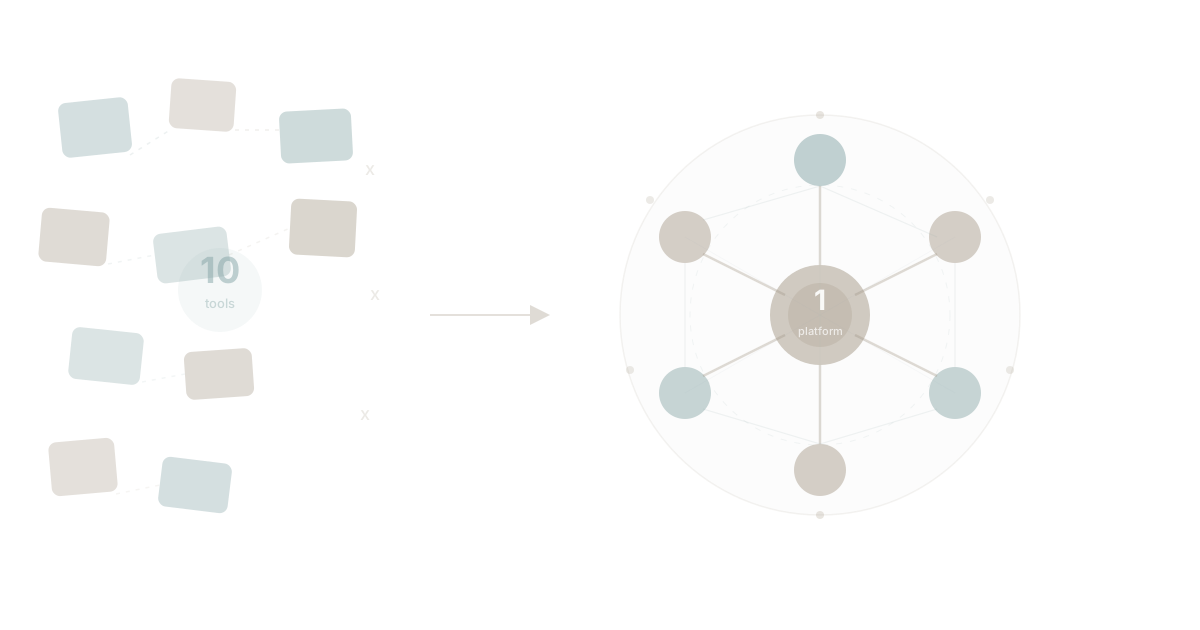
You started your company with Gmail and a spreadsheet. Perfectly reasonable. Then you added Asana for task management, because the spreadsheet wasn't cutting it. Then Slack, because email was too slow for quick questions. Then Google Docs for proposals. Then Monday.com because the sales team hated Asana. Then Notion for the wiki. Then Lattice for performance reviews. Then Google Sheets for reporting. Then HubSpot for the CRM. Then Loom for async video updates.
Ten tools. Twenty people. One mess.
You're now spending somewhere between $2,000 and $5,000 per month on software subscriptions alone. Your team spends the first hour of every day catching up across platforms. And the data your business generates — the stuff that should help you make better decisions — lives in ten different places that don't talk to each other.
This is the reality for most companies between five and fifty employees. And it doesn't have to be.
The Typical 20-Person Company's Tool Stack
Let's map what a real 20-person company uses. This isn't theoretical — it's the stack we see again and again when companies come to WaymakerOS.
| Tool | Purpose | Monthly Cost (20 seats) |
|---|---|---|
| Google Workspace | Email, calendar | $280 |
| Slack | Team messaging | $175 |
| Asana or Monday.com | Project management | $500 |
| Google Docs/Notion | Documents & wiki | $200 |
| Google Sheets | Reporting & data | $0 (bundled) |
| HubSpot | CRM | $450 |
| Lattice or 15Five | Goals & reviews | $320 |
| Loom | Video updates | $250 |
| Zapier | Connecting it all | $150 |
| 1Password or LastPass | Password management | $120 |
Total: $2,445/month minimum. And that's conservative. We've audited companies this size spending $4,000-$5,000 when you include overages, premium tiers, and the shadow IT nobody tracks.
But the dollar cost is the smaller problem. The real cost is invisible.
The Hidden Tax of Ten Platforms
Harvard Business Review research on workplace productivity consistently shows that context switching — the act of moving between different tools and interfaces — destroys focus. Each switch costs roughly 23 minutes of recovery time. In a 20-person company using 10 tools, that adds up fast.
Here's what the research tells us:
Lost time: The average knowledge worker switches between apps 1,200 times per day, according to research tracked by McKinsey. At a 20-person company, that's 24,000 daily context switches across your team. Even if each switch only costs 15 seconds of mental overhead, that's 100 hours of lost focus per week.
Data silos: Your sales data lives in HubSpot. Your project status lives in Asana. Your team goals live in Lattice. Your documentation lives in Notion. When someone asks "How are we tracking against Q2 goals?" the answer requires opening four tabs and manually cross-referencing information that should be connected. This is the knowledge silo problem at its most basic.
Permission chaos: Twenty people across ten platforms means 200 permission configurations. When someone joins, they need access to all ten. When someone leaves, you need to revoke access from all ten. When someone changes roles, you need to update permissions across — you guessed it — all ten.
Integration fragility: You've built a Rube Goldberg machine of Zapier automations and API connections holding everything together. When one breaks — and they do break — data stops flowing and nobody notices until something goes wrong. Gartner's research on integration complexity shows that integration maintenance costs rise exponentially, not linearly, with each additional tool.
This is app sprawl in its purest form. Not the enterprise version with 200+ apps. The small business version, where ten tools create the same proportional damage.
The Tool-by-Tool Replacement Map
So what does it actually look like to run this same company on one platform? Here's the direct mapping from a scattered stack to WaymakerOS unified productivity.
Email: Gmail to WaymakerOS Email
Your team still needs email. WaymakerOS includes integrated email — real email with your business domain — built into the same platform where everything else lives. No separate login. No separate tab. When an email references a project, you can link it to a task. When a client emails about an invoice, the context is already there.
The difference isn't the email features. It's that email stops being a silo.
Documents: Google Docs to WaymakerOS Documents
Documents in WaymakerOS aren't a separate product. They're a capability within the same workspace where your tasks, goals, and data live. Create a strategy document and link it directly to the OKR it supports. Write a project brief and it's already connected to the project board.
No more "I'll send you the link" followed by a permissions request. If you're in the workspace, you have the context you need.
Tasks and Projects: Asana/Monday to WaymakerOS Tasks and Kanban
This is where most companies feel the tool sprawl pain most acutely. Your project management tool holds tasks, but it doesn't know about your goals. It doesn't see your documents. It can't reference your data.
WaymakerOS tasks and kanban boards are native to the platform. A task can be linked to a goal, assigned to a role, tracked against a key result, and documented — all without leaving the workspace. This isn't integration. It's architecture.
Spreadsheets: Google Sheets to WaymakerOS Sheets
Business data lives in spreadsheets whether we like it or not. Revenue tracking, resource planning, customer lists, inventory counts — sheets remain the universal business tool.
WaymakerOS Sheets aren't trying to replace Excel's formula engine. They're giving your tabular data a home inside your operational platform, so that the numbers you track in sheets actually connect to the goals they support and the tasks they inform.
Team Communication: Slack to WaymakerOS Teams
Slack is brilliant at one thing: fast, informal communication. But it's also where information goes to die. The decision your team made last Tuesday in #product-strategy? Good luck finding it in three months.
WaymakerOS Teams provides the communication layer your team needs, connected to the work it's about. Conversations happen in context — attached to projects, tasks, and goals rather than floating in an endless stream of channels.
Goals and Performance: Lattice to WaymakerOS OKRs
OKR and goal-setting tools like Lattice or 15Five suffer from the same problem: they're disconnected from the actual work. You set goals in January, track them quarterly in a separate tool, and hope that someone updates the progress manually.
WaymakerOS OKRs are connected to the work itself. When tasks complete, key results update. When projects progress, goals reflect reality. This isn't a goal-tracking tool bolted onto your stack — it's goal tracking woven into your operations.
The Before and After
Let's make this concrete.
Before: 10 Tools
- 10 logins every morning
- 10 bills every month ($2,445-$5,000)
- 10 data silos that don't talk to each other
- 10 permission sets to manage for every person
- 10 interfaces your team needs to learn
- 10 potential points of failure in your integration chain
- Zero unified view of how your business is actually performing
After: 1 Platform
- 1 login to start your day
- 1 bill each month
- 1 connected dataset where everything relates
- 1 permission model — invite someone, they have what they need
- 1 interface to learn
- 1 source of truth for how the business runs
This isn't about feature parity. It's about architectural advantage. When your tasks know about your goals, and your documents know about your projects, and your data knows about your roles, you get something no collection of integrated tools can deliver: a connected understanding of your business.
"But Won't We Lose Features?"
This is the fear that keeps companies stuck on ten platforms. It's worth addressing directly, because the answer is nuanced.
Yes, WaymakerOS Sheets won't match every formula in Excel. WaymakerOS email won't have every filter rule Gmail offers. If your company depends on a hyper-specific feature in a specialised tool, you should keep that tool.
But here's what we've found after working with dozens of companies going through tech stack consolidation: most teams use 20-30% of the features in their specialised tools. They're paying for 100% of the complexity while using a fraction of the capability.
The question isn't "Does this unified platform match every feature?" It's "Does this platform cover the 80% we actually use, while giving us something no collection of point solutions can — connected data?"
For most 20-person companies, the answer is yes. Emphatically.
And here's the part nobody talks about: when your tools are connected natively, new capabilities emerge that weren't possible before. When Claude from Anthropic connects to WaymakerOS via MCP, it doesn't just read your documents — it understands your goals, sees your task progress, knows your team structure, and can take action across all of it. Try doing that with ten disconnected tools.
The Consolidation Playbook for a 20-Person Company
If you're convinced but unsure how to start, here's the practical sequence.
Week 1: Audit What You Have
Run through the annual software audit checklist with your team. For each tool, document: what it costs, who uses it, what features they actually use, and what data it holds. You'll be surprised by how much overlap you find.
Week 2: Map Features to Platform Capabilities
Take your audit results and map every feature your team actually uses against WaymakerOS capabilities. This is the build vs buy evaluation at the tactical level — you're not choosing between building custom software and buying off-the-shelf. You're choosing between ten subscriptions and one platform.
Week 3-4: Migrate in Phases
Don't rip everything out at once. Start with the tools that have the most overlap and the least data lock-in. For most companies, this means:
- Tasks and projects first — move from Asana/Monday to WaymakerOS tasks
- Documents second — migrate your active docs (not the archive)
- Goals third — set up OKRs in the platform
- Sheets fourth — move your operational spreadsheets
- Communication fifth — transition team conversations
- Email last — the most personal tool, give people time
Month 2: Evaluate and Optimise
After 30 days on the platform, audit again. Which old tools are people still logging into? Why? Sometimes it's habit. Sometimes it's a genuine feature gap. Address each one specifically.
For the genuine gaps, this is where WaymakerOS differs fundamentally from other unified platforms. Because it's a platform you can build on, you can create custom tools to fill those gaps. Need a specific workflow that no off-the-shelf tool handles? Build it. Need a custom dashboard that pulls data from multiple capabilities? Build it. This is the context engineering approach applied to business operations — giving your platform the specific context it needs to work the way your business works.
The Math That Closes the Argument
Let's talk pure economics, because at the end of the day, running a business comes down to sustainable operations.
Before (10 tools):
- Software cost: $2,445-$5,000/month
- Integration maintenance: ~$500/month (Zapier + developer time)
- Productivity loss: ~100 hours/week of context switching
- Admin overhead: ~20 hours/month managing accounts across platforms
After (1 platform):
- WaymakerOS: Starting at $19/seat/month = $380/month for 20 people
- Integration maintenance: $0 (everything's native)
- Productivity gain: Those 100 hours back in productive work
- Admin overhead: ~2 hours/month managing one platform
The CIO's guide to tool rationalisation makes this case at the enterprise level, but the proportional impact is even larger for small teams. A 20-person company saving $2,000/month and 100 hours/week of fragmented attention isn't optimising — it's transforming.
It Starts With a Decision
Every 20-person company running on ten platforms started the same way: one tool at a time, each solving a real problem, none designed to work together.
The fix isn't adding an eleventh tool. It's recognising that the fragmentation itself is the problem, and choosing a platform designed from the ground up to keep everything connected.
WaymakerOS isn't ten tools duct-taped together. It's one platform where email, documents, tasks, sheets, goals, roles, and teams are capabilities — not products. They share the same data layer, the same permission model, and the same interface.
Twenty people. One platform. Everything connected.
That's not a pitch. That's how modern companies should run.
Part of our guide to all-in-one business platforms.
About the Author

Stuart Leo
Stuart Leo founded Waymaker to solve a problem he kept seeing: businesses losing critical knowledge as they grow. He wrote Resolute to help leaders navigate change, lead with purpose, and build indestructible organizations. When he's not building software, he's enjoying the sand, surf, and open spaces of Australia.